1997 CADILLAC ELDORADO key battery
[x] Cancel search: key batteryPage 134 of 361
Downloaded from www.Manualslib.com manuals search engine t
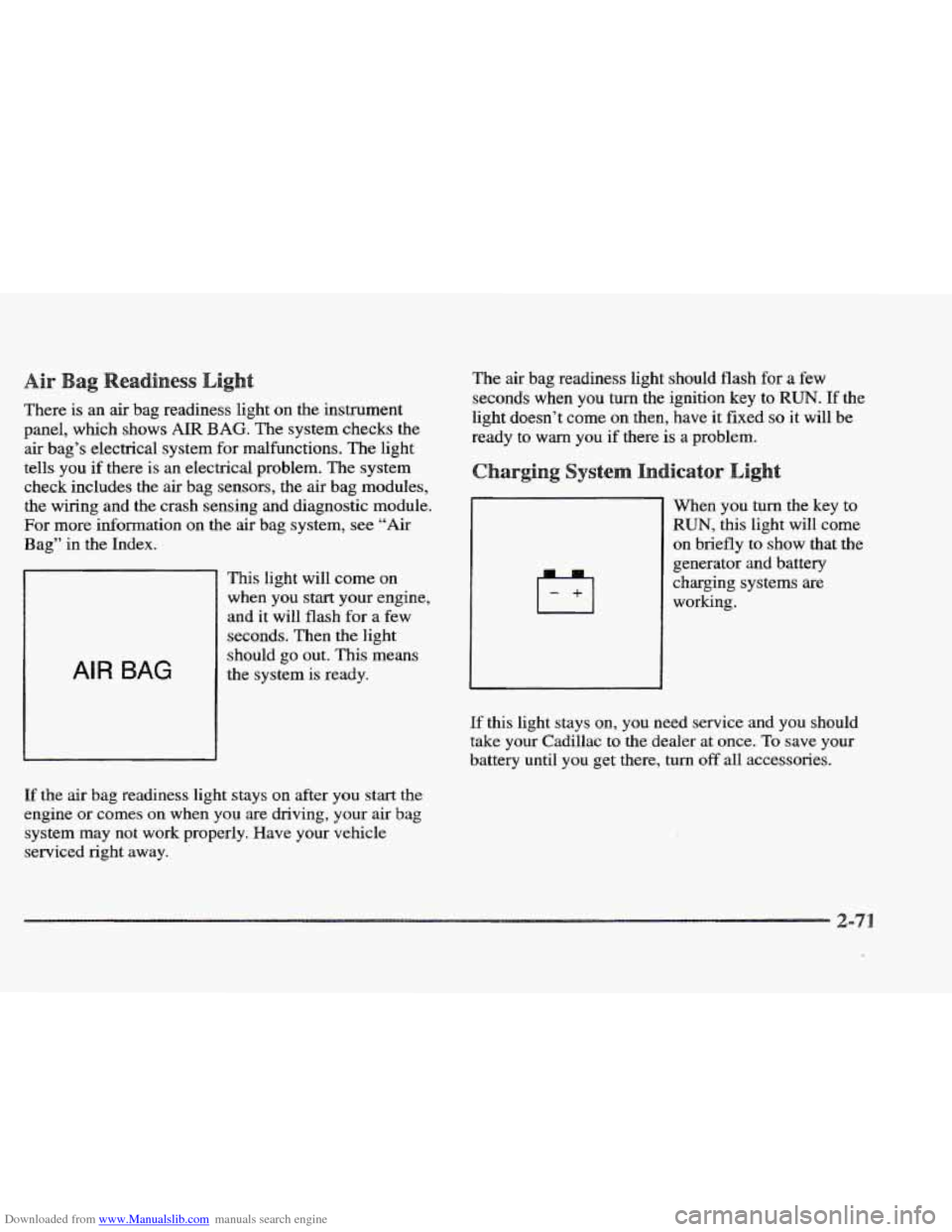
There is an air bag readiness light on the instrument
panel, which shows
AIR BAG. The system checks the
air bag’s electrical system for malfunctions. The light
tells you
if there is an electrical problem. The system
check includes the air bag sensors, the air bag modules,
the wiring and the crash sensing and diagnostic module.
For more information on the air bag system, see “Air
Bag” in the Index.
AIR BAG
This light will come on
when you start your engine,
and it will flash for a
few
seconds. Then the light
should go out. This means
the system
is ready.
If the air bag readiness light stays on after you start the
engine or comes on when you are driving,
your air bag
system may not work properly. Have your vehicle
serviced right away. The
air bag readiness light should flash for a few
seconds when you
turn the ignition key to RUN. If the
light doesn’t come
on then, have it fixed so it will be
ready to
warn you if there is a problem.
When you turn the key to
RUN, this light will come
on briefly to show that the
generator and battery
charging systems are
working.
If this light stays on, you need service and you should
take your Cadillac to the dealer at once. To save your
battery until you get there,
turn off all accessories.
Page 144 of 361
Downloaded from www.Manualslib.com manuals search engine river
The DIC display gives you the status of many of your
vehicle’s systems. The DIC is
also used to display driver
personalization features and warning/status messages.
Your vehicle may be equipped with the following
features that can be individually customized for up to
two drivers.
e Programmable Automatic Door Locks
e Remote Confirmation (for RKE)
e Exterior Lighting (at Unlock)
e Remote Recall Memory (for RKE or Key in
the Ignition)
e Battery Guard Storage
8 Climate Control Personalization
Memory Seat and Mirrors
Radio Personalization
For detailed information, see each feature in the Index.
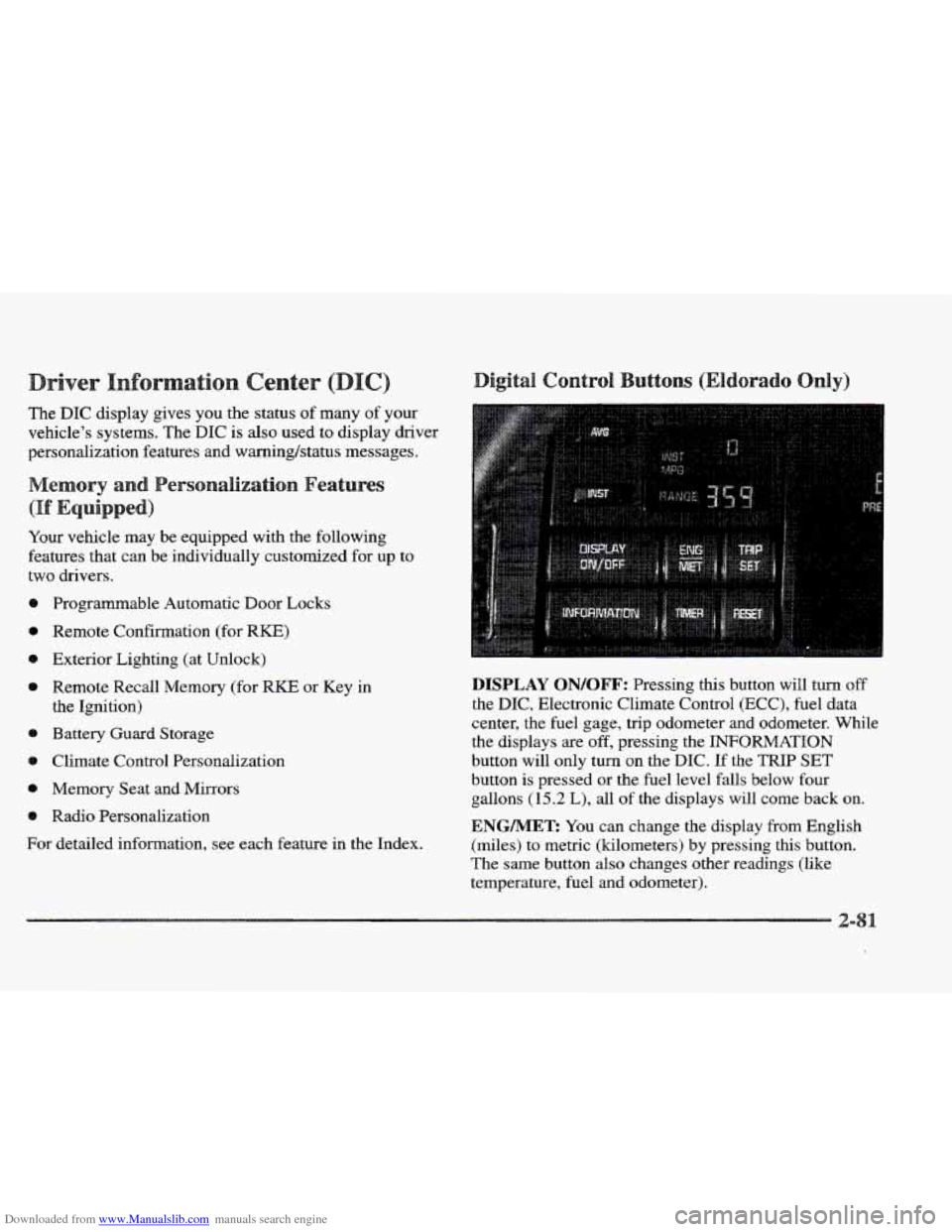
DISPLAY QN/QFF: Pressing this button will turn off
the DIC, Electronic Climate Control (ECC), fuel data
center, the fuel gage, trip odometer and odometer. While
the displays
are off, pressing the INFORMATION
button will only turn
on the DIC. If the TRIP SET
button is pressed or the fuel level falls below four
gallons
(15.2 L), all of the displays will come back on.
ENGMET: You can change the display from English
(miles) to metric (kilometers) by pressing this button.
The same button also changes other readings (like
temperature, fuel and odometer).
Page 145 of 361

Downloaded from www.Manualslib.com manuals search engine TRIP SET By using this button, you can tell how far
you’ve gone since you last set the
TRIP SET back to
zero. To reset, press and hold the button
until zeros
appear. If your vehicle is domestic, the trip odometer
will return to zero after 999.9 miles
( 1 609 km). If your
vehicle is Canadian, the
trip odometer will return to zero
after
1 999.9 km (1,242 miles).
INFORMATION: Pressing this button repeatedly will
display the MPG
AVG, MPG INST, GAL FUEL USED,
AVG MPH, ENGINE
RPM, BATTERY VOLTS,
COOLANT TEMP and
OIL LIFE LEFT.
TIMER: This feature is like a stopwatch, in that
you can clock the time it takes to get from one point
to another.
To operate, press the TIMER button until
TIMER OFF
0O:OO:OO is displayed on the DIC. Each of the fields for
the hours, minutes and seconds are two numeric digits.
Once TIMER
OFF 0O:OO:OO is displayed, press the
TIMER button to start the timing feature. Press the
TIMER button again to stop
it. If you will be starting
and stopping your Cadillac, during
a trip for instance,
the
TIMER feature will automatically start timing where
it left
off when you last stopped. To reset it, press and
hold the
RESET button until the display reads TIMER
0O:OO:OO. Press the INFORMATION button to exit from
the TIMER function.
RESET Pressing this button will reset the MPG AVG,
MPG INST, GAL FUEL USED, AVG MPH and OIL
LIFE LEFT. Pressing RESET when a non-resettable
display appears
will cause a “recall” mode to occur.
When this happens, all DIC warning messages that have
been displayed since the ignition key was turned to
RUN will redisplay. If no messages were displayed, a
MONITORED SYSTEMS
OK message will appear.
MPG AVG (Reset): Press the INFORMATION button
to display the MPG
AVG (Average Fuel Economy), then
press and hold the
IRESET button until 0.0 MPG AVG
is displayed.
FUEL USED (Reset): Press the INFORMATION
button to display the
GAL FUEL USED on the DIC,
then press and hold the
RESET button until 0.0 GAL
FUEL USED is displayed.
AVG MPH (Reset): Press the INFORMATION button
to display the AVG
MPH (Average Speed), then press
and hold the RESET button until
0.0 AVG MPH
is displayed.
OIL LIFE LEFT (Reset): Press the INFORMATION
button to display the OIL LIFE LEFT, then press and
hold the
RESET button until 100% OIL LIFE LEFT is
displayed. (This only needs to be reset after you have
had the oil changed.)
Page 347 of 361

Downloaded from www.Manualslib.com manuals search engine attery ...................................... 6-30
Charging System Indicator Light
................. 2-7 1
Jump Starting
................................. 5-4
No Charge Message ........................... 2-85
Replacement, Remote Keyless Entry
.............. 2- 10
Volts High Message ........................... 2-85
Volts
Low Message ........................... 2-85
Battery Guard Storage
........................... 2-48
Battery Saver
.................................. 2-47
Exterior Lighting
............................. 2-47
Inadvertent Power
............................ 2-48
BBB Auto Line
................................ 7- 11
Better Business Bureau Mediation
.................. 7-1 1
Brake Adjustment
.................................. 6-29
Master Cylinder
.............................. 6-27
Replacing System
Parts ........................ 6-30
System Warning Light ......................... 2-72
Trailer
...................................... 4- 36
Transaxle Shift Interlock
....................... 2-3 1
Vacuum Problem Message ...................... 2-85
Wear
....................................... 6-2 9
Brakes, Anti-Lock ............................... 4-7
Braking ........................................ 4-6
Braking in Emergencies
.......................... 4- 10
Break-In, New Vehicle
.......................... 2-19
Brightness Control
.............................. 2-47
BTSI ......................................... 2-31
Bulb Replacement
.............................. 6-3 1
Warnings ................................ 5-4, 5-6
Fluid ....................................... 6-27
Parking
..................................... 2-26
Peddlravel ................................. 6-29
Capacities and Specifications .................... 6-45
Carbon Monoxide
.................... 2.32.4.29. 4.35
Cassette Tape Player
.................. 3.10.3.13. 3.17
Cassette Tape Player Care
........................ 3-26
Cellular Telephone
.............................. 2-58
Center Console Storage Area
...................... 2-56
Center Passenger Position
........................ 1-30
Central Door Unlocking System
.................... 2-4
Certitication Label
.............................. 4-31
Chains. Safety
................................. 4-36
Chains. Tire
................................... 6-45
Change Engine
Oil Message ...................... 2-85
Change Trans Fluid Message
...................... 2-85
Changing a Flat Tire ............................. 5-26
Charging System Indicator Light
................... 2-71
Check Brake Fluid Level Message
................. 2-86
Check Coolant Level Message ..................... 2-86
Check Fuel Gage Message
........................ 2-86
Check Oil Level Message ........................ 2-86
Check Washer Fluid Message ..................... 2-86
Checking Your Restraint Systems .................. 1-43
Chemical Paint Spotting
.......................... 6-52
Child Restraints
................................ 1-33
Securing in
a Rear Outside Seat Position ........... 1-34
Securing in the Center Rear Seat Position
.......... 1-36
Securing in
the Right Front Seat Position .......... 1-38
Wheretoput
................................ l-33
Center High-Mounted Stoplamp. Bulb Replacement ... 4-35
. TopStrap ................................... 1-34
Chrome Wheels. Cleaning
........................ 6-51
Cigarette Lighter
............................... 2-57
CHMSL ...................................... 6.35
Circuit Breakers
and Fuses ....................... 6-58
-2