1997 CADILLAC ELDORADO heating
[x] Cancel search: heatingPage 156 of 361

Downloaded from www.Manualslib.com manuals search engine 3-2
3-2
3-6
3-6
3-6
3-7
3-8 3-8
3-9
3-9
3 -9
3-9
3-10
3-13
Comfort Controls
Climate Control Panel
Electronic Solar Sensor
Air Conditioning
Heating
Ventilation System
Defrosting
Rear Window Defogger
HVAC Steering Wheel Controls
Climate Control Personalization
Audio Systems
Setting the Clock
AM-FM Stereo with Cassette Tape Player and
Optional Compact Disc Player
Bose
TM AM-FM Stereo with Cassette Tape
and Compact Disc Player
In this section, you’ll find out how to operate the comfort control and audio systems offered with your Cadillac. Be
sure to read about the particular systems supplied with your vehicle.
3- 17
3-2 1
3-24
3-24
3-25
3-25
3-25
3-26
3-27
3-27
Bose TM AM-FM Stereo with Cassette
Tape and Compact Disc Player with Digital
Signal Processing
Trunk Mounted CD Changer
Radio Personalization
Theft-Deterrent Feature
Audio Steering Wheel
Controls
Understanding Radio Reception
Tips About Your Audio System
Care
of Your Cassette Tape Player
Care of Your Compact Discs
Power Antenna Mast Care
Page 157 of 361
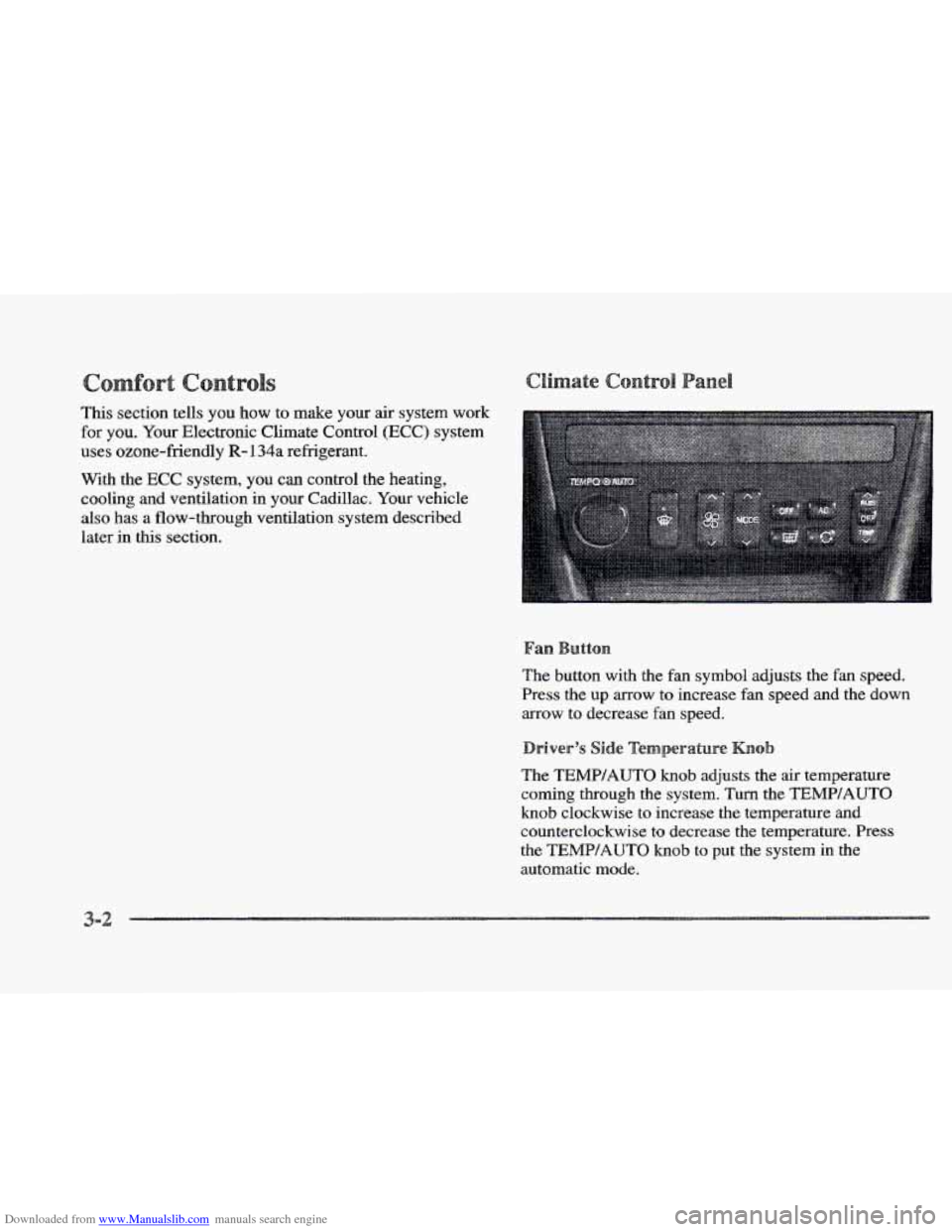
Downloaded from www.Manualslib.com manuals search engine This section tells you how to make your air system work
for you. Your Electronic Climate Control (ECC) system
uses ozone-friendly
R- 134a refrigerant.
With the
ECC system, you can control the heating,
cooling and ventilation in your Cadillac.
Your vehicle
also has a flow-through ventilation system described
later in this section.
The button with the
fan symbol adjusts the fan speed.
Press the up arrow to increase fan speed and the down
arrow to decrease fan speed.
The
TEMP/AUTO knob adjusts the air temperature
coming through the system. Turn the TEMPIAUTO
knob clockwise to increase the temperature and
counterclockwise to decrease
the temperature. Press
the TEMP/AUTQ knob to put the system in the
automatic mode.
3-2
Page 158 of 361

Downloaded from www.Manualslib.com manuals search engine With this dual-zone feature, the right front passenger can
control the temperature
of air for hisher own zone. The
passenger
can select a four degree warmer or cooler
temperature from the driver's setting. To turn the system
on, press the PASS/TEMP button. Press the up arrow to
increase the temperature and press the down arrow to
decrease the climate setting. Pressing the
OFF button
will
turn off the dual-zone function.
The outside temperature is always displayed when your
vehicle is running. You can change it from Fahrenheit to
Celsius by pressing the
INFO button (above the radio)
until ENGLHSH/METRIC RESET displays. Once
displayed, press the
INFO RESET button to select.
The outside temperature sensor
is located near the front
grille.
The sensor can be affected by road or engine heat
dnring idling, slow driving or when the engine is first
started after
a short trip. In order to ensure proper
automatic climate control operation,
the outside air
temperature display may not update as quickly
as
expected. This is to allow the air surrounding the outside
temperature sensor to be as close to
the actual outside
conditions as possible. This is determined by how much
time has elapsed since the vehicle has been turned
off
and by vehicle speed. Press this button to deliver
air through the floor, middle
or windshield outlets. The system will
stay in the selected
mode
until the MODE button is pushed again. Press the
up or down ~QW to cycle through the available modes.
Automatic
When the system is set for automatic operation, sensors
will control the
air delivery mode. Air will come from
the floor, middle or windshield outlets. The fan speed
will
vary as the system maintains the selected
temperature setting.
Be careful not to put anything over the
solar sensor
located in the middle
of the instrument panel near the
windshield. This sensor is used by the automatic system
to regulate temperature.
To find your comfort zone, start with the 75°F (24°C)
setting and allow about 20 minutes for the system to
regulate. Turn the
TEMP/AUTO knob to adjust the
temperature if necessary. If you' choose 60 OF ( 16 " C),
the system will remain at that maximum cooling setting
and will not regulate fan speed.
If you choose the
temperature of
90°F (32"C), the system will remain at
that maximum heating setting and will not regulate fan
speed. Choosing either maximum setting will not cause
the system to
heat or cool any faster.
Page 163 of 361

Downloaded from www.Manualslib.com manuals search engine Ventilation Tips
a Keep the hood and front air inlet free of ice, snow or
any other obstruction (such as leaves). The heater
and defroster will work
far better, reducing the
chance of fogging the inside of the windows.
0 When you enter a vehicle in cold weather, adjust the
fan to
the highest speed for a few moments before
driving
off. This helps clear the intake outlets of
snow and moisture, and reduces the chance of
fogging
the inside of the windows.
0 Keep the air path under the front seats clear of
objects. This helps circulate air throughout
your vehicle.
Use
DEFROST to remove fog or ice from the windshield
quickly in extremely humid or cold conditions.
Press the DEFROST button.
If you select DEFROST,
adjust the fan speed by pressing the fan button up or
down.
If you select DEFROST from AUTO, the system
will control the fan speed. The temperature also needs to
be adjusted by turning
the TEMP/AUTO knob.
Note that recirculation
is not available in the defrost or
defog modes. The lines
you see
on the
rear window wm the
glass. Press
this button to
turn on the rear defogger.
With
it, the rear window
and both outside rearview
mirrors
are heated.
The system will automatically shut
off after 10 minutes.
If further defogging is desired, press the button again.
Do not attach a temporary vehicle license, tape or decals
across the defogger grid on the rear window.
cut and damage the heating grids. Your warranty
would not cover this damage.
And don’t put
decals there; you might have to scrape them off.
Page 164 of 361

Downloaded from www.Manualslib.com manuals search engine Some heating and cooling
controls can be adjusted at
the steering wheel. Other
touch controls operate some audio controls. See “Audio
Steering Wheel Controls”
later
in this section.
8 FAN SPEED: Press the up arrow lever to increase
the
fan speed and the down arrow lever to decrease
fan speed.
TEMP: Press the up arrow lever to increase
the temperature and the down arrow lever to
decrease temperature.
With
this feature, your vehicle will recall the latest
climate control settings as adjusted the last time your
vehicle was operated.
This feature allows two different drivers-
to store and recall
their own climate control
settings. The settings recalled by the climate control
system
are determined by which RKE transmitter (“ 1 ”
or “2”) was used to enter the vehicle. The number on the.
back of the
RKE transmitter corresponds to driver 1 or
to driver
2. After the unlock button is pressed on the
RKE transmitter or the ignition key is placed in the
ignition, the climate control settings will automatically
adjust to where’ they were last set. The settings can
also
be changkd by briefly pressing the memory seat buttons
1 or 2 located on the driver’s door.
dio sys
Your Cadillac. audio system has been designed to operate
easily
and give years of listening pleasure. You will get
the most enjoyment
out of it if you acquaint yourself
with it first. Find out what your audio system can do
and how to operate
all its controls, to be sure you’re
getting the most out
of the advanced engineering that
went into it.
Press and hold
HR or MN until the time display begins
to change. Release the button as you get close
to the
correct time. The time may be set anytime. the clock
is
displayed.. There is a two-second delay before the clock
goes into time-set mode.
3-
Page 222 of 361
Downloaded from www.Manualslib.com manuals search engine Hold the bottom of the steering wheel with one hand.
Then, to move the trailer to the left, just move that hand
to the left. TQ move the trailer to the right, move your
hand
to the right. Always back up slowly and, if
possible,
have someone guide you. When
you tow a trailer, your vehicle may need
a
different turn signal flasher andor extra wiring. Check
with your Cadillac dealer. The green
arrows on your
instrument panel will flash whenever you signal a turn
or lane change. Properly hooked up, the trailer lamps
will also flash, telling other drivers you’re about to turn,
change lanes or stop.
When towing
a trailer, the green arrows on your
instrument
panel will flash for turns even if the bulbs on
the trailer are burned out. Thus, you may think drivers
Making very sharp turns while trailerring could
cause
the trailer to come in contact with the
vehicle.
Your vehicle could be damaged. Avoid
behind you are seeing your signal wheithey are mot. It’s
important to check occasionally to be sure the trailer
bulbs are still working.
-
making very sharp turns while traillering.
Reduce speed and shift to a lower gear before you start
When you’re turning with a trailer, make wider turns down a long or steep downgrade. If you don’t shift
than normal. Do this so your trailer won’t strike soft down, you might have to use your brakes so much that
shoulders, curbs, road
signs, trees or other objects. they would get hot and no longer work well.
Avoid jerky
or sudden maneuvers. Signal well
in advance. speed to around
45 mph (70 kdh) or less to reduce the
On
a long
uphill grade, shift down and reduce your
possibility
of engine and transaxle overheating.
Page 226 of 361
Downloaded from www.Manualslib.com manuals search engine c
Here you’ll find what to do about some problems that can occur on the road.
5-2
5 -4
5-4
5-9
5-16
Hazard Warning Flashers
Other
Warning Devices
Jump Starting
Towing Your
Vehicle
Engine Overheating
’ 5-26
5-26
5-36
5-37
If a Tire Goes Flat
Changing
a Flat Tire
Compact Spare
Tire
If You’re Stuck: In Sand, Mud,
Ice or Snow
Page 245 of 361
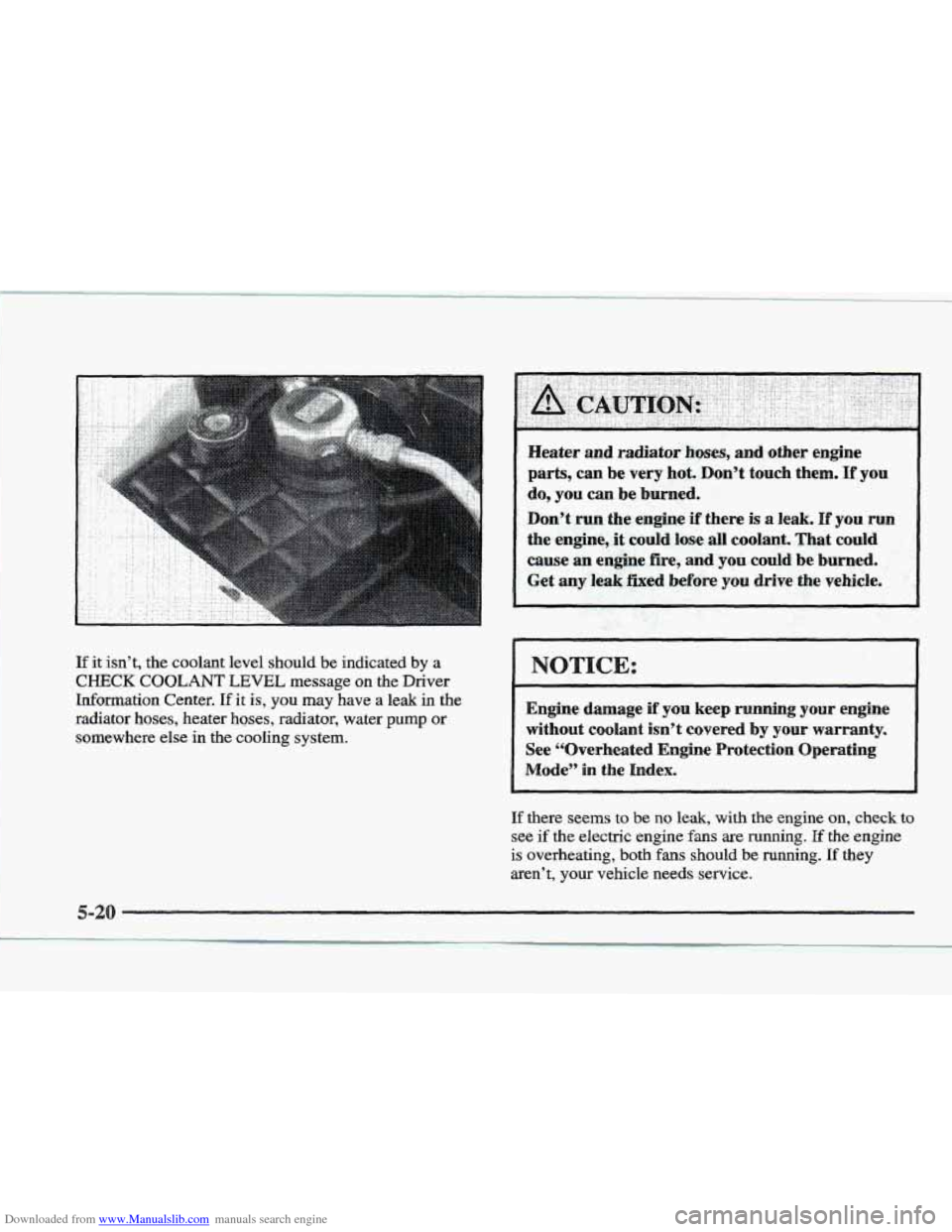
Downloaded from www.Manualslib.com manuals search engine If it isn’t, the coolant level should be indicated by a
CHECK COOLANT LEVEL message on the Driver
Information Center.
If it is, you may have a leak in the
radiator hoses, heater hoses, radiator, water
pump or
somewhere else in
the cooling system.
Heater and radiatoi hoses, and.other engine
parts, can be very hot. Don’t touch them. If you
do, you can be burned.
.Don’t run sthe engine if-there is a leak. If you
the engine,.+it could loge all coolant. That could
cause an engine fire, and sou could be burned.
Get any leak Pled before you drive ,. the vehicle. ’’-
NOTICE:
Engine damage if you keep running your engine
without coolant isn’t covered by your warranty.
See “Overheated Engine Protection Operating
Mode” in the Index.
If there seems to be no leak, with the engine on, check to
see if the electric engine fans are running. If the engine
is overheating, both fans should be running. If they
aren’t, your vehicle needs service.