Page 110 of 422
To stop the window while it is lowering, press the front
of the switch. To raise
the window, press and hold the
front
of the switch.
The driver’s window controls also include a lock-out
switch. Press
LOCK to stop front and rear passengers
from using their window switches. The driver can still
control all the windows with the lock on. Press the other
side of the
LOCK button for normal window operation.
Horn
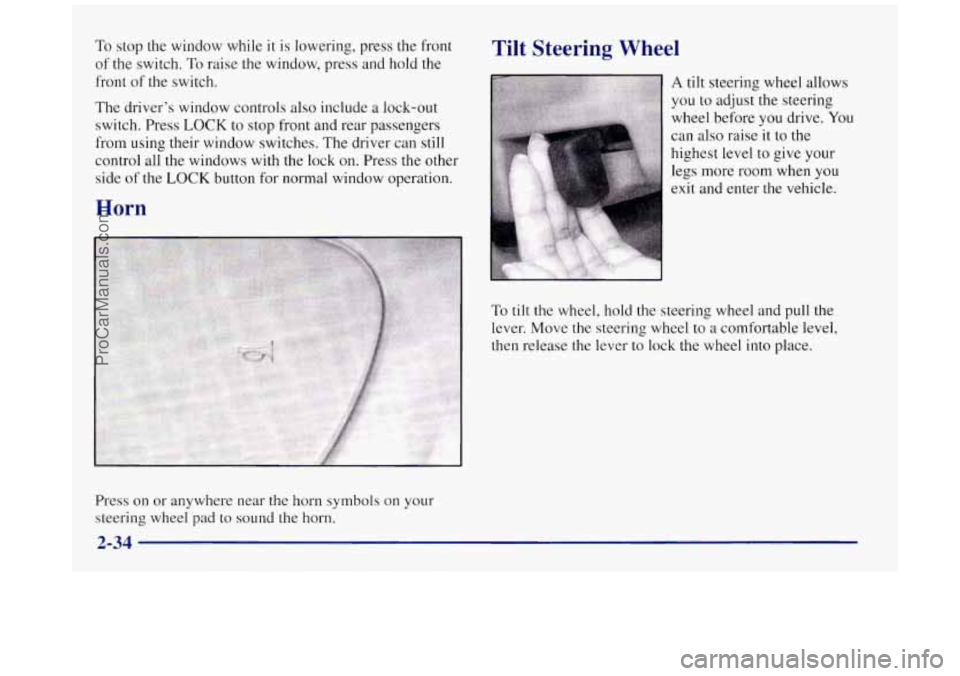
Press on or anywhere near the horn symbols on your
steering wheel pad to sound the horn.
Tilt Steering Wheel
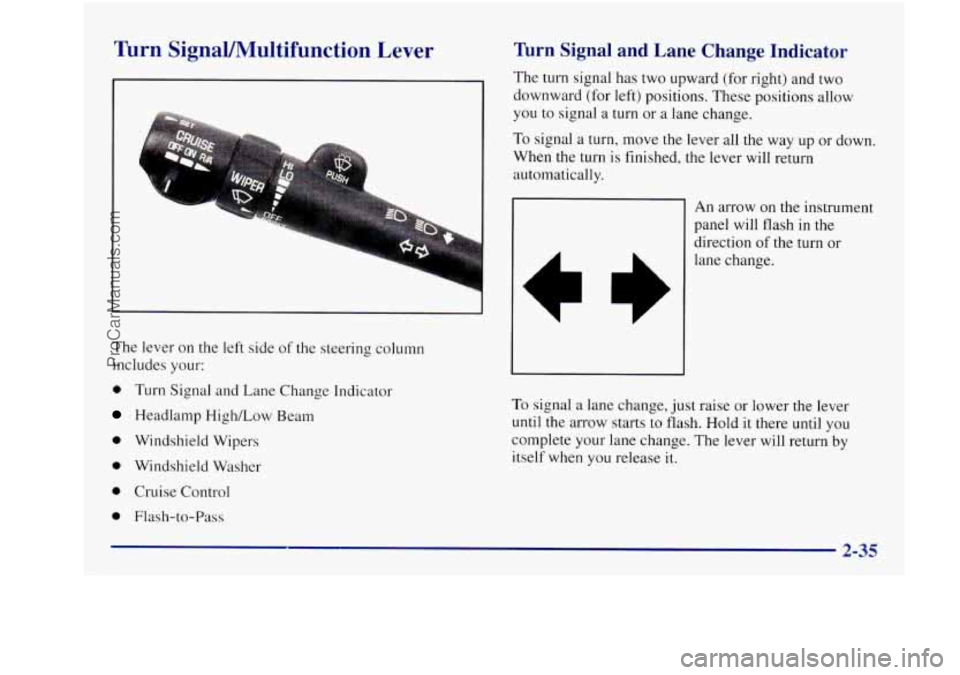
A tilt steering wheel allows
you to adjust the steering
wheel before you drive.
You
can also raise it to the
highest level to give your
legs more room when
you
exit and enter the vehicle.
To
tilt the wheel, hold the steering wheel and pull the
lever. Move the steering wheel to a comfortable level,
then release the lever to lock the wheel into place.
2-34
ProCarManuals.com
Page 111 of 422
Turn SignaVMultifunction Lever
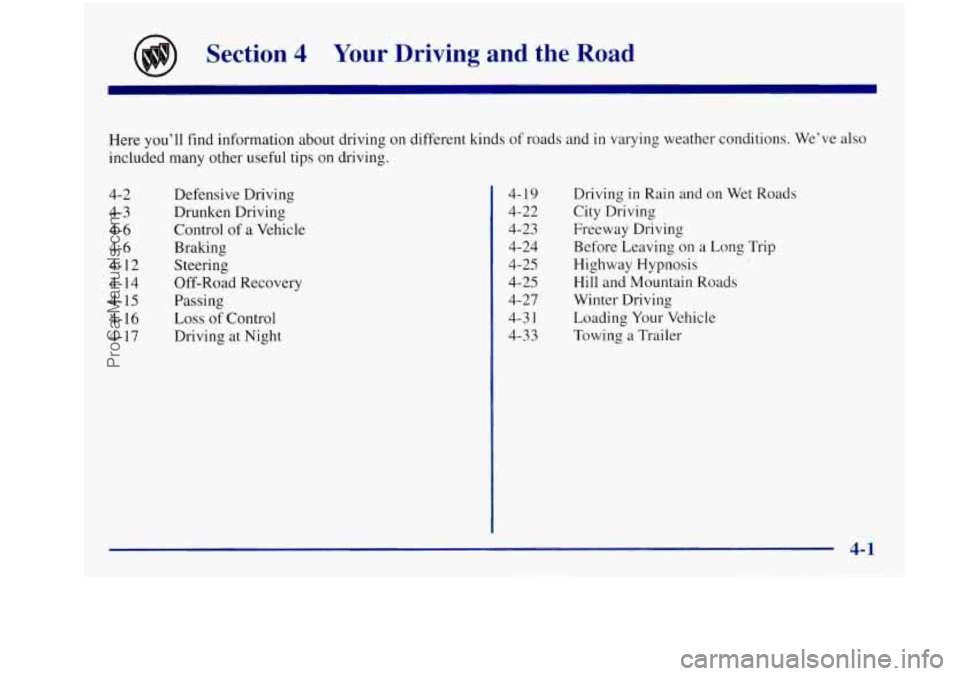
The lever on the left side of the steering column
includes your:
0 Turn Signal and Lane Change Indicator
Headlamp High/Low Beam
0 Windshield Wipers
0 Windshield Washer
0 Cruise Control
0 Flash-to-Pass
Turn Signal and Lane Change Indicator
The turn signal has two upward (for right) and two
downward (for left) positions. These positions allow
you to signal a turn or
a lane change.
To signal a turn, move the lever all the way up or down.
When the turn
is finished, the lever will return
automatically.
An arrow on the instrument
panel will flash in
the
direction of the turn or
lane change.
To signal a lane change, just raise or lower the lever
until
the arrow starts to flash. Hold it there until you
complete your lane change. The lever will return by
itself when you release
it.
ProCarManuals.com
Page 120 of 422

Fog Lamps
To turn the fog lamps on,
press the fog lamps switch
located below the headlamp
switch
on the left side of the
steering column.
A light
will glow on the switch to
let you know that
they are
on. (Your parklamps must
be on or your fog lamps
won’t come on). Press the
switch again
to turn the fog
lamps off.
The fog lamps will go off whenever you change to
high-beam headlamps. When you return to low beams,
the fog lamps will come on again.
Cornering Lamps
The cornering lamps are designed to come on when you
signal a turn. This will provide more light for cornering
at night.
Interior Lamps
Instrument Panel Brightness Control
You can brighten or dim the instrument panel lights by
moving the LIGHTS dial. If you turn the dial past
MAX, your courtesy or interior lamps will come on.
Courtesy Lamps
When any door is opened, several lamps come on. These
lamps are courtesy lamps. They make it easy for you to
enter and leave your vehicle. You can also turn these
lamps on by moving the interior lamps dial all the way
to the right.
Illuminated Entry
Your courtesy lamps will come on and stay on for a set
time whenever you press
UNLOCK on the remote
keyless entry transmitter.
If
you open a door, the lamps will stay on while it’s open
and then turn off automatically about
25 seconds after
you close it. If you press
UNLOCK and don’t open a
door, the lamps will turn off after about
40 seconds.
2-44
ProCarManuals.com
Page 154 of 422
Control Buttons
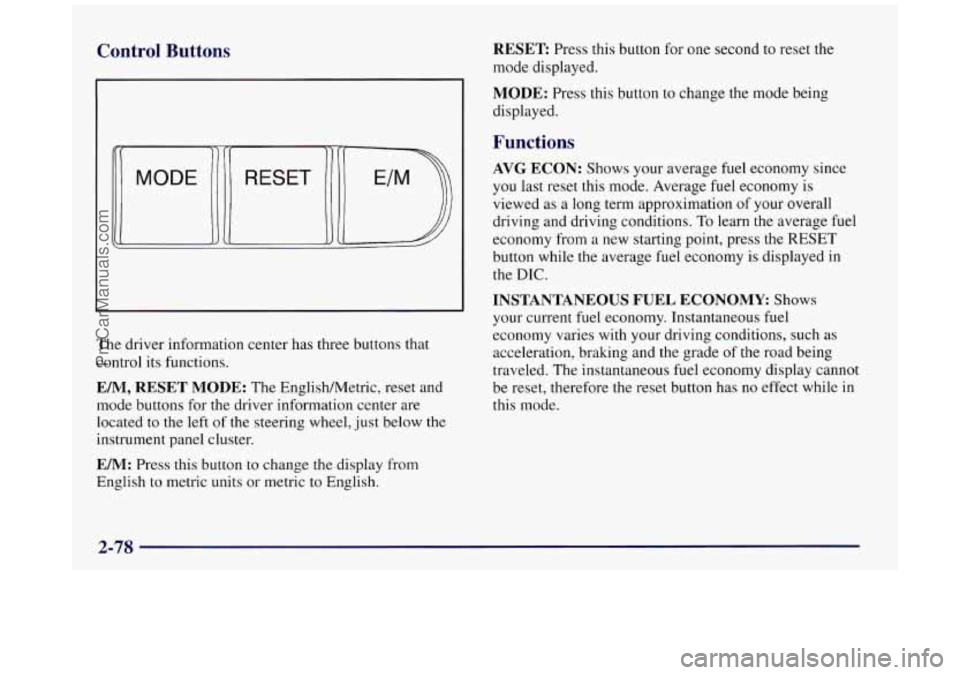
The driver information center has three buttons that
control its functions.
EM, RESET MODE: The EnglishMetric, reset and
mode buttons for
the driver information center are
located to the left
of the steering wheel, just below the
instrument panel cluster.
EM: Press this button to change the display from
English to metric units or metric
to English.
RESET Press this button for one second to reset the
mode displayed.
MODE: Press this button to change the mode being
displayed.
Functions
AVG ECON: Shows your average fuel economy since
you last reset this mode. Average fuel economy is
viewed
as a long term approximation of your overall
driving and driving conditions.
To learn the average fuel
economy from a new starting point, press the RESET
button while the average fuel economy is displayed
in
the DIC.
INSTANTANEOUS FUEL ECONOMY Shows
your current
fuel economy. Instantaneous fuel
economy varies with your driving conditions, such
as
acceleration, braking and the grade of the road being
traveled.
The instantaneous fuel economy display cannot
be reset, therefore the reset button has no effect while in
this mode.
2-78
ProCarManuals.com
Page 157 of 422
Section 3 Comfort Controls and Audio Systems
In this section, you’ll find out how to operate the comfort control and audio systems offered with your Buick. Be sure
to read about the particular systems supplied with your vehicle.
3-2
3-2
3 -4
3-7
3-10
3-1
1
3-12
3-12
3-13
3-
15
3-18 Comfort Controls
Manual Single Zone Climate Control
Dual ComforTemp Climate Control
Dual Automatic ComforTemp Climate Control
Ventilation System
Rear Window Defogger
Audio Systems
Setting
the Clock
AM-FM Stereo
AM-FM Stereo with Cassette Tape Player
AM-FM Stereo with Cassette Tape Player and
Automatic Tone Control 3-22
3-26
3-3
1
3-33
3-34
3-34
3-35
3-36
3-36
3-37 AM-FM
Stereo with Compact Disc Player and
Automatic Tone Control AM-FM Stereo with Cassette Tape and
Compact Disc Player with Automatic
Tone Control
Theft-Deterrent Feature
Audio Steering Wheel Controls
Understanding Radio Reception
Tips About Your Audio System
Care of Your Cassette Tape Player
Care of Your Compact Discs
Fixed Mast Antenna
Backglass Antenna
ProCarManuals.com
Page 189 of 422
Disabling the Theft-Deterrent Feature
Enter your secret code as follows; pause no more than
15 seconds between steps:
1. Turn the ignition to ACCESSORY or RUN.
2. Turn the radio off.
3. Press the 1 and 4 buttons together. Hold them down
4. Press MIN and 000 will appear on the display.
5. Press MTN again to make the last two digits agree
6. Press HRS to make the first one or two digits agree
7. Press AM-FM after you have confirmed that the
until
SEC shows on the display.
with your code.
with your code.
code matches the secret code you have written down.
The display will show
---, indicating that the radio is
no longer secured.
If the code entered is incorrect, SEC will appear on the
display. The radio will remain secured until the correct
code is entered.
When battery power
is removed and later applied to a
secured radio, the radio won’t turn on and LOC will
appear on the display.
To unlock a secured radio see “Unlocking the
Theft-Deterrent Feature After a Power
Loss” earlier in
this section.
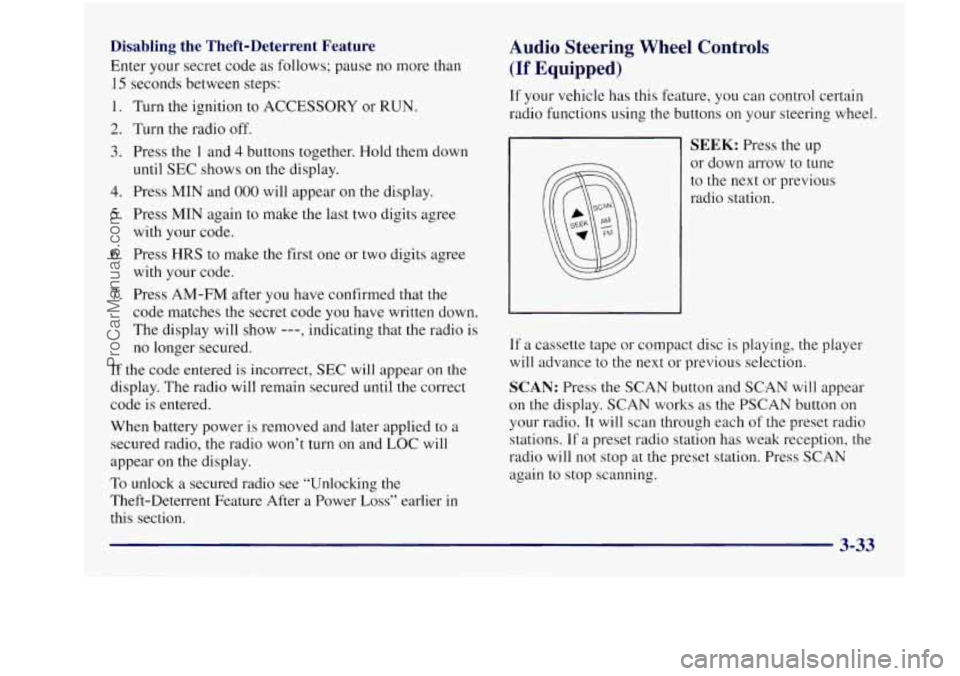
Audio Steering Wheel Controls
(If Equipped)
If your vehicle has this feature, you can control certain
radio functions using the buttons
on your steering wheel.
SEEK: Press the up
or down arrow to tune
to the next or previous
radio station.
If a cassette tape or compact disc is playing, the player
will advance to the next or previous selection.
SCAN: Press the SCAN button and SCAN will appear
on the display. SCAN works as the PSCAN button
on
your radio. It will scan through each of the preset radio
stations. If
a preset radio station has weak reception, the
radio will not stop at the preset station. Press
SCAN
again to stop scanning.
ProCarManuals.com
Page 197 of 422
Section 4 Your Driving and the Road
Here you’ll find information about driving on different kinds of roads and in varying weather conditions. We’ve also
included many other useful tips on driving.
4-2 4-3
4-6
4-6
4-12
4-14
4-15
4-16
4- 17 Defensive Driving
Drunken Driving
Control of a Vehicle
Braking
Steering
Off-Road Recovery
Passing
Loss
of Control
Driving at Night 4-19
4-22
4-23
4-24
4-25
4-25
4-27
4-3 1
4-33 Driving
in Rain and on Wet Roads
City Driving
Freeway Driving Before Leaving on a Long Trip
Highway Hypnosis
Hill and Mountain Roads
Winter Driving
Loading Your Vehicle
Towing a Trailer
ProCarManuals.com
Page 202 of 422
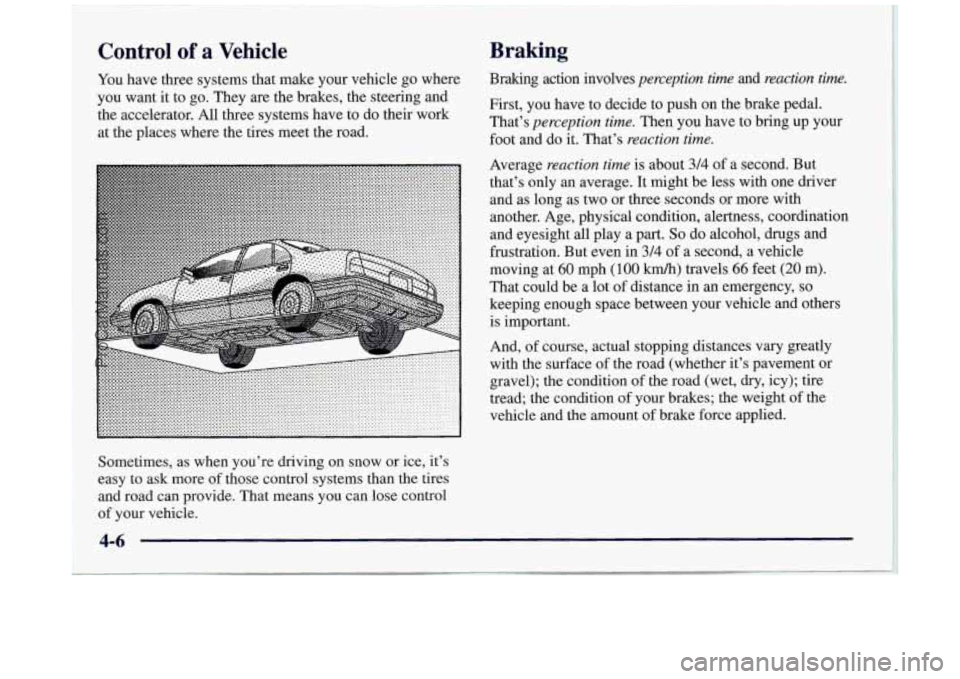
Control of a Vehicle
You have three systems that make your vehicle go where
you want
it to go. They are the brakes, the steering and
the accelerator. All three systems have to do their work
at the places where the tires meet the road.
Braking
Braking action involves perception time and reaction time.
First, you have to decide to push on the brake pedal.
That’s perception time. Then you have to bring up your
foot and do it. That’s reaction time.
Average reaction time is about 3/4 of a second. But
that’s only an average. It might be less with one driver
and as long as two or three seconds or more with
another. Age, physical condition, alertness, coordination
and eyesight all play
a part. So do alcohol, drugs and
frustration. But even in 314 of a second, a vehicle
moving at
60 mph (100 km/h) travels 66 feet (20 m).
That could be a lot of distance in an emergency,
so
keeping enough space between your vehicle and others
is important.
And, of course, actual stopping distances
vary greatly
with the surface of the road (whether it’s pavement or
gravel); the condition of the road (wet,
dry, icy); tire
tread; the condition of your brakes; the weight of the
vehicle and the amount of brake force applied.
Sometimes, as when you’re driving on snow or ice, it’s
easy to ask more of those control systems than the tires
and road can provide. That means you can lose control
of your vehicle.
4-6
ProCarManuals.com