1997 BUICK PARK AVENUE clock setting
[x] Cancel search: clock settingPage 153 of 420
Section 3 Comfort Controls and Audio Systems
In this section, you’ll find out how to operate the comfort control and audio systems offered with your Buick. Be sure
to read about the particular systems supplied with your vehicle.
3-2
3-2
3-5
3-5
3-6
3-7 3-8
3-8
3-9
3-9
3-10
3-10
3- 14 Comfort Controls
Personal Choice Comfort Controls
Air Conditioning
Heating
Ventilation System
Passenger Compartment Air Filter
Defogging and Defrosting
Rear Window Defogger
Passenger Climate Control Steering Wheel Controls for Climate Control
Setting the Clock
AM-FM Stereo with Cassette Tape Player
AM-FM Stereo with Cassette Tape Player
and Tone Control 3-18
3-21
3 -27
3-30
3-32
3-33
3-33
3-34 3-35
3-35 AM-FM Stereo
with Compact Disc Player
and Tone Control
AM-FM Stereo with Cassette, CD Player
and Tone Control
Trunk Mounted CD Changer
Theft-Deterrent Feature
Steering Wheel Controls
Understanding Radio Reception
Tips About Your Audio System
Care of Your Cassette Tape Player
Care
of Your Compact Discs
Heated Backlite Antenna
ProCarManuals.com
Page 162 of 420
Audio Systems
Your Delco audio system has been designed to operate
easily and give years of listening pleasure. You will get the
most enjoyment out of it if you acquaint yourself with it
first. Find out what your Delco system can do and how to
operate all its controls, to be sure you’re getting the mos\
t
out
of the advanced engineering that went into it.
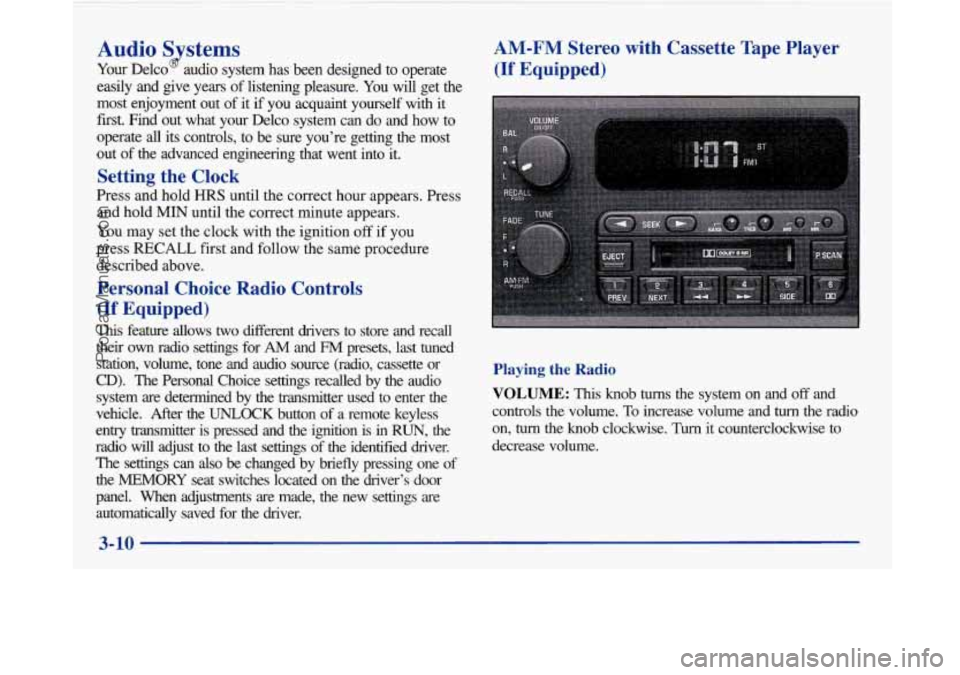
Setting the Clock
Press and hold HRS until the correct hour appears. Press
and hold
MIN until the correct minute appears.
You may set the clock with the ignition
off if you
press
RECALL first and follow the same procedure
described above.
Personal Choice Radio Controls
(If Equipped)
This feature allows two different drivers to store and recall
their
own radio settings for AM and FM presets, last tuned
station, volume, tone and audio source (radio, cassette or
CD). The Personal Choice settings recalled by the audio
system
are determined by the transmitter used to enter the
vehicle. After the
UNLOCK button of a remote keyless
entry transmitter is pressed and the ignition is in
RUN, the
radio will adjust to the last settings of the identified drive\
r. The settings can also
be changed by briefly pressing one of
the MEMORY seat switches located on the diver’s door
panel. When adjustments are made, the new settings are automatically saved for the driver.
AM-FM Stereo with Cassette Tape Player
(If Equipped)
Playing the Radio
VOLUME: This knob turns the system on and off and
controls the volume.
To increase volume and turn the radio
on,
turn the knob clockwise. Turn it counterclockwise to
decrease volume.
3-10
-
ProCarManuals.com
Page 164 of 420
Setting the Tone
BASS:
Press this knob lightly so it extends. Turn the
knob to increase or decrease bass.
TREB: Press this knob lightly so it extends. Turn the
knob to increase or decrease treble. If a station is weak
or noisy, you may want to decrease the treble.
Push these knobs back into their stored positions when
you’re not using them.
Adjusting the Speakers
BAL: Turn the control behind the upper knob to move
the sound to the left or right speakers. The middle
position balances the sound between the speakers.
FADE: Turn the control behind the lower knob to move
the sound to the front or rear speakers. The middle
position balances the sound between the speakers.
Playing a Cassette Tape
The longer side with the tape visible should face to the
right. If the ignition and the radio are on, the tape can be
inserted and will begin playing.
If you hear nothing or
hear a garbled sound, the tape may not be in squarely.
Press EJECT to remove the tape and start over. While
the tape
is playing, use the VOLUME, FADE,
BAL, BASS and TREB controls just as you do for the
radio. Other controls may have different functions when
a tape is inserted. The display will show an arrow to
show which side of the tape
is playing.
If you want to insert a tape when the ignition or radio is
off, first press EJECT or RECALL. Note that the
cassette tape adapter kits for portable compact disc
players will work in your cassette tape player.
Your tape bias is set automatically.
If
E and a number appear on the radio display, the tape
won’t play because of an error.
ElO: The tape is tight and the player can’t turn the
tape hubs. Remove the tape. Hold the tape with the
open end down and try to turn the right hub
counterclockwise with a pencil. Turn the tape over
and repeat. If the hubs do not turn easily, your tape
may be damaged and should not be used in the
player.
Try a new tape to make sure your player is
working properly.
Ell: The tape is broken. Try a new tape.
3-12
ProCarManuals.com
Page 174 of 420
!
RECALL: Press this button briefly to recall the station
being played or to display the clock. To change what
is
normally shown on the display (station or time), press
the RECALL button until you
see the display you want,
then hold the RECALL button until the display flashes.
If you press the button when the ignition is off, the clock
will show for
a few seconds.
Finding a Station
AM-FM:
Press this button to switch between AM, FM1
and FM2. The display shows your selection.
TUNE: Press the up or down arrow to choose
radio stations.
SEEK: Press the up or down arrow to go to the next
higher or lower station and stay there. The sound will
mute while seeking.
SCAN: Press one of the SEEK arrows for two seconds
and SCAN will appear
on the display. Use SCAN to
listen to stations for a few seconds. The radio will go to
a station, stop for a few seconds, then go on to the next
station. Press one of the
SEEK arrows again to stop
scanning. The sound will mute while scanning.
PUSHBUTTONS: The six numbered pushbuttons let
you return to your favorite stations. You can set up to
18 stations (six AM, six FMl and six FM2). Just:
1. Turn the radio on.
2. Press AM-FM to select the band.
3. Tune in the desired station.
4. Press TONE to select the setting you prefer.
5. Press and hold one of the six numbered buttons. The
sound will mute. When it returns, release the button.
Whenever you press that numbered button, the
station you set will return and the tone you selected
will be automatically selected for that button.
6. Repeat the steps for each pushbutton.
P SCAN: Press this button to listen to each of your
preset stations for a few seconds. The radio will
go to
the first preset station, stop for a few seconds, then go
on to the next preset station. Press
P SCAN again to
stop scanning.
If a preset station has weak reception,
the radio will not stop at the preset station.
3-22
ProCarManuals.com
Page 407 of 420
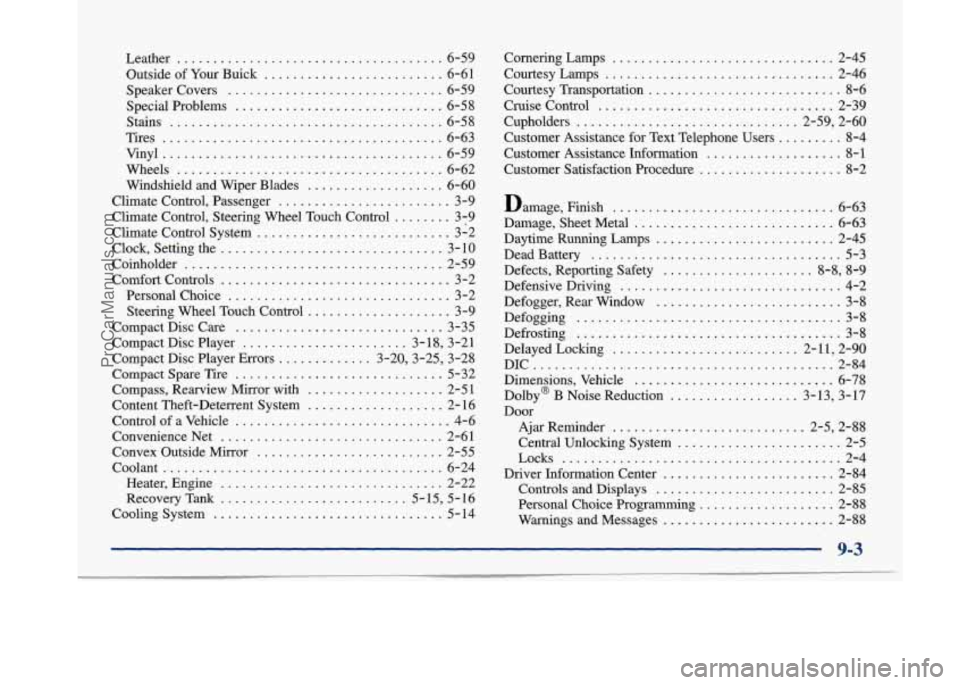
Leather ..................................... 6-59
Outside of Your Buick
......................... 6-61
Speakercovers
.............................. 6-59
Special Problems
............................. 6-58
Stains
...................................... 6-58
Tires
....................................... 6-63
Vinyl
....................................... 6-59
Wheels
..................................... 6-62
Windshield and Wiper Blades
................... 6-60
Climate Control. Passenger
........................ 3-9
Climate Control. Steering Wheel Touch Control
........ 3-9
Climate Control System
........................... 3-2
Clock. Setting the
............................... 3- 10
Coinholder
.................................... 2-59
Comfort Controls
................................ 3-2
Personal Choice
............................... 3-2
Steering Wheel Touch Control
.................... 3-9
Compact Disc Care
............................. 3-35
Compact Disc Player
....................... 3-18. 3-21
Compact Disc Player Errors
............. 3.20.3-25. 3-28
Compact Spare Tire
............................. 5-32
Compass. Rearview Mirror with
................... 2-51
Content Theft-Deterrent System
................... 2- 16
Control of a Vehicle
.............................. 4-6
ConvenienceNet
............................... 2-61
Convex Outside Mirror
.......................... 2-55
Heater. Engine
............................... 2-22
RecoveryTarik
.......................... 5.15. 5.16
Cooling System
................................ 5-14
Coolant
....................................... 6-24 Cornering
Lamps
............................... 2-45
Courtesy Lamps
................................. 2-46
Courtesy Transportation
........................... 8-6
Cruise Control
................................. 2-39
Cupholders
............................... 2.59. 2.60
Customer Assistance for Text Telephone Users
......... 8-4
Customer Assistance Information
................... 8-1
Customer Satisfaction Procedure
.................... 8-2
Damage. Finish
............................... 6-63
Damage. Sheet Metal
............................ 6-63
Daytime Running Lamps
......................... 2-45
Dead Battery
................................... 5-3
Defects. Reporting Safety
..................... 8-8. 8-9
Defensive Driving
............................... 4-2
Defogger. Rear Window
.......................... 3-8
Defogging ..................................... 3-8
Defrosting ..................................... 3-8
Delayed Locking
.......................... 2.11. 2.90
Dimensions. Vehcle
............................ 6-78
Dolby@ B Noise Reduction
.................. 3.13. 3.17
Door
Ajar Reminder ........................... 2.5. 2.88
Central Unlocking System
....................... 2-5
Driver Information Center
........................ 2-84
Controls and Displays
......................... 2-85
Personal Choice Programming ................... 2-88
Warnings and Messages
........................ 2-88
DIC
.......................................... 2-84
Locks
....................................... 2-4
9-3
ProCarManuals.com