1996 OLDSMOBILE AURORA door lock
[x] Cancel search: door lockPage 76 of 388

NOTICE:
If your key seems stuck in LOCK and you can’t
turn it, be sure it is
all the way in, If it is, then
turn the steering wheel left and right while you
turn the key
hard. But turn the key only with
your hand. Using
a tool to force it could break
the key or the ignition switch.
If none of this
works, then your vehicle needs service.
Key Reminder Warning
If you leave your key in the ignition, in the OFF
position, you will hear a warning chime when you open
the driver’s door.
Retained Accessory Power I
After you turn your ignition off and remove the key, you
will still have electrical power to such accessories as the
radio, power windows, and sunroof
(if equipped) for up
to
10 minutes. But if you open a door, power is shut off.
Starting Your Engine
Move your shift lever to PARK (P) ,or NEUTRAL (N).
Your engine won’t start in any other position -- that% a
safety feature.
To restart when you’re already moving,
use NEUTRAL (N) only.
NOTICE:
Don’t try to shift to PARK (P) if your Aurora is
moving.
If you do, you could damage the
transaxle:Shift to PARK
(P) only when your
vehicle is stopped.
Starting Your 4.0 Liter Engine
1. Without pushing the accelerator pedal, turn your
ignition key to
START. When the engine starts, let
go
of the key. The idle speed will go down as your
engine gets warm.
ProCarManuals.com
Page 85 of 388

Torque Lock
If you are parking on a hill and you don’t shift your
transaxle into PARK (P) properly, the weight of the
vehicle may put too much force on the parking pawl in
the transaxle. You may find it difficult to pull the shift
lever out
of PARK (P). This is called “torque lock.” To
prevent torque lock, set the parking brake and then shift
into PARK
(P) properly before you leave the driver’s
seat.
To find out how, see “Shifting Into PARK (P)” in
the Index.
When you are ready to drive, move the shift lever out of
PARK (P)
before you release the parking brake.
If torque lock does occur, you may need to have another
vehicle push yours a little uphill to take some of the
pressure from the transaxle,
so you can pull the shift
lever out of PARK
(P).
Shifting Out of PARK (P)
Your Aurora has a brake-transaxle shift interlock. You
have
to fully apply your regular brake before you can
shift from PARK (P) when the ignition is in the RUN
position. See “Shifting the Automatic Transaxle” in
the Index.
If you cannot shift out of PARK (P), ease pressure on
the shift lever
-- push the shift lever all the way into
PARK (P) as you maintain brake application. Then
move the shift lever into the gear you wish. Press the
shift lever button before moving the shift lever.
If you ever hold the brake pedal down but still can’t
shift out of PARK (P), try this:
1.
2.
3.
4.
5.
Turn the key to OFF. Open and close the driver’s
door to turn
off the Retained Accessory Power
feature.
Apply and hold the brake until the end
of Step 4.
Shift to NEUTRAL (N).
Start the vehicle and then shift to the drive gear
you want.
Have the vehicle fixed as soon as you can.
ProCarManuals.com
Page 88 of 388

indows
Power Windows
Switches on the driver’s armrest control each of the
windows while the ignition is on or retained accessory
power
is active. In addition, each passenger door armrest
has a switch for its own window.
To lower the passenger window, pull back on the right
switch. The window will lower as long as the switch is
held.
To raise either window, push the switch forward.
Express Down 1. ..
The switch for the driver’s window has an express-down
feature. Pull the switch back all the way, release it and the window will lower automatically. To stop the window
from lowering, push the switch forward. To partially open
the window, pull the switch back and quickly release it.
To raise the window, hold the switch forward.
Press the right side of the
WINDOW LOCK switch on
the driver’s armrest to disable all passenger window
switches. The driver’s window controls will still be
operable. This is a useful feature when you have
children as passengers.
Press the left side of the
WINDOW LOCK switch to
allow passengers to use their window switches again.
--n
Nearly the entire surface of the center pad of the
steering wheel is an active horn switch. Press anywhere
on
the pad to sound the horn.
2-32 -
ProCarManuals.com
Page 101 of 388
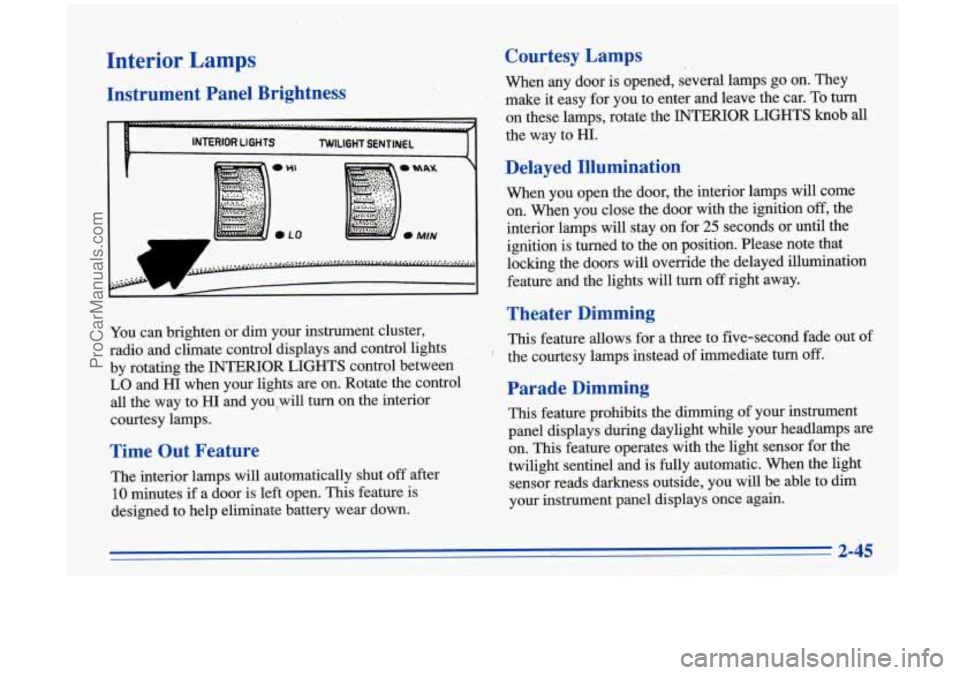
Interior Lamps
Instrument Panel Brightness
1
You can brighten or dim your instrument cluster,
radio and climate control displays and control lights
by rotating the INTERIOR LIGHTS control between
LO and HI when your lights are on. Rotate the control
all the way to HI and you,will turn on the interior
courtesy lamps.
Time Out Feature
The interior lamps will automatically shut off after
10 minutes if a door is left open. This feature is
designed to help eliminate battery wear down.
Courtesy Lamps
When any door is opened, several lamps go on. They
make it easy for you to enter and leave the car.
To turn
on these lamps, rotate the INTERIOR .LIGHTS knob all
the way to HI.
Delayed Illumination
When you open the door, the interior lamps will come
on. When you close the door with
the ignition off, the
interior lamps will stay
on for 25 seconds or until the
ignition is turned to the on position. Please note that
locking the doors will override the delayed illumination
feature and the lights will turn
off right away.
Theater Dimming
This feature allows for a three to five-second fade out of
the courtesy lamps instead of immediate
turn off.
Parade Dimming
This feature prohibits the dimming of your instrument
panel displays during daylight while your headlamps are
on. This feature operates with the light sensor for the
twilight sentinel and is
fully automatic. When the light
sensor reads darkness outside, you will be able to dim
your instrument panel displays once again.
t
ProCarManuals.com
Page 102 of 388

Exit Lighting
With this feature, the interior lamps will come on for
25 seconds after you remove the key from the ignition.
This will give
you time to find the door pull handle or
lock switches.
Illuminated Entry
Press the UNLOCK button on the key transmitter and
the interior courtesy lamps will come on and stay on for
up to a minute. The lamps will turn off immediately by
pressing the
LOCK button on the key transmitter,
starting the ignition or activating the power door locks.
Perimeter Lighting
When the UNLOCK button on the key transmitter is
pressed, the headlamps, parking lamps, back-up lamps
and cornering lamps will come on
if it is dark enough
outside according to the twilight sentinel.
This option can be programmed on or
off for each
transmitter.
To turn the feature offi
1. Press and hold the door lock switch throughout this
procedure. All doors will lock.
2. Press the panic button on the transmitter. Perimeter
lighting remains on at this time and the horn will
chirp two times.
3. Press the panic button on the key transmitter again.
Perimeter lighting is disabled and the horn will chirp
one time.
4. Release the door lock switch. The perimeter lighting
To turn the feature on:
option is now off.
1.
2.
3.
4.
Press and hold the door
lock switch throughout this
procedure. All doors will lock.
Press the panic button on the key transmitter.
Perimeter lighting remains off at this time and the
horn will chirp one time.
Press the panic button on the transmitter again.
Perimeter lighting is now enabled and the horn will
chirp two times.
Release the door
lock switch. The perimeter lighting
option is now on.
ProCarManuals.com
Page 106 of 388

Heated Outside Rearview Mirror (Option)
When you operate the rear window defogger, a defogger
also warms the optional heated driver’s outside rearview
mirror to help clear it of ice and snow. This is an
electrochromic mirror that operates with the same
controls as the Electrochromic Daymight Rearview
Mirror, and it works the same way. See “Electrochromic
Daymight Rearview Mirror” earlier in this section.
Storage Compartments
Glove Box
Use the door key to lock and unlock the glove box.
To open, pull the latch release on the left side of the
glove box door.
Front Storage Armrest
The front armrest opens into a storage area. To open it,
lift the front edge. Inside you will find storage for
cassettes, compact discs and coins.
In front of the storage area is a cupholder. Press and
release the cupholder cover to open. Push the cupholder
forward
to lock it when in use. Press the cupholder back
to its recessed position when not in use.
111 down the bolster in the back seat to reveal cupholders
and
an armrest, which opens into a storage area.
ProCarManuals.com
Page 155 of 388

Compact Disc Changer Errors
If the error occurred while trying to play a CD in the
compact disc changer, the following conditions may
have caused the error:
0
0
0
0
0
The road is too rough. The disc should play when the
road
is smoother.
The disc is dirty, scratched, wet or upside down.
The air is very humid.
If so, wait about an hour and
try again.
E34: The CD changer door is open. Completely
close the door to restore normal operation.
E35: An empty magazine is inserted in the CD
changer. Try the magazine again with a disc loaded
on one of the trays.
If any error occurs repeatedly or if an error cannot be
corrected, please contact your retailer.
If your radio
displays an error number, write
it down and provide it to
your retailer when reporting the problem.
AM-FM Stereo with Cassette Tape and
Compact Disc Player with Automatic
Tone Control
Playing the Radio
PWR: Press the upper knob to turn the system on or off.
VOL: Turn the upper knob clockwise to increase
volume. Turn it counterclockwise to decrease volume.
ProCarManuals.com
Page 251 of 388

The fuel door can be opened
manually in case of an
electrical power failure. To
do so, first open the trunk.
The release mechanism is
on the driver’s side of the
vehicle, at the top of the
trunk compartment. Pull the
tab toward you to release
the fuel door.
NOTICE:
Prying on a locked fuel filler door could damage
it. Use the remote fuel door manual release While refueling, hang the cap inside the fuel door.
located in the trunk.
Twist it clockwise to secure it, if necessary.
To take
off the cap, turn it slowly to the left
(counterclockwise).
ProCarManuals.com