1996 CHEVROLET ASTRO air condition
[x] Cancel search: air conditionPage 130 of 372
Defrosting
Use DEFROST to remove fog or ice from the
windshield quickly in extremely cold conditions. The
temperature knob should be in the red area and the fan
control toward high. The air conditioning compressor
may operate in this setting to dehumidify the air.
The
BLEND setting is useful for cold weather with a
large number of passengers or very humid conditions to
help keep the windshield clear.
Ventilation System
For mild outside temperatures when little heating or
cooling is needed,
use VENT to direct outside air
through your vehicle. Air will flow through the
instrument panel
vents.
Your vehicle’s flow-through ventilation system supplies
outside air
to the inside of your vehicle when it is
moving. With the side windows closed, air will flow into
the front air inlet grilles at the base
of the windshield,
through the vehicle and out the rear air exhaust valves.
Outside air will also enter the vehicle when the heater or
the air conditioning fan is running. Your
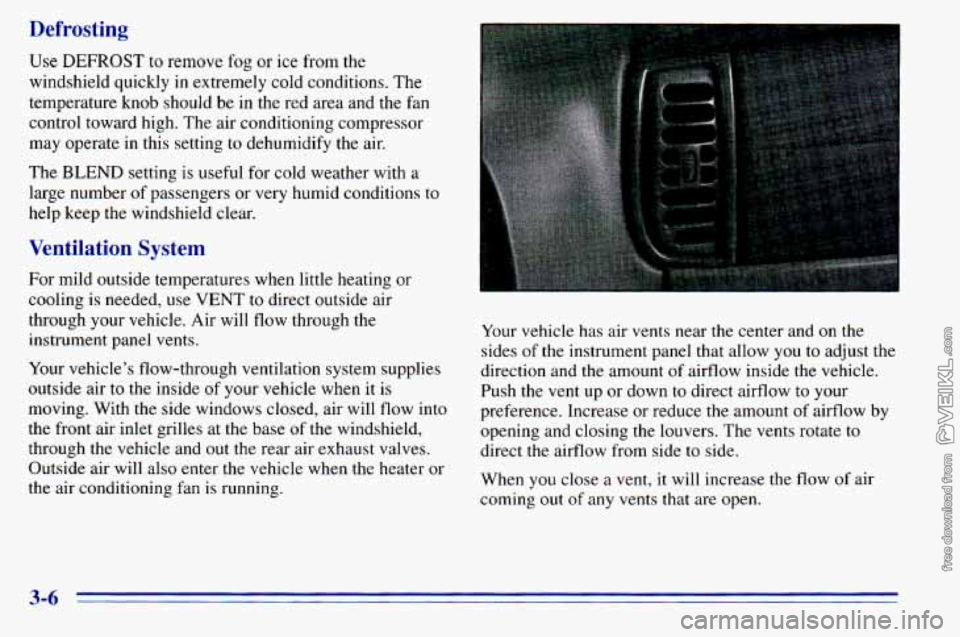
vehicle has air vents near the center and
on the
sides of the instrument panel that allow
you to adjust the
direction and the amount
of airflow inside the vehicle.
Push the vent up or down
to direct airflow to your
preference. Increase or reduce
the amount of airflow by
opening and closing the louvers. The vents rotate to
direct the airflow from side to side.
When
you close a vent, it will increase the flow of air
coming out
of any vents that are open.
3-6
Page 131 of 372
If you have rear heating or rear air conditioning, you
will have adjustable vents in the rear of the vehicle to
help direct the airflow. The rear air conditioning vents
are located
in the headliner at the rear of the vehicle.
The rear heating vents are located next to the second
and third seat on the driver’s side
of the vehicle, near
the floor. You can move the vents to direct the flow of
air, or close
the vents altogether. When you close a vent,
it will increase the flow of air coming
out of any vents
that are open.
Ventilation Tips
Keep the hood and front air inlet free of ice, snow or
any other obstruction (such as leaves). The heater
and defroster will work far better, reducing the
chance of fogging the inside of your windows.
Rear Window Defogger (Option)
If your vehicle has this option, the rear window will
have lines running across
the glass. These lines heat
your window.
For best results, clear the window
of as much snow or
ice as possible before using the rear window defogger.
. .. :. ,.
I
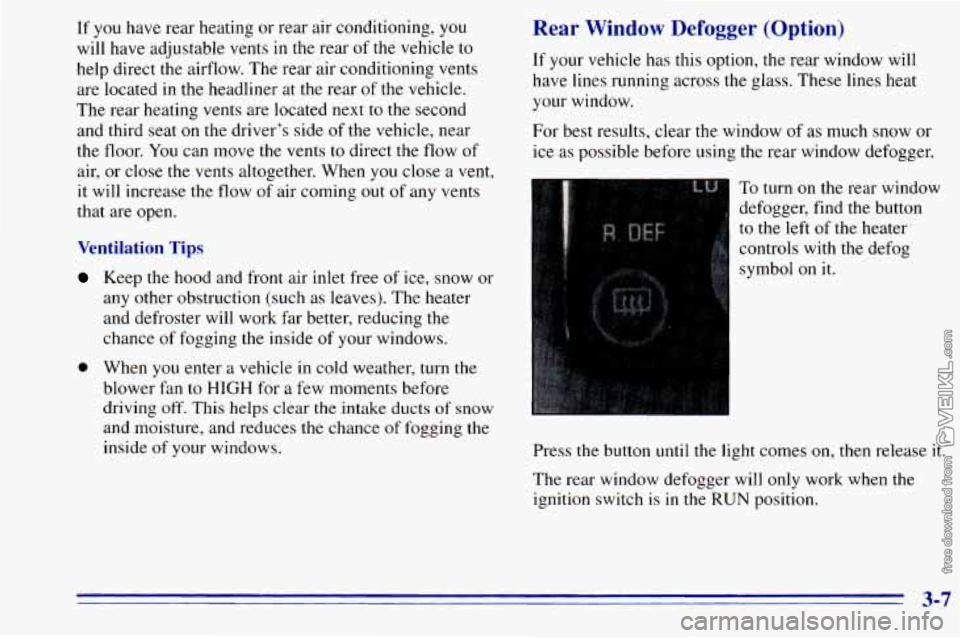
To turn on the rear window
defogger, find
the button
I to the left of the heater
controls with the defog
symbol
on it.
0 When you enter a vehicle in cold weather, turn the
blower
fan to HIGH for a few moments .before
driving
off. This helps clear the intake ducts of snow
and moisture, and reduces the chance of fogging the
inside
of your windows. Press the button until the light comes on, then release it.
The rear window defogger will
only work when the
ignition switch is in the RUN position.
3-7
Page 206 of 372
If No Steam Is Coming From Your Engine
If you get the overheat warning but see or hear no
steam, the problem may not be too serious. Sometimes
the engine can get
a little too hot when you:
0 Climb a long hill on a hot day.
Stop after high-speed driving.
Idle for long periods in traffic.
Tow a trailer. See “Driving on Grades” in
If you get the overheat warning with no sign of steam,
try this for a minute or
so:
1. If you have an air conditioner, turn it off.
the Index.
2. Turn on your heater to full hot at the highest fan
speed and open
the window as necessary.
3. If you’re in a traffic jam, shift to NEUTRAL (N);
otherwise, shift to the highest gear while
driving
-- DRIVE (D).
If you no longer have the overheat warning, you
can drive. Just
to be safe, drive slower for about
10 minutes. If the warning doesn’t come back on,
you
can drive normally.
If the warning continues, pull over, stop, and park your
vehicle right away.
If there’s still no sign of steam, push the accelerator until
the engine speed is about twice as fast as normal idle
speed. Bring the engine speed back
to normal idle speed
after two or three minutes. Now see if the warning stops.
But then,
if you still have the warning, turn ofthe
engine
and get everyone out of the vehicle until it
cools down.
You may decide not to lift the hood but to get service
help right away.
5-14
Page 214 of 372
Engine Fan Noise
This vehicle has a clutched engine cooling fan. When
the clutch is engaged, the fan spins faster to provide
more air
to cool the engine. In most every day driving
conditions, the clutch is not fully engaged. This
improves fuel economy and reduces fan noise. Under
heavy vehicle loading, trailer towing and/or high outside
temperatures,
the fan speed increases when the clutch
engages.
So you may hear an increase in fan noise. This
is normal and should not be mistaken as the
transmission slipping or making extra shifts. It is merely
the cooling system functioning properly. The fan will
slow down when additional cooling is
not required and
the clutch disengages.
You may also hear this fan noise when
you start the
engine. It will go away as the fan clutch disengages.
If a Tire Goes Flat
It’s unusual for a tire to “blow out” while you’re driving,
especially if
you maintain your tires properly. If air goes
out of a tire, it’s much more likely to leak out slowly.
But if you should ever have a 4‘blowout,” here are a few
tips about what
to expect and what to do:
If a front tire fails, the flat tire will create a drag that
pulls the vehicle toward that side. Take your foot off the
accelerator pedal and grip the steering wheel firmly.
Steer to maintain lane position, and then gently brake to
a stop well
out of the traffic lane.
A rear blowout, particularly on a curve, acts much like a
skid and may require the same correction you’d use in a
skid.
In any rear blowout, remove your foot from the
accelerator pedal. Get the vehicle under control by steering the way
you want the vehicle to go. It may be
very bumpy and noisy, but
you can still steer. Gently
brake
to a stop -- well off the road if possible.
If a tire goes flat, the next part shows how to
use your
jacking equipment to change a flat tire safely.
5-22
Page 233 of 372

Fuel
Use regular unleaded ‘gasoline rated at 87 octane or
higher. At a minimum, it should meet specifications
\.
ASTM D4814 in the United States and CGSB 3.5-M93
in Canada. Improved gasoline specifications have been
developed by the American Automobile Manufacturers
Association (AAMA) for better vehicle performance
and engine protection. Gasolines meeting the AAMA
specification could provide improved driveability and
emission control system protection compared-to
other gasolines.
Be sure the posted octane is at least
87. If the octane is
less than
87, you may get a heavy knocking noise when
you drive. If it’s bad enough, it can damage your engine.
If you’re using fuel rated at 87 octane or hgher and you
still hear heavy knocking, your engine needs service. But
don’t worry
if you hear a little pinging noise when you’re
accelerating or driving
up a hill. That’s nomal, and you don’t
have to buy a higher octane fuel to get rid of pinging. It’s the
heavy, constant knock that means you have a problem. If
your vehicle is certified’ to meet California Emission
Standards (indicated on the underhood tune-up label),
it is designed to operate on fuels that meet California
I
specifications. If such fuels are not available in states
adopting California emissions standards, your vehicle
will operate satisfactorily on fuels meeting federal
specifications, but emission control system performance
may be affected. The malfunction indicator lamp on
your instrument panel may turn on and/or your vehicle
may fail a smog-check test. If this occurs, return to your
authorized GM dealer for diagnosis to determine the
cause of failure. In the event it is determined that the
cause of the condition is the type of fuels used, repairs
may not be covered by your warranty.
.In Canada, some gasolines contain an octane-enhancing
additive called MMT. If you use such fuels, your
emission control system performance may deteriorate
and the malfunction indicator lamp on your instrument
panel may turn on.
If this happens, return to your
authorized GM dealer for service.
6-3
Page 250 of 372

Refer to the Maintenance Schedule to determine when to
replace the air filter and the crankcase ventilation filter.
See “Scheduled
N ntenance Services” in the Index.
Operating th, mgine with the air cleaner off
can cause
you or others to be burned. The air
cleaner not only cleans the air, it stops flame if
the engine backfires. If it isn’t there, and the
engine backfires, you could be burned. Don’t
drive with it
off, and be careful working on the
engine with the
air cleaner off.
NOTICE:
If the air cleaner is off, a backfire can cause a
damaging engine fire. And, dirt can easily get
into your engine, which will damage it. Always
have the air cleaner in place when you’re driving.
Automatic Transmission Fluid
When to Check and Change
A good time to check your automatic transmission fluid
level is when the engine oil is changed,
Change both the fluid and filter every
15,000 miles
(25 000 km) if the vehicle is mainly driven under one
or more of these conditions:
In heavy city traffic where the outside temperature
In hilly or mountainous terrain.
When doing frequent trailer towing.
Uses such as found in taxi, police or delivery service.
If
you do not use your vehicle under any of these
conditions, change
the fluid and filter every
30,000 miles (50 000 km).
See “Scheduled Maintenance Services” in
the Index.
regularly reaches
90°F (32°C) or
higher.
6-20
Page 264 of 372

Using the wrong fluid can badly damage
brake system parts. For example, just
a few
drops of mineral-based oil, such as engine
oil, in your brake system can damage brake
system parts
so badly that they’ll have to be
replaced. Don’t let someone put in the
wrong kind of fluid.
If you spill brake fluid on your vehicle’s
painted surfaces, the paint finish can be
damaged. Be careful not to spill brake fluid
on your vehicle.
If you do, wash it off
immediately. See “Appearance Care” in
the Index.
I A CAUTION:
The brake wear warning sound means that
sooner or later your brakes won’t work well.
That could lead to an accident. When you hear
the brake wear warning sound, have your vehicle serviced.
NOTICE:
Continuing to drive with worn-out brake pads
could result
in costly brake repair.
Brake Wear
Your vehicle has front disc brakes and rear drum brakes.
Disc brake pads have built-in wear indicators that make
a high-pitched warning sound when the brake pads are
worn and new pads are needed.
The sound may come and
go or be heard all the time your vehicle
is moving (except
when you are pushing
on the brake pedal firmly). Some driving conditions or climates may cause a brake
squeal when the brakes are first applied or lightly applied.
This does not mean something
is wrong with your brakes.
Free movement
of brake calipers and properly torqued
wheel nuts are necessary to help prevent brake
pulsation. When tires are rotated, inspect brake calipers
for movement, brake pads for wear, and evenly torque
wheel nuts
in the proper sequence to GM specifications.
6-34
Page 277 of 372
Traction -- A, B, C
The traction grades, from highest to lowest, are A, B,
and C, and they represent the tire’s ability to stop on wet
pavement as measured under controlled conditions on specified government test surfaces of asphalt and concrete.
A tire marked C may have poor traction performance.
Warning: The traction grade assigned to this tire is based
on braking (straightahead) traction tests and does not
include cornering (turning) traction.
Temperature -- A, B, C
The temperature grades are A (the highest), B, and C,
representing
the tire’s resistance to the generation of
heat and its ability
to dissipate heat when tested under
controlled conditions
on a specified indoor laboratory
test wheel. Sustained high temperature can cause
the
material of the tire to degenerate and reduce tire life, and
excessive temperature can lead
to sudden tire failure.
The grade
C corresponds to a level of performance
which all passenger car tires must meet under the
Federal Motor Vehicle Safety Standard
No. 109. Grades
B and A represent higher levels of performance on the
laboratory test wheel than the minimum required by law.
Warning: The temperature grade for this tire is
established for a tire that
is properly inflated and not
overloaded. Excessive speed, underinflation, or excessive loading, either
separately or in combination.
can cause heat buildup and possible tire failure.
Wheel Alignment and Tire Balance
The wheels on your vehicle were aligned and balanced
carefully at the factory
to give you the longest tire life
and best overall performance.
In most cases, you will
not need to have your wheels
aligned again. However, if
you notice unusual tire
wear or your vehicle pulling one way or the other, the
alignment may need to be reset.
If you notice your
vehicle vibrating when driving
on a smooth road, your
wheels may need to be rebalanced.
Wheel Replacement
Replace any wheel that is bent, cracked, or badly rusted
or corroded. If wheel nuts keep coming loose,
the wheel,
wheel bolts and wheel
nuts should be replaced. If the
wheel leaks air, replace
it (except some aluminum
wheels, which can sometimes be repaired). See your
GM dealer if any of these conditions exist.
Your dealer will know
the kind of wheel you need.
Each new wheel should have the same load-carrying
capacity, diameter, width, offset and be mounted the
same way as
the one it replaces.
6-47