Page 143 of 388
Dual Automatic ComforTemp
Climate Control (Option)
If your Buick has the dual automatic comfortemp
climate control option, the following information tells
you how it works.
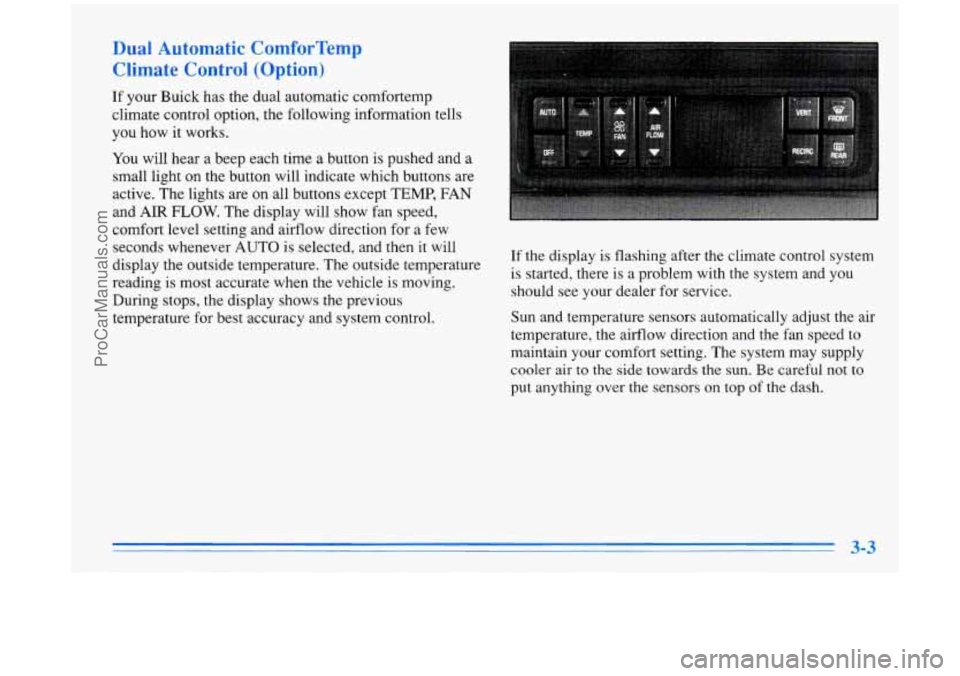
You will hear a beep each time a button is pushed and a
small light on the button will indicate which buttons are
active. The lights are on all buttons except TEMP, FAN
and AIR
FLOW. The display will show fan speed,
comfort level setting and airflow direction for a few
seconds whenever AUTO is selected, and then it will
display the outside temperature. The outside temperature
reading is most accurate when the vehicle
is moving.
During stops, the display shows the previous
temperature for best accuracy and system control. If the display
is flashing after the climate control system
is started, there is a problem with the system and you
should see your dealer for service.
Sun and temperature sensors automatically adjust the air
temperature, the airflow direction and the fan speed to
maintain your comfort setting. The system may supply
cooler air to the
side towards the sun. Be careful not to
put anything over the sensors on top of the dash.
ProCarManuals.com
Page 161 of 388
PREV (1): Press this button to go to the start of the
current track if more than eight seconds have played.
If
you hold the button or press it more than once, the
player will continue moving back through the disc.
The sound will be muted while seeking.
NEXT (2): Press this button to go to the next track.
If you hold the button or press
it more than once, the
player will continue moving forward through the disc.
The sound will be muted while seeking.
The
SEEK down and up arrows will also find the
previous and next selections on the disc.
44 (3): Press and hold this button to return to a passage
quickly. You will hear sound.
.. (4): Press and hold this button to advance to a
passage quickly. You will hear sound.
RAND (6): Press this button to hear the tracks in
random, rather than sequential, order.
AM-FM: Press this button to play the radio when a disc
is in the player.
If you turn
off the ignition or radio with a disc in the
player, it will stay in the player. When you turn
on the
ignition or system, the disc will start playing where
it
stopped, if it was the last-selected audio source.
SOURCE: Press this knob to change to the disc
function when the radio is on. When a disc is inserted,
the disc will play until you press
AM-FM. Then the
disc will stop playing and the radio will play. Press
SOURCE again to play a disc again. CD PLAY will
show on the display.
EJECT Press this button to remove the disc. The radio
will play.
ProCarManuals.com
Page 166 of 388
PREV (1): Press this button to go to the start of the
current track, if more than eight seconds have played.
If you hold the button or press it more than once, the
player will continue moving back through the disc.
The sound will be muted while seeking.
NEXT (2): Press this button to go to the next track.
If you hold the button or press it more than once, the
player will continue moving forward through the disc.
The sound will be muted while seeking.
The
SEEK down and up arrows will also find the
previous and next selections on the disc.
44 (3): Press and hold this button to return to a passage
quickly. You will hear sound.
.. (4): Press and hold this button to advance to a
passage quickly. You will hear sound.
RAND (6): Press this button to hear the tracks in
random, rather than sequential, order.
AM-FM: Press this button to play the radio when a disc
is in the player.
If you turn
off the ignition or radio with a disc in the
player, it will stay in the player. When you turn on the
ignition or system, the disc will start playing where
it
stopped, if it was the last-selected audio source.
SOURCE: Press this button to change to the disc
function when the radio is on. When a disc is inserted,
the disc will play until you press
AM-FM. Then the
disc will stop playing and the radio will play. Press
SOURCE again to play a disc again. CD PLAY will
show on the display.
EJECT Press this button to remove the disc. The radio
will play.
ProCarManuals.com