Page 132 of 390
NOTICE:
Loading cargo that weighs more than 125 pounds
(56 kg) on the luggage carrier may damage your
vehicle. When you carry cargo
on the luggage
carrier of
a proper size and weight, put it on the
slats,
as far forward as you can. Then slide the
crossrail up against the rear
of the load, to help
keep
it from moving. You can then tie it down.
Don’t exceed the maximum vehicle capacity when
loading your Oldsmobile. For more information on
vehicle capacity and loading, see “Loading Your
Vehicle” in the Index.
To prevent damage or loss of cargo as you’re driving,
check now and then to make sure the luggage carrier and
cargo are still securely fastened.
4 I
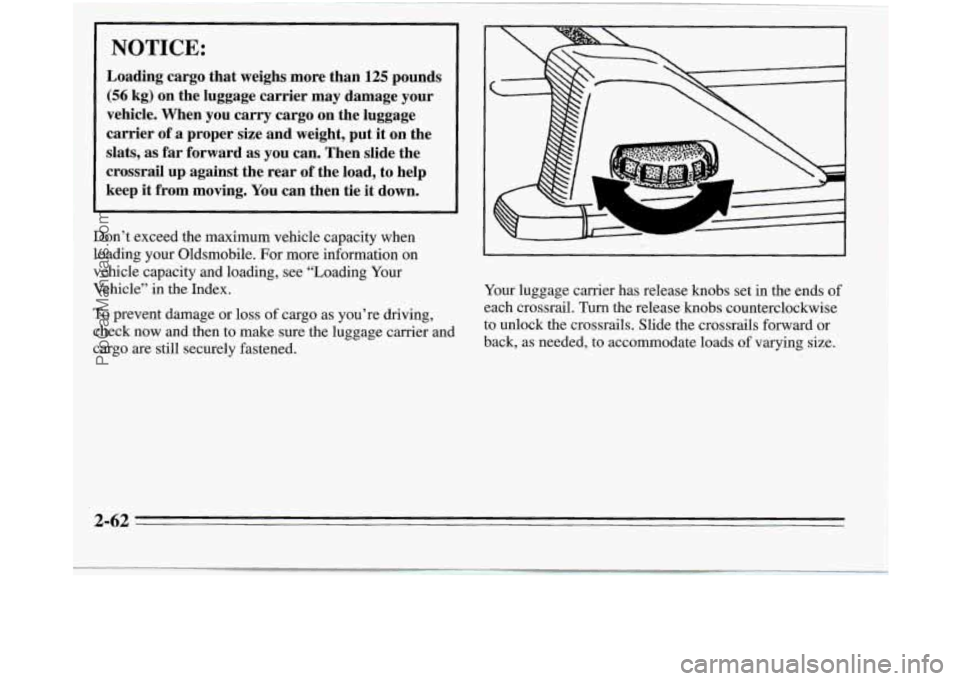
Your luggage carrier has release knobs set in the ends of
each crossrail. Turn the release
knobs counterclockwise
to unlock the crossrails. Slide the crossrails forward or
back, as needed, to accommodate loads
of varying size.
2-62
ProCarManuals.com
Page 133 of 390
After repositioning the crossrails, be sure to tighten the
release knobs by turning them clockwise, locking the
crossrails in place.
--
L A
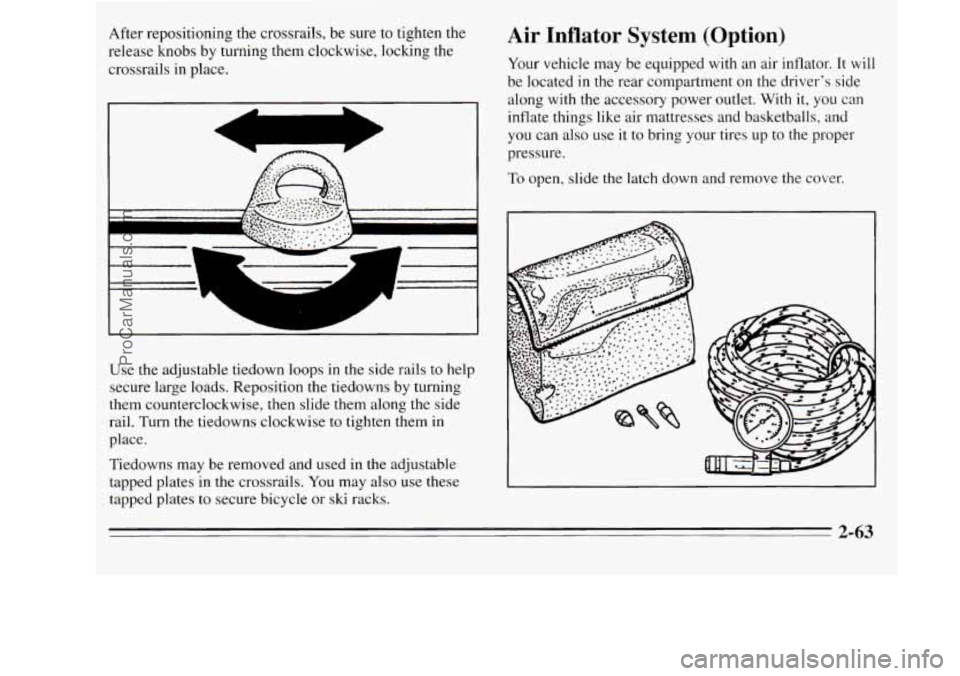
Use the adjustable tiedown loops in the side rails to help
secure large loads. Reposition the tiedowns by turning
them counterclockwise, then slide them along the side
rail. Turn the tiedowns clockwise
to tighten them in
place.
Tiedowns may be removed and used in the adjustable
tapped plates
in the crossrails. You may also use these
tapped plates
to secure bicycle or ski racks.
Air Inflator System (Option)
Your vehicle may be equipped with an air inflator. It will
be located in
the rear compartment on the driver's side
along with the accessory power outlet. With
it, you can
inflate things like air mattresses and basketballs, and
you can also use it to bring your tires up to the proper
pressure.
To open, slide the latch down and remove the cover.
2-63
ProCarManuals.com
Page 175 of 390
RCL: Press this button once to see which track is
playing. Press it again within five seconds to see how
long your selection has been playing. The track number
also will be displayed when the volume is changed or a
new track starts to play.
PREV: Press this button to play a track again. If you
hold or keep pressing the PREV button, the disc will
keep backing up to previous tracks.
NEXT Press this button when you want to hear the next
track before the track you are listening to has finished.
If
you hold or keep pressing the NEXT button, the disc
will keep advancing
to other tracks.
REV: Press and hold this button to rapidly back up to a
favorite passage. Release it to resume playing.
FF: Press and hold this button to rapidly advance the
disc. Release
it to resume playing.
COMP: Press this button to make soft and loud
passages more alike in volume. Press it again
to resume
normal play.
When Finished with the Compact Disc Player
If you press POWER or turn off the ignition, the disc
will stay
in the player and start again when you turn on
the ignition or power switch. The disc will begin playing
at the point where it had been stopped.
STEL: Press this button to stop the disc player (the
radio will then play). Press
it again to play the disc (the
player will start playing the disc where it was stopped
earlier).
EJCT Press this button to eject the disc (the radio will
then play).
CD Player Anti-Theft Feature
Delco LOC 11' is a security feature for the compact disc
player. It can be used or ignored. If ignored, the system
plays normally. If it is used, your player won't be usable
if it is ever stolen, because it will go to
LOC mode any
time battery power is removed. Until an unlock code is
entered, it will not turn
on.
The instructions that follow tell you how to enter a
secret code into the system. If your vehicle loses battery
power for any reason, you must unlock the system with
the secret code before the radio will turn on.
3-17
ProCarManuals.com
Page 176 of 390
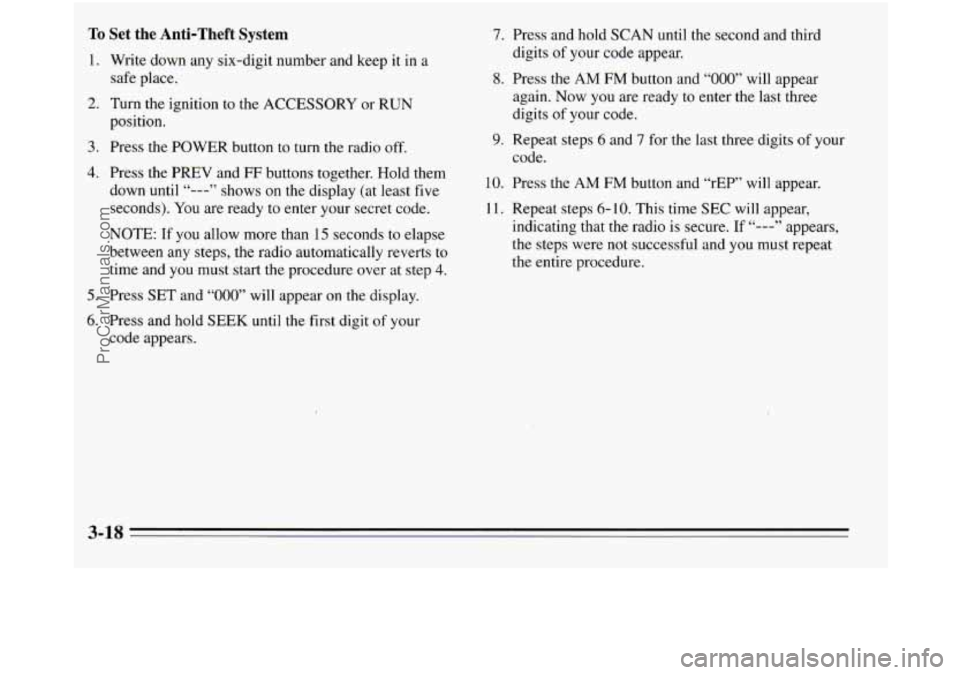
To Set the Anti-Theft System
1. Write down any six-digit number and keep it in a
safe place.
2. Turn the ignition to the ACCESSORY or RUN
position.
3. Press the POWER button to turn the radio off.
4. Press the PREV and FF buttons together. Hold them
down until
“---” shows on the display (at least five
seconds). You are ready to enter your secret code.
NOTE: If you allow more than
15 seconds to elapse
between any steps, the radio automatically reverts to
time and you must start the procedure over at step
4.
5. Press SET and “000” will appear on the display.
6. Press and hold SEEK until the first digit of your
code appears.
7. Press and hold SCAN until the second and third
digits
of your code appear.
8. Press the AM FM button and “000” will appear
again. Now you are ready to enter the last three
digits of your code.
9. Repeat steps 6 and 7 for the last three digits of your
code.
10. Press the AM FM button and “rEP’ will appear.
11. Repeat steps
6- 10. This time SEC will appear,
indicating that the radio
is secure. If “---” appears,
the steps were
not successful and you must repeat
the entire procedure.
3-18
ProCarManuals.com
Page 177 of 390
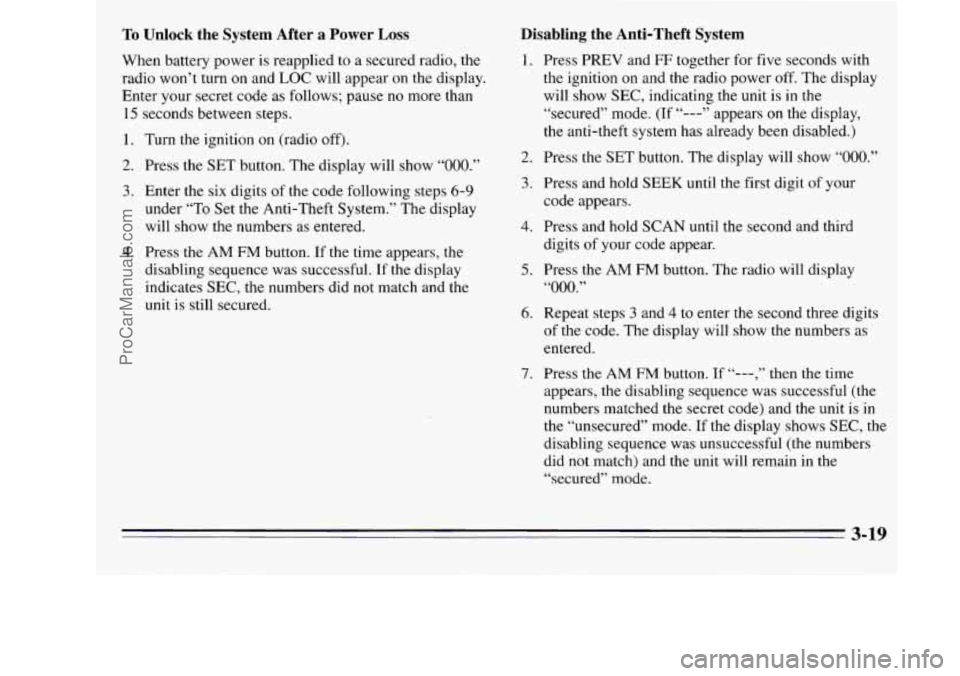
To Unlock the System After a Power Loss
When battery power is reapplied to a secured radio, the
radio won’t turn on and LOC will appear on the display.
Enter your secret code as follows; pause no more than
15 seconds between steps.
1. Turn the ignition on (radio off).
2. Press the SET button. The display will show “OOO.”
3. Enter the six digits of the code following steps 6-9
under “To Set the Anti-Theft System.” The display
will show the numbers
as entered.
4. Press the AM FM button. If the time appears, the
disabling sequence was successful.
If the display
indicates SEC, the numbers did not match and the
unit is still secured.
Disabling the Anti-Theft System
1.
2.
3.
4.
5.
6.
7.
Press PREV and FF together for five seconds with
the ignition on and the radio power off. The display
will show SEC, indicating the unit is
in the
“secured” mode. (If
“---” appears on the display,
the anti-theft system has already been disabled.)
Press the SET button. The display will show
“000.”
Press and hold SEEK until the first digit of your
code appears.
Press and hold SCAN until the second and third
digits of your code appear.
Press the AM FM button. The radio will display
“000.”
Repeat steps 3 and 4 to enter the second three digits
of the code. The display will show the numbers as
entered.
Press the
AM FM button. If “---,” then the time
appears, the disabling sequence was successful (the
numbers matched the secret code) and the unit is in
the “unsecured” mode.
If the display shows SEC, the
disabling sequence was unsuccessful (the numbers
did not match) and the unit will remain in the
“secured” mode.
ProCarManuals.com
Page 207 of 390
Include an ice scraper, a small brush or broom, a supply
of windshield washer fluid, a rag, some winter outer
clothing, a small shovel,
a flashlight, a red cloth, and a
couple of reflective warning triangles. And, if you will
be driving under severe conditions, include a small bag
of sand, a piece
of old carpet or a couple of burlap bags
to help provide traction. Be sure you properly secure
these items in your vehicle.
Driving on Snow or Ice
Most of the time, those places where your tires meet the
road probably have good traction.
However,
if there is snow or ice between your tires and
the road, you can have
a very slippery situation. You’ll
have a lot less traction or “grip” and will need to be very
careful.
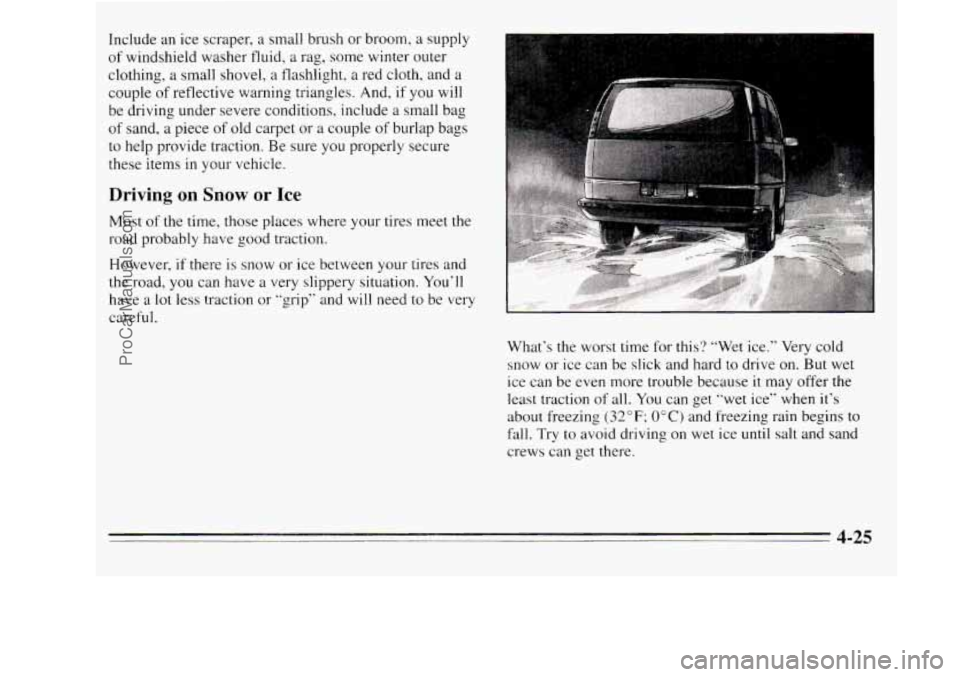
What’s the worst time for this? “Wet ice.” Very cold
snow or ice can be slick and hard to drive on. But wet
ice can be even more trouble because it may offer the
least traction of all. You can get “wet ice” when it’s
about freezing
(32 OF; 0” C) and freezing rain begins to
fall. Try
to avoid driving on wet ice until salt and sand
crews can get there.
4-25
ProCarManuals.com
Page 218 of 390
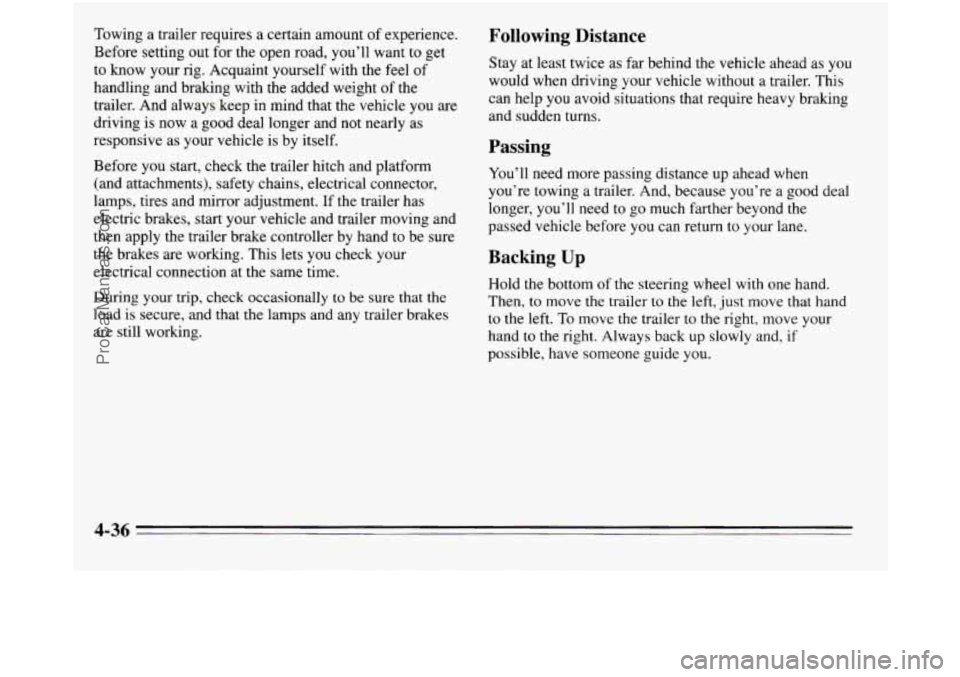
Towing a trailer requires a certain amount of experience.
Before setting out for the open road, you’ll want
to get
to know your rig. Acquaint yourself with the feel of
handling and braking with the added weight of the
trailer. And always keep in mind that the vehicle
you are
driving is now a good deal longer and not nearly as
responsive as your vehicle is by itself.
Before you start, check the trailer hitch and platform
(and attachments), safety chains, electrical connector,
lamps, tires and mirror adjustment. If the trailer has
electric brakes, start your vehicle and trailer moving and
then apply the trailer brake controller by hand to be sure
the brakes are working. This lets you check your
electrical connection at the same time.
During your trip, check occasionally
to be sure that the
load is secure, and that the lamps and any trailer brakes
are still working.
Following Distance
Stay at least twice as far behind the vehicle ahead as you
would when driving your vehicle without a trailer. This
can help you avoid situations that require heavy braking
and sudden turns.
Passing
You’ll need more passing distance up ahead when
you’re towing a trailer. And, because you’re a good deal
longer, you’ll need to go much farther beyond the
passed vehicle before you can return to your lane.
Backing Up
Hold the bottom of the steering wheel with one hand.
Then, to move the trailer
to the left, just move that hand
to the left. To move the trailer
to the right, move your
hand to the right. Always back
up slowly and, if
possible, have someone guide you.
4-36
ProCarManuals.com
Page 278 of 390
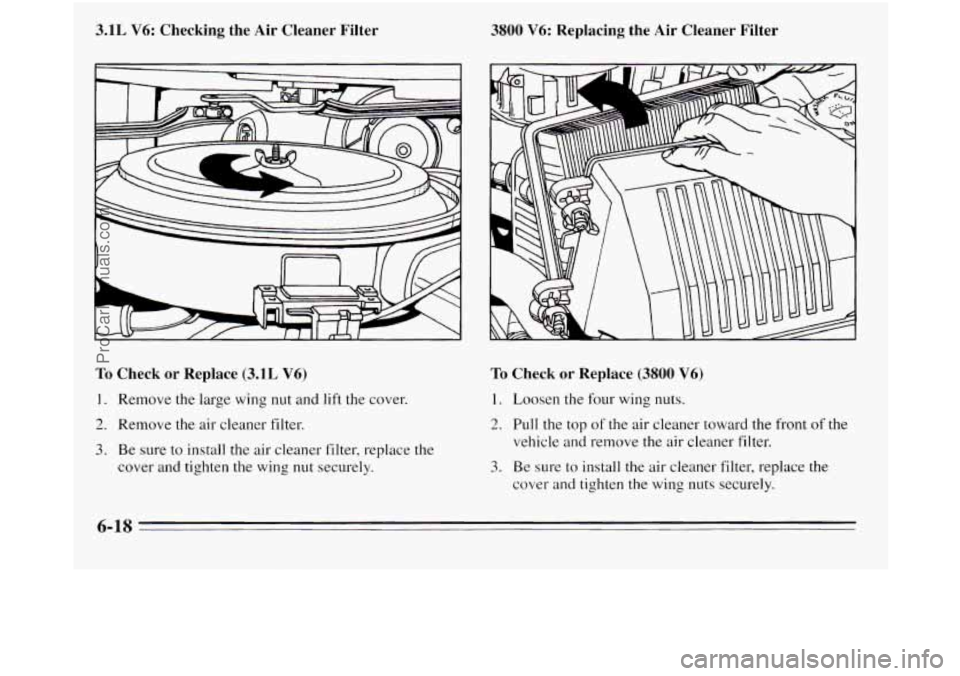
3.1L V6: Checking the Air Cleaner Filter
To Check or Replace (3.1L V6)
1. Remove the large wing nut and lift the cover.
2. Remove the air cleaner filter.
3. Be sure to install the air cleaner filter, replace the
cover and tighten the wing
nut securely.
3800 V6: Replacing the Air Cleaner Filter
To Check or Replace (3800 V6)
1. Loosen the four wing nuts.
2. Pull the top of the air cleaner toward the front of the
vehicle and remove the air cleaner filter.
3. Be sure to install the air cleaner filter, replace the
cover and tighten the wing nuts securely.
6-18
ProCarManuals.com