Page 172 of 390
Cr02: This button sets tape bias. When playing high
bias chrome or metal tapes, press this button to turn the
Cr02 display
on. When playing standard tapes, press it
again to turn the display
off.
REV: Press this button to reverse the tape rapidly;
lightly press it again or lightly press PROG to play the
tape. (The radio plays while
a tape is rewinding.)
FWD: Press this button to advance the tape rapidly;
lightly press it again or lightly press PROG to play a
tape. (The radio plays while a tape is advancing.)
PREV: Press PREV to repeat a passage. The tape will
back
up and stop at the first four-second quiet spot in
the tape,
or when you press PREV again or PROG.
NEXT Press this switch to go to the next selection on
the tape. The tape will stop at the first four-second quiet
spot in the tape,
or if you press NEXT again or PROG.
ST-PL: Press this button to switch from the tape to the
radio. Press it again to resume playing the tape.
EJECT Press this button to eject the cassette tape (the
radio will then play). Tapes can be ejected
when the
ignition is off.
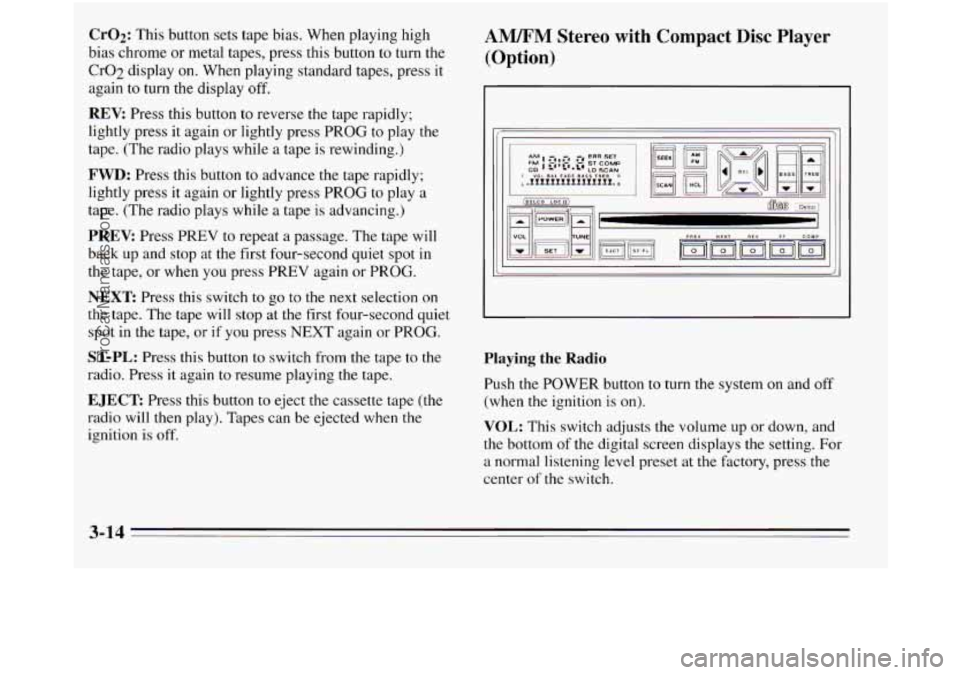
AM/FM Stereo with Compact Disc Player
(Option)
Playing the Radio
Push the POWER button to turn the system on and off
(when the ignition is on).
VOL: This switch adjusts the volume up or down, and
the bottom of the digital screen displays the setting. For
a normal listening level preset at the factory, press the
center
of the switch.
3-14
ProCarManuals.com
Page 173 of 390
RCL: When the ignition is off, press to display the
clock. When the radio is
on, press to change between the
clock and the radio station frequency displayed on the
digital screen.
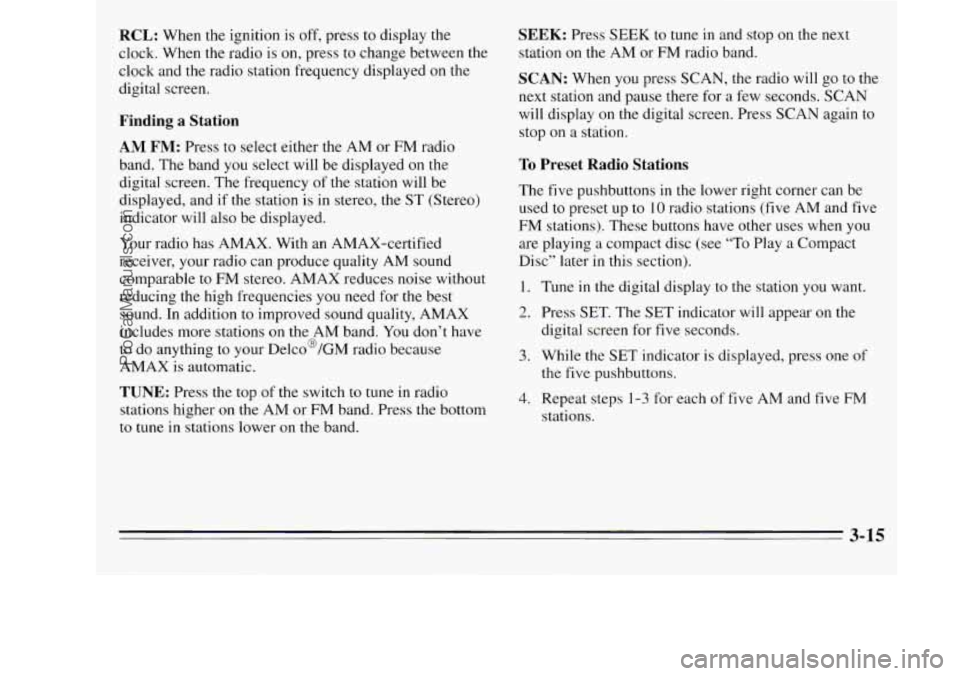
Finding a Station
AM FM: Press to select either the AM or FM radio
band. The band
you select will be displayed on the
digital screen. The frequency
of the station will be
displayed, and if the station is in stereo, the
ST (Stereo)
indicator will also be displayed.
Your radio has AMAX. With an AMAX-certified
receiver, your radio can produce quality AM sound
comparable to FM stereo. AMAX reduces noise without
reducing the high frequencies you need for the best
sound. In addition to improved sound quality, AMAX
includes more stations
on the AM band. You don’t have
to do anything to your Delco@/GM radio because
AMAX is automatic.
TUNE: Press the top of the switch to tune in radio
stations higher
on the AM or FM band. Press the bottom
to tune in stations lower on the band.
SEEK: Press SEEK to tune in and stop on the next
station
on the AM or FM radio band.
SCAN: When you press SCAN, the radio will go to the
next station and pause there for a few seconds. SCAN
will display
on the digital screen. Press SCAN again to
stop on a station.
To Preset Radio Stations
The five pushbuttons in the lower right corner can be
used to preset up to
10 radio stations (five AM and five
FM stations). These buttons have other uses when
you
are playing a compact disc (see “To Play a Compact
Disc” later in this section).
1. Tune in the digital display to the station you want.
2. Press SET. The SET indicator will appear on the
digital screen for
five seconds.
3. While the SET indicator is displayed, press one of
the five pushbuttons.
4. Repeat steps 1-3 for each of five AM and five FM
stations.
3-15
ProCarManuals.com
Page 174 of 390
Setting the Tone
BASS: This switch adjusts the bass level up or down.
The bottom of the digital screen will display the level
you have selected. For a normal listening level preset at
the factory, press the center of the switch.
TREB: This switch adjusts the treble level up or down.
The bottom
of the digital screen will display the level
you have selected. For a normal listening level preset at
the factory, press
the center of the switch.
Adjusting the Speakers
BAL:
This four-way control adjusts the lefthight and
fronthear speaker balance to your individual taste.
When you change either adjustment, the bottom of the
digital screen will display the point of balance you have
selected. For the normal setting preset at the factory,
press the
left and right or front and rear buttons at the
same time.
To Play a Compact Disc
Don’t use mini-discs that are called singles. They won’t
eject. Use only full-size compact discs.
1. Press POWER to turn the radio on.
2. Insert a disc part-way into the slot, with the label
side
up. The player will pull it in. In a few seconds,
the disc should play.
If the disc comes back out:
0 The disc may be upside down.
0 The disc may be dirty, scratched or wet.
There may be too much moisture in the air (wait
The player may be too hot, or the road may be too
rough for the disc to play. If the word HOT appears
on the display, the player is too hot. Press
RCL to
remove HOT from the display. As soon as things get
back to normal, the disc should play.
about one
hour and try again).
While a disc
is playing, the CD indicator is displayed on
the digital screen, as is the clock.
Many of the controls for the radio also have functions
for the compact disc player, as explained here.
3-16
ProCarManuals.com
Page 284 of 390
To Add Coolant
If you need more coolant, add the proper mix at the
cnolclnt recoverv tank.
Add coolant mix at the recovery tank, but be careful not
to spill it.
Radiator Pressure Cap
NOTICE:
Your radiator cap is a 15 psi (105 kPa)
pressure-type cap and must be tightly installed to
prevent coolant loss and possible engine damage
from overheating. Be sure the arrows on the cap
line up with the overflow tube on the radiator
filler neck.
When you replace your radiator pressure cap, an AC@
cap is recommended.
Thermostat
Engine coolant temperature is controlled by a thermostat
in the engine coolant system. The thermostat stops the
flow of coolant through the radiator until the coolant
reaches
a preset temperature.
When you replace your thermostat, an
AC@ thermostat
is recommended.
6-24
ProCarManuals.com
Page 300 of 390
While the tires available as standard or optional
equipment
on General Motors vehicles may vary with
respect to these grades, all such tires meet General
Motors performance standards and have been approved
for use on General Motors vehicles. All passenger type
(P Metric) tires must conform to Federal safety
requirements in addition to these grades.
Wheel Alignment and Tire Balance
The wheels on your vehicle were aligned and balanced
carefully at the factory to give you the longest tire life
and best overall performance.
In most cases, you will not need to have your wheels
aligned again. However, if you notice unusual tire wear
or your vehicle pulling one way or the other, the
alignment may need to be reset.
If you notice your
vehicle vibrating when driving on
a smooth road, your
wheels may need to be rebalanced.
Wheel Replacement
Replace any wheel that is bent, cracked, or badly rusted
or corroded.
If wheel nuts keep coming loose, the wheel,
wheel bolts, and wheel nuts should be replaced. If the
wheel leaks air, replace it (except some aluminum wheels,
which can sometimes be repaired). See your
Oldsmobile retailer
if any of these conditions exist.
Your retailer will know the kind of wheel you need.
Each new wheel should have the same load carrying
capacity, diameter, width, offset, and be mounted the
same way as the one it replaces.
If you need to replace any of your wheels, wheel bolts,
or wheel nuts, replace them only with new GM original
equipment parts. This way, you will be sure
to have the
right wheel, wheel bolts, and wheel nuts for your
Oldsmobile model.
6-40
ProCarManuals.com