Page 67 of 240
Mirrors
Adjusting the Power Mirrors
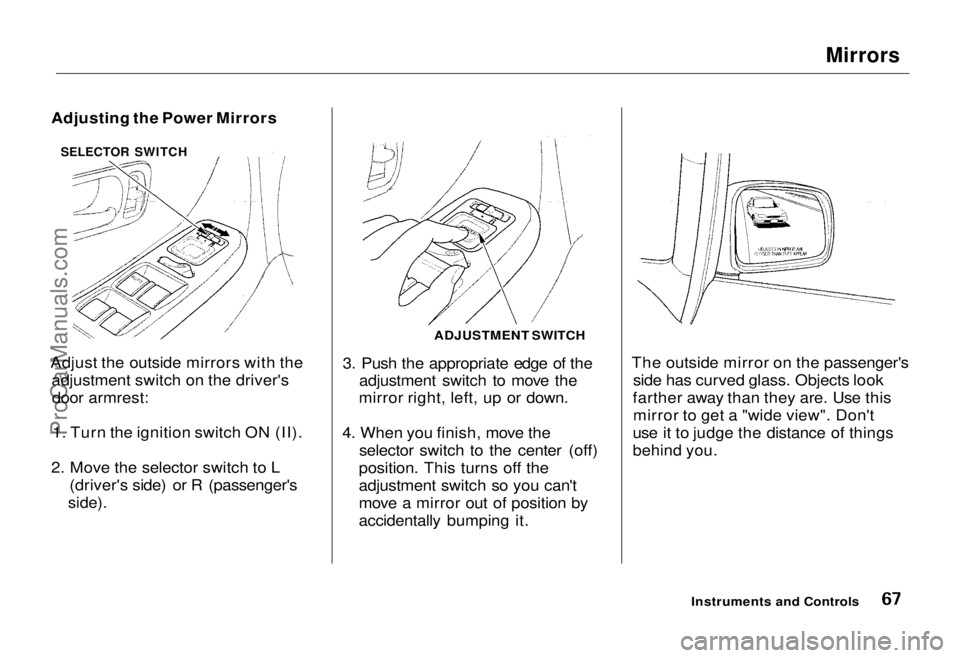
Adjust the outside mirrors with the adjustment switch on the driver'sdoor armrest:
1. Turn the ignition switch ON (II).
2. Move the selector switch to L (driver's side) or R (passenger's
side).
3. Push the appropriate edge of the
adjustment switch to move the
mirror right, left, up or down.
4. When you finish, move the selector switch to the center (off)
position. This turns off the
adjustment switch so you can't
move a mirror out of position by
accidentally bumping it. The outside mirror on the passenger's
side has curved glass. Objects look
farther away than they are. Use this mirror to get a "wide view". Don't
use it to judge the distance of things
behind you.
Instruments and Controls
ADJUSTMENT SWITCH
SELECTOR SWITCHProCarManuals.comMain Menu Table of Contents s t
Page 68 of 240
Parking Brake, Digital Clock
Parking Brake
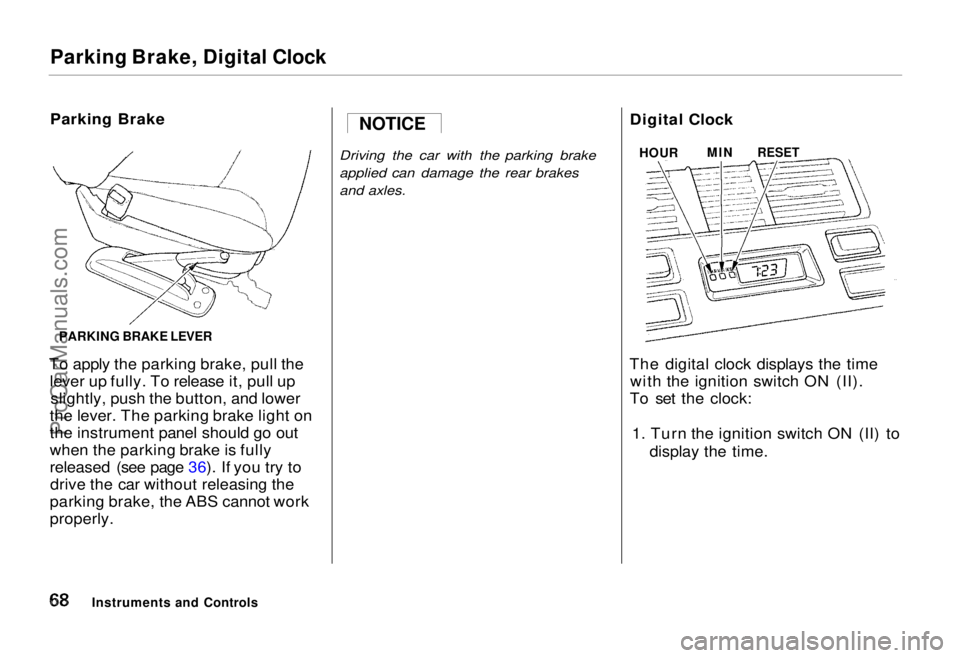
To apply the parking brake, pull the lever up fully. To release it, pull upslightly, push the button, and lower
the lever. The parking brake light on
the instrument panel should go out
when the parking brake is fully
released (see page 36). If you try to drive the car without releasing the
parking brake, the ABS cannot work
properly.
Driving the car with the parking brake
applied can damage the rear brakes
and axles.
Digital Clock
The digital clock displays the time with the ignition switch ON (II).
To set the clock:
1. Turn the ignition switch ON (II) to display the time.
Instruments and Controls NOTICE
HOUR
MIN
RESET
PARKING BRAKE LEVERProCarManuals.comMain Menu Table of Contents s t
Page 72 of 240
Cigarette Lighter, Ashtrays
Cigarette Lighter
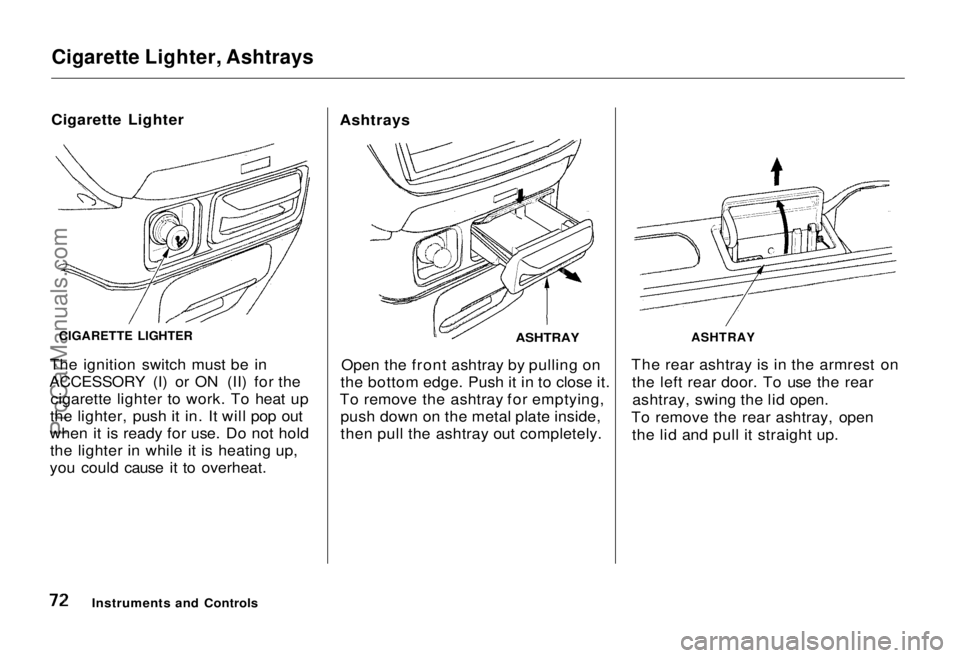
The ignition switch must be in
ACCESSORY (I) or ON (II) for the cigarette lighter to work. To heat up
the lighter, push it in. It will pop out
when it is ready for use. Do not hold the lighter in while it is heating up,
you could cause it to overheat. Ashtrays
ASHTRAY
Open the front ashtray by pulling on
the bottom edge. Push it in to close it.
To remove the ashtray for emptying, push down on the metal plate inside,
then pull the ashtray out completely. The rear ashtray is in the armrest on
the left rear door. To use the rearashtray, swing the lid open.
To remove the rear ashtray, open the lid and pull it straight up.
Instruments and Controls
CIGARETTE LIGHTER
ASHTRAYProCarManuals.comMain Menu Table of Contents s t
Page 74 of 240
Interior Lights
Tailgate Light
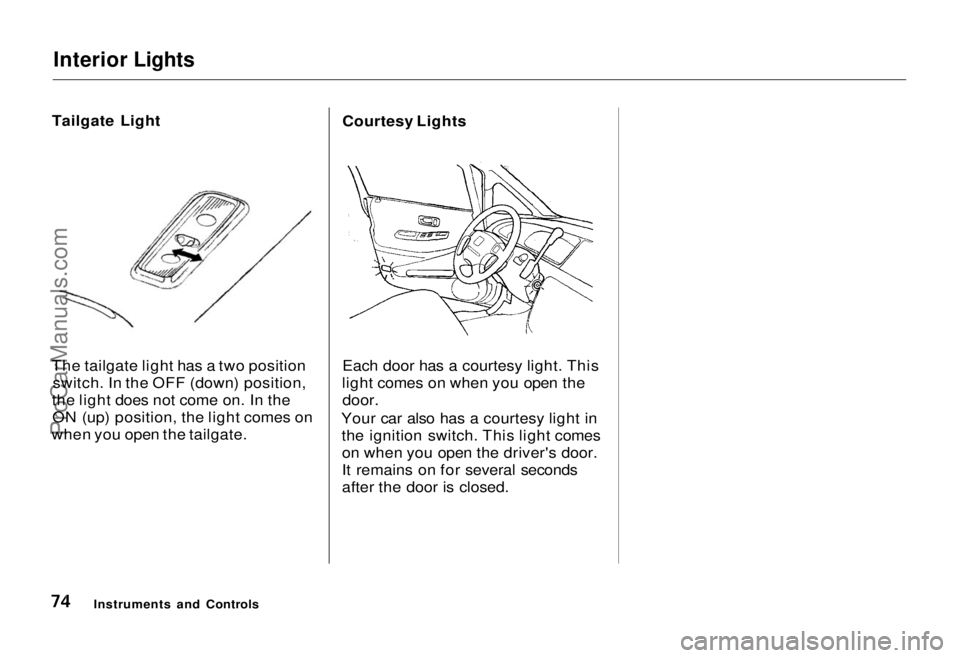
The tailgate light has a two position switch. In the OFF (down) position,
the light does not come on. In the ON (up) position, the light comes on
when you open the tailgate. Courtesy Lights
Each door has a courtesy light. This
light comes on when you open the
door.
Your car also has a courtesy light in the ignition switch. This light comeson when you open the driver's door.
It remains on for several seconds
after the door is closed.
Instruments and ControlsProCarManuals.comMain Menu Table of Contents s t
Page 85 of 240
Audio System
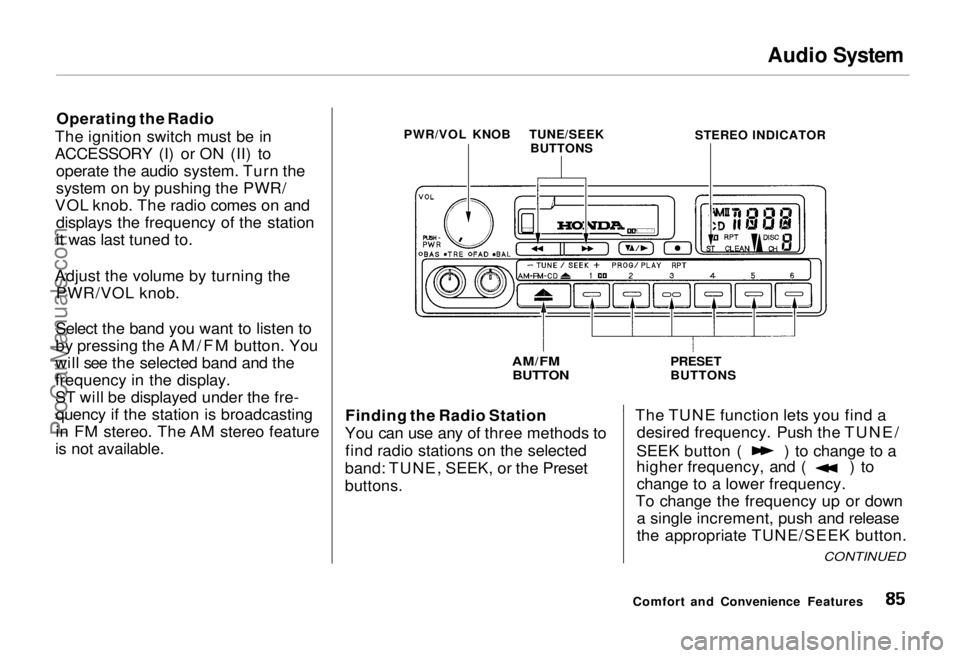
Operating the Radio
The ignition switch must be in
ACCESSORY (I) or ON (II) to operate the audio system. Turn the
system on by pushing the PWR/
VOL knob. The radio comes on and displays the frequency of the station
it was last tuned to.
Adjust the volume by turning the PWR/VOL knob.
Select the band you want to listen to
by pressing the AM/FM button. You
will see the selected band and the
frequency in the display.
ST will be displayed under the fre- quency if the station is broadcasting
in FM stereo. The AM stereo feature
is not available. Finding the Radio Station
You can use any of three methods to find radio stations on the selected
band: TUNE, SEEK, or the Preset
buttons.
The TUNE function lets you find a
desired frequency. Push the TUNE/ SEEK button ( ) to change to a
higher frequency, and ( ) to
change to a lower frequency.
To change the frequency up or down a single increment, push and release
the appropriate TUNE/SEEK button.
Comfort and Convenience Features
PWR/VOL KNOB
AM/FM
BUTTON
PRESET
BUTTONS
STEREO INDICATOR
TUNE/SEEK
BUTTONS
CONTINUEDProCarManuals.comMain Menu Table of Contents s t
Page 93 of 240
Audio System
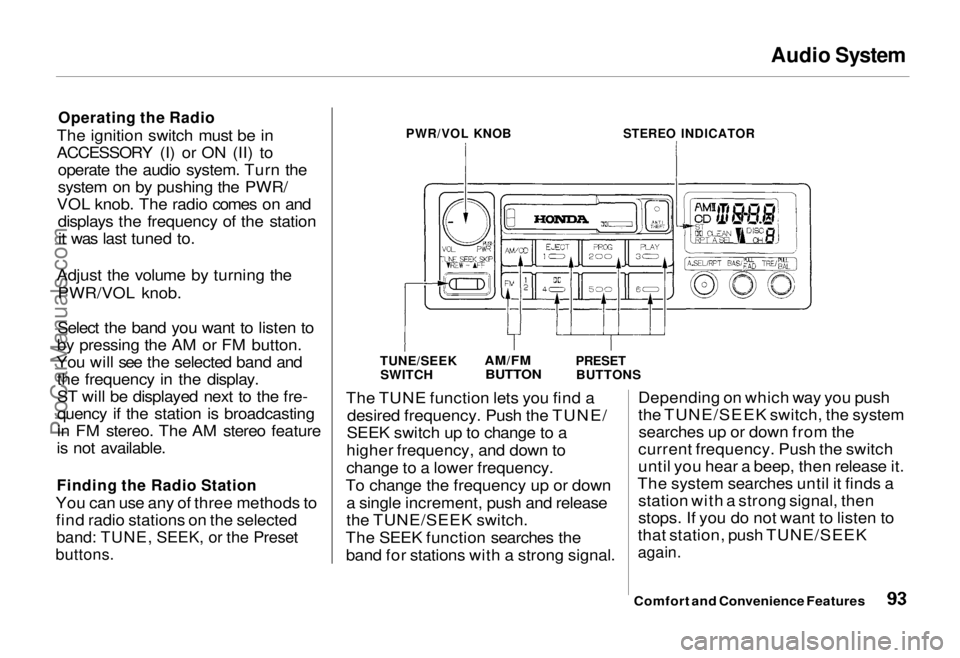
Operating the Radio
The ignition switch must be in
ACCESSORY (I) or ON (II) to operate the audio system. Turn the
system on by pushing the PWR/
VOL knob. The radio comes on and displays the frequency of the stationit was last tuned to.
Adjust the volume by turning the PWR/VOL knob.
Select the band you want to listen to
by pressing the AM or FM button.
You will see the selected band and the frequency in the display.
ST will be displayed next to the fre-
quency if the station is broadcasting
in FM stereo. The AM stereo feature
is not available.
Finding the Radio Station
You can use any of three methods to find radio stations on the selected
band: TUNE, SEEK, or the Preset
buttons.
PWR/VOL KNOB
STEREO INDICATOR
TUNE/SEEK SWITCH
AM/FM
BUTTON
PRESET
BUTTONS
The TUNE function lets you find a desired frequency. Push the TUNE/
SEEK switch up to change to a
higher frequency, and down to
change to a lower frequency.
To change the frequency up or down a single increment, push and release
the TUNE/SEEK switch.
The SEEK function searches the band for stations with a strong signal. Depending on which way you push
the TUNE/SEEK switch, the system
searches up or down from the
current frequency. Push the switch
until you hear a beep, then release it.
The system searches until it finds a station with a strong signal, then
stops. If you do not want to listen to
that station, push TUNE/SEEK
again.
Comfort and Convenience FeaturesProCarManuals.comMain Menu Table of Contents s t
Page 101 of 240
Audio System
Operating the CD Player
(Optional)
A Compact Disc changer is available for your car. It holds up to six discs,
providing several hours of continu-ous programming. You operate the
CD changer with the same controls
used for the radio and cassette
player.
Load the desired CD's in the
magazine and load the magazine in
the changer according to the
instructions that came with the unit.
Your dealer has Genuine Honda accessory in-dash CD players
available that are operated by the
radio controls. If you have one of
these units, use the directions in this section (except for multi-disc
selection) to operate it. To operate the CD changer, the
ignition key must be in ACCESSORY (I) or ON (II). If you are listening to
a cassette tape, eject it before
playing a CD.
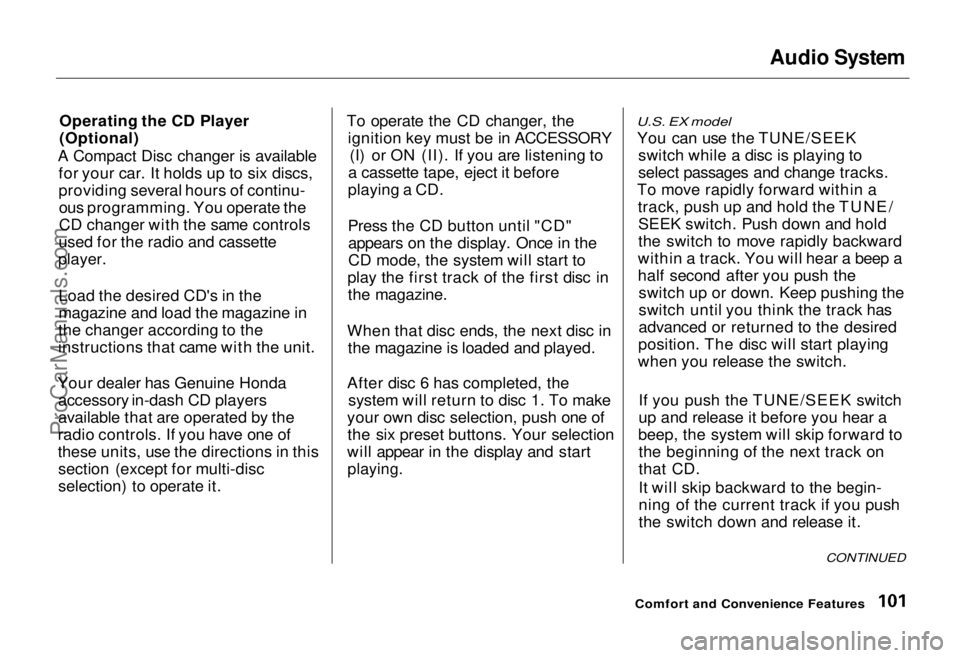
Press the CD button until "CD" appears on the display. Once in the
CD mode, the system will start to
play the first track of the first disc in the magazine.
When that disc ends, the next disc in the magazine is loaded and played.
After disc 6 has completed, the system will return to disc 1. To make
your own disc selection, push one of the six preset buttons. Your selection
will appear in the display and start
playing.
U.S. EX model
You can use the TUNE/SEEK switch while a disc is playing to
select passages and change tracks.
To move rapidly forward within a track, push up and hold the TUNE/SEEK switch. Push down and hold
the switch to move rapidly backward
within a track. You will hear a beep a
half second after you push the switch up or down. Keep pushing the
switch until you think the track has
advanced or returned to the desired
position. The disc will start playing
when you release the switch.
If you push the TUNE/SEEK switch
up and release it before you hear a
beep, the system will skip forward to the beginning of the next track on
that CD.
It will skip backward to the begin-
ning of the current track if you push
the switch down and release it.
Comfort and Convenience Features
CONTINUEDProCarManuals.comMain Menu Table of Contents s t
Page 103 of 240
Audio System
U.S. LX and Canadian EX models
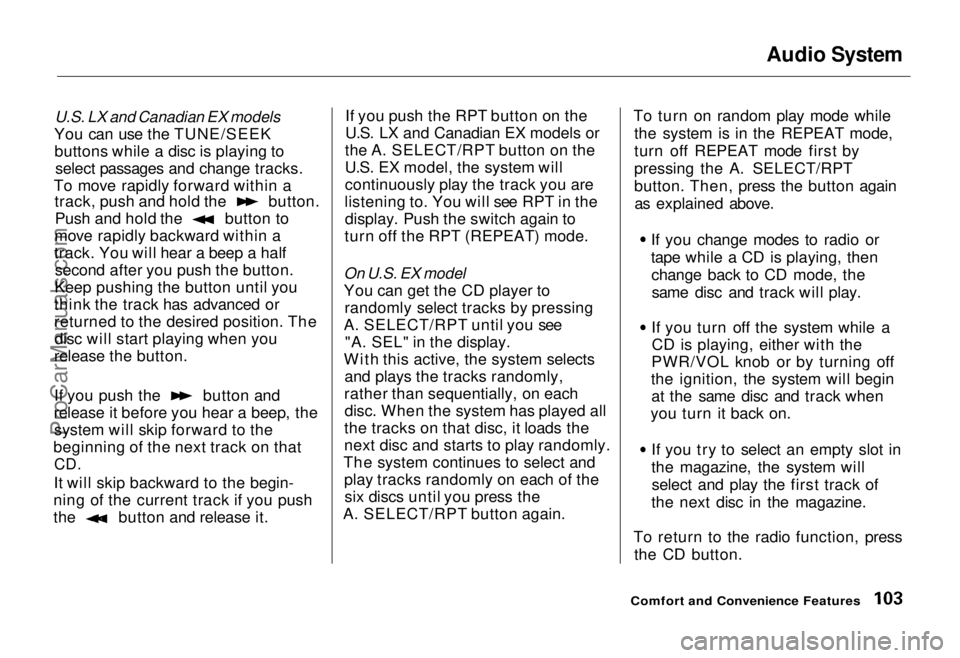
You can use the TUNE/SEEK buttons while a disc is playing to select passages and change tracks.
To move rapidly forward within a track, push and hold the button.
Push and hold the button to
move rapidly backward within a
track. You will hear a beep a half second after you push the button.
Keep pushing the button until you
think the track has advanced or
returned to the desired position. The disc will start playing when you
release the button. If you push the button and
release it before you hear a beep, the system will skip forward to the
beginning of the next track on that
CD.
It will skip backward to the begin-
ning of the current track if you push the button and release it. If you push the RPT button on the
U.S. LX and Canadian EX models or
the A. SELECT/RPT button on the
U.S. EX model, the system will
continuously play the track you are
listening to. You will see RPT in the display. Push the switch again to
turn off the RPT (REPEAT) mode.
On U.S. EX model
You can get the CD player to randomly select tracks by pressing
A. SELECT/RPT until you see "A. SEL" in the display.
With this active, the system selects and plays the tracks randomly,
rather than sequentially, on each disc. When the system has played all
the tracks on that disc, it loads the
next disc and starts to play randomly.
The system continues to select and play tracks randomly on each of thesix discs until you press the
A. SELECT/RPT button again. To turn on random play mode while
the system is in the REPEAT mode,
turn off REPEAT mode first by
pressing the A. SELECT/RPT
button. Then, press the button againas explained above.
If you change modes to radio or
tape while a CD is playing, thenchange back to CD mode, thesame disc and track will play.
If you turn off the system while a CD is playing, either with the
PWR/VOL knob or by turning off
the ignition, the system will begin at the same disc and track when
you turn it back on.
If you try to select an empty slot in
the magazine, the system willselect and play the first track of
the next disc in the magazine.
To return to the radio function, press the CD button.
Comfort and Convenience FeaturesProCarManuals.comMain Menu Table of Contents s t