Page 2 of 354
GeGB The 1995 Geo Tracker Owner’s Manual
Seats and Restraint Systems .............................................................. 1-1
This section tells you how to use your seats and safety belts prop\
erly.
Features and Controls .................................................................. 2-1
This section explains how to start and operate your Geo.
Comfort Controls and Audio Systems ..................................................... 3-1
This section tells you how to adjust the ventilation and comfo\
rt controls and how to operate your
audio system. Here you’ll find helpful information and tips about the road\
and how to drive under different conditions.
This section tells you what to do if you have
a problem while driving, such as a flat tire or engine
overheating, etc.
YourDrivingandtheRoad .............................................................. 4-1
Problems on the Road
.................................................................. 5-1
Service and Appearance Care. ........................................................... 6-1
Here the manual tells you how to keep your Geo running properly and looking good.
This section tells you when to perform vehicle maintenance and \
what fluids and lubricants to
use.
This section tells you how to contact Chevrolet/Geo for assista\
nce and how to get service publications. It also
gives you information on “Reporting Safety Defects” on pag\
e
8-4.
Maintenanceschedule .................................................................. 7-1
Customer Assistance Information ........................................................ 8-1
I-Idex ........................................................,...............\
.........9-1
Here’s an alphabetical listing of almost every subject in this manual. You can use it to quickly find
something
you want to read.
ProCarManuals.com
Page 8 of 354
GetB Section 1 Seats and Restraint Systems
Here you’ll find information about the seats in your Geo
and how to use your safety belts properly. You can also
learn about some things you should
not do with safety
belts.
Seats and Seat Controls
This section tells you about the seats -- how to adjust
them
-- and also about reclining front seatbacks, head
restraints, seatback latches, easy entry seats and the
folding rear seatback.
Front Seat
1-1
ProCarManuals.com
Page 11 of 354
Head Restraints
Head restraints are fixed on some models and adjustable
on others. Slide an adjustable head restraint up or down
so that the top of the restraint is closest to the top of
your ears. This position reduces the chance of a neck
injury in a crash.
To raise or lower the restraint, push in the release while
you pull up or push down on the restraint. The
front seats
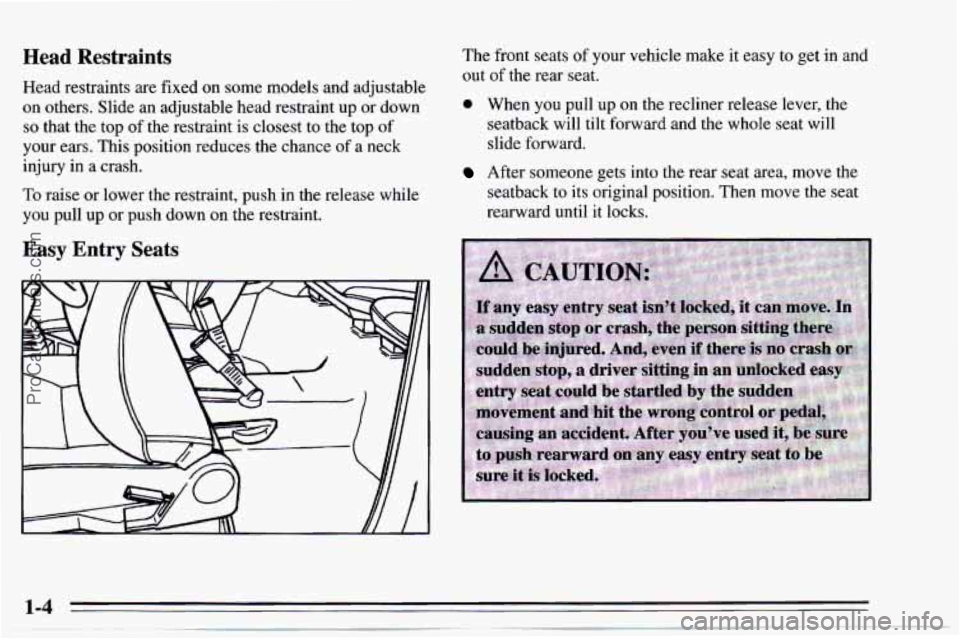
of your vehicle make it easy to get in and
out
of the rear seat.
0 When you pull up on the recliner release lever, the
seatback will tilt forward and the whole seat will
slide forward.
After someone gets into the rear seat area, move the
seatback
to its original position. Then move the seat
rearward until it locks.
Easy Entry Seats
ProCarManuals.com
Page 12 of 354
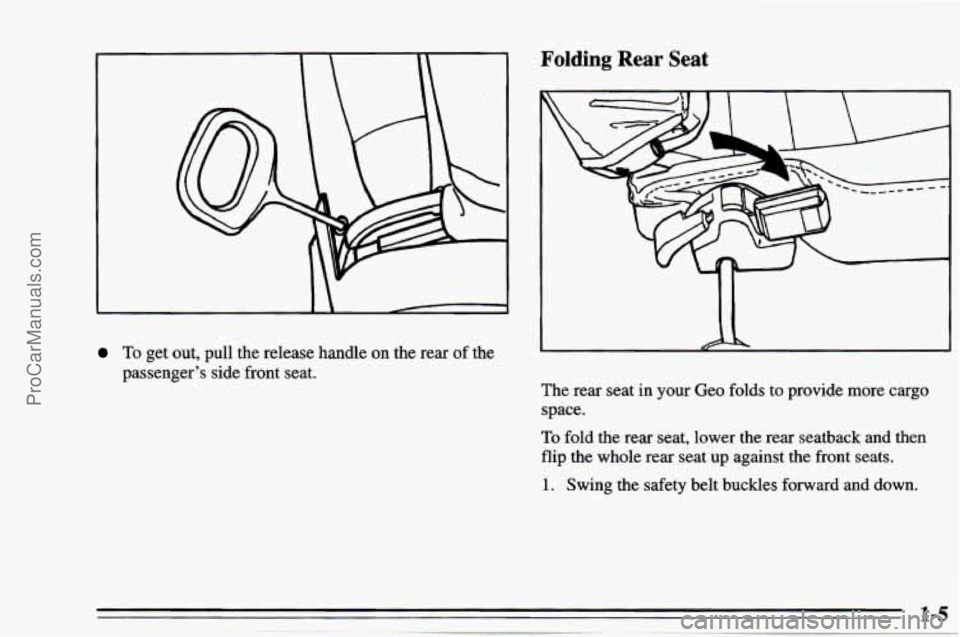
To get out, pull the release handle on the rear of the
passenger’s side front seat.
Folding Rear Seat
I
The rear seat in your Geo folds to provide more cargo
space.
To fold the rear seat, lower the rear seatback and then
flip the whole rear seat up against the front seats.
1. Swing the safety belt buckles forward and down.
ProCarManuals.com
Page 21 of 354
Driver Position
This part describes the driver’s restraint system.
Lap-Shoulder Belt
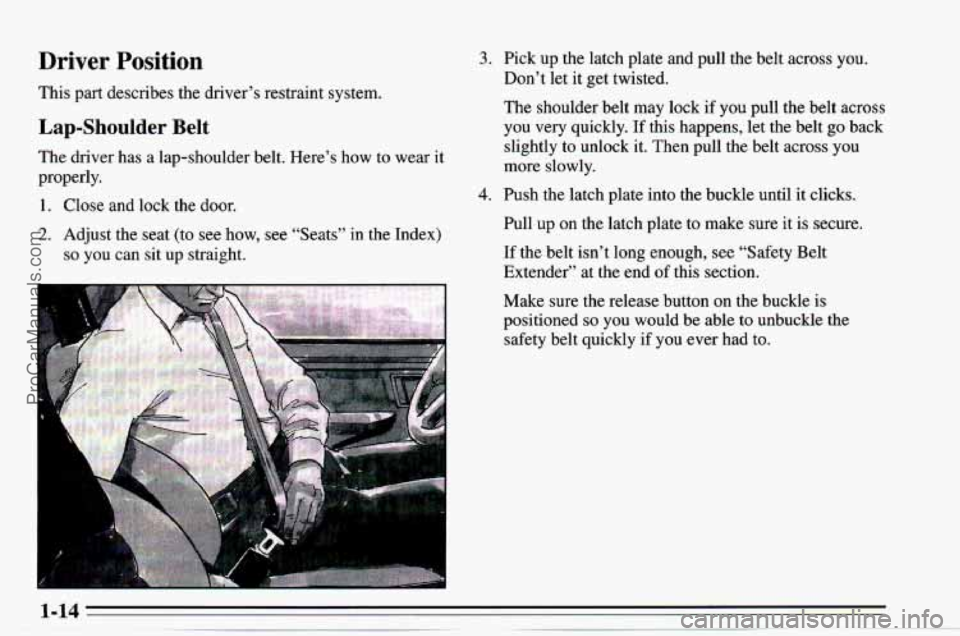
The driver has a lap-shoulder belt. Here’s how to wear it
properly.
1. Close and lock the door.
2. Adjust the seat (to see how, see “Seats” in the Index)
so you can sit up straight.
-
3. Pick up the latch plate and pull the belt across you.
Don’t let it get twisted.
The shoulder belt may lock if you pull the belt across
you very quickly.
If this happens, let the belt go back
slightly to unlock it. Then pull the belt across you
more slowly.
4. Push the latch plate into the buckle until it clicks.
Pull up on the latch plate to make sure it is secure.
If the belt isn’t long enough, see “Safety Belt
Extender” at the end
of this section.
Make sure the release button on the buckle
is
positioned so you would be able to unbuckle the
safety belt quickly if you
ever had to.
1-14
ProCarManuals.com
Page 29 of 354
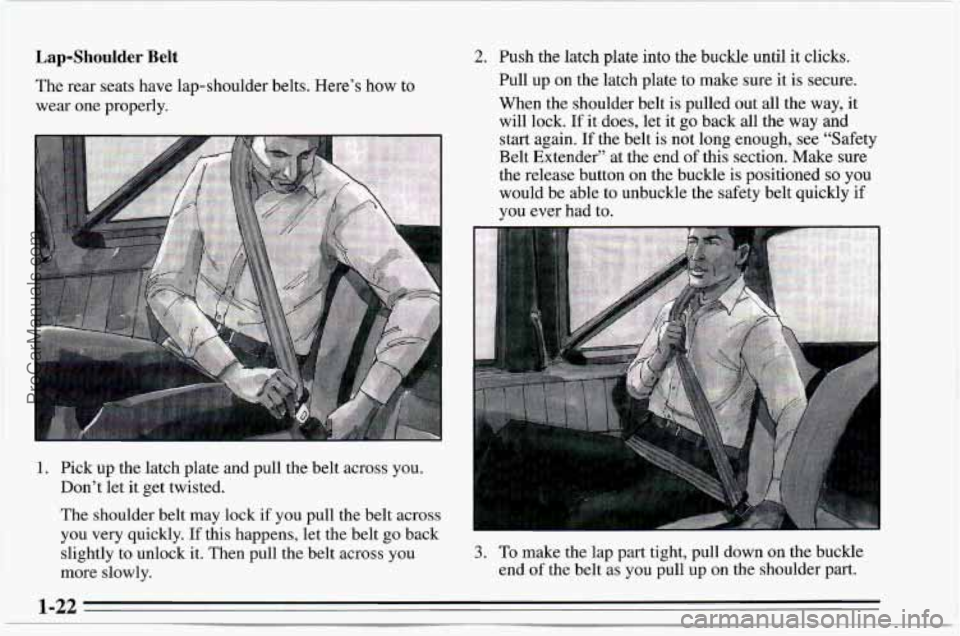
Lap-Shoulder Belt
The rear seats have lap-shoulder belts. Here’s how to
wear one properly.
1. Pick up the latch plate and pull the belt across you.
Don’t let it get twisted.
The shoulder belt may lock
if you pull the belt across
you very quickly.
If this happens, let the belt go back
slightly to unlock
it. Then pull the belt across you
more slowly.
2. Push the latch plate into the buckle until it clicks.
Pull up
on the latch plate to make sure it is secure.
When the shoulder belt is pulled out all the way, it
will lock.
If it does, let it go back all the way and
start again. If the belt is not long enough, see “Safety
Belt Extender” at the end
of this section. Make sure
the release button on the buckle is positioned
so you
would be able to unbuckle the safety belt quickly if
you ever had to.
3. To make me lap part tight, pull aown on the buckle
end
of the belt as you pull up on the shoulder part.
1-22
ProCarManuals.com
Page 36 of 354
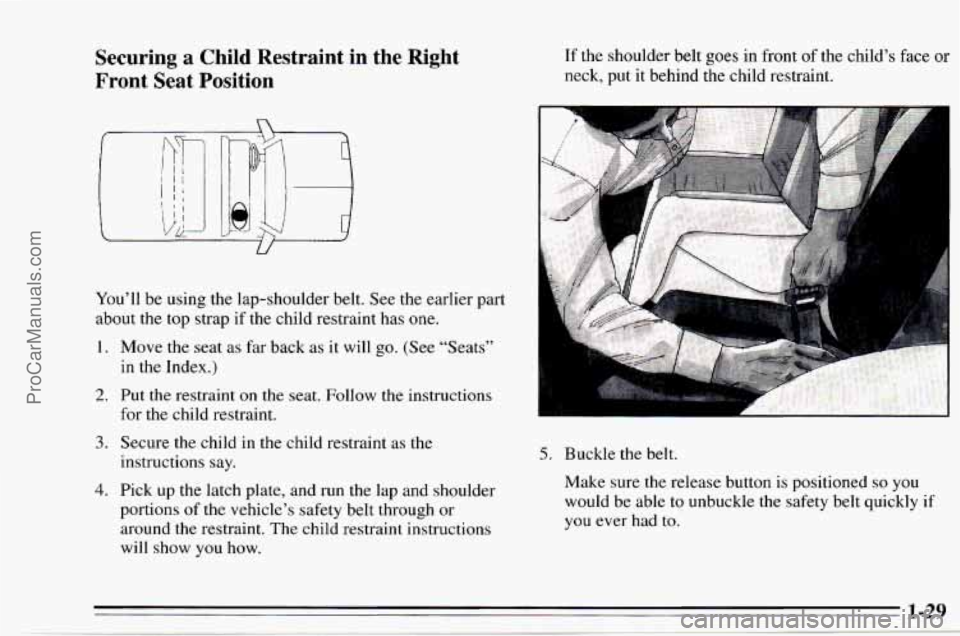
Securing a Child Restraint in the Right
Front Seat Position
You'll be using the lap-shoulder belt. See the earlier part
about the top strap if the child restraint has
one.
1. Move the seat as far back as it will go. (See "Seats"
in the Index.)
2. Put the restraint on the seat. Follow the instructions
for the child restraint,
3. Secure the child in the child restraint as the
instructions say.
4. Pick up the latch plate, and run the lap and shoulder
portions of the vehicle's safety belt through or
around the restraint. The child restraint instructions
will
show you how.
If the shoulder belt goes in front of the child's face or
neck, put it behind the child restraint.
5. Buckle the belt.
Make sure the release button is positioned
so you
would be able to unbuckle the safety belt quickly if
you ever had
to.
ProCarManuals.com
Page 109 of 354
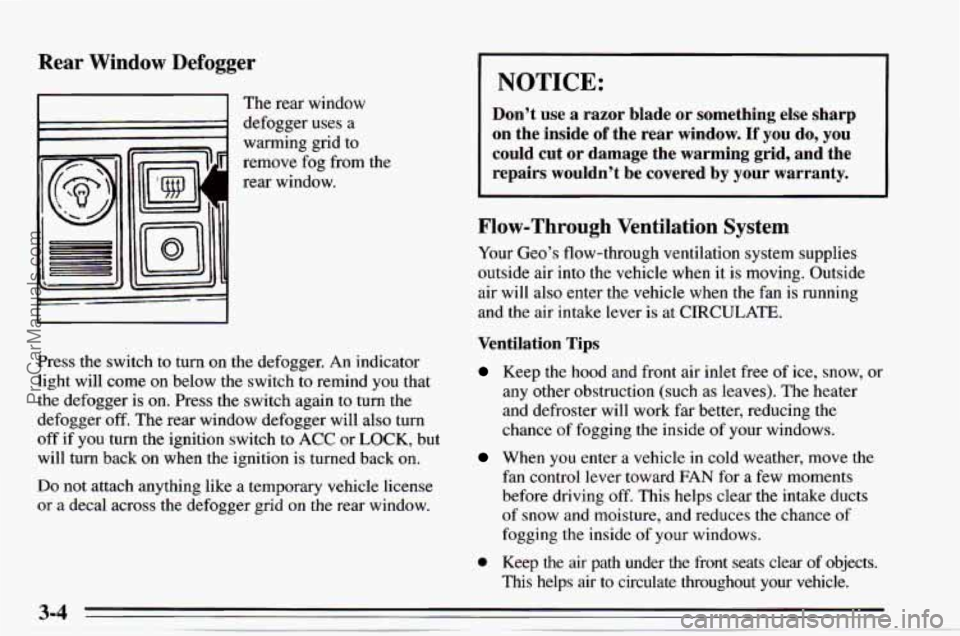
Rear Window Defogger
I I The rear window
1 defogger uses a
warming grid
to
remove fog from the
rear window.
Press the switch
to turn on the defogger. An indicator
light will come on below the switch to remind you that
the defogger is
on. Press the switch again to turn the
defogger
off. The rear window defogger will also turn
off if you turn the ignition switch to ACC or LOCK, but
will turn back on when the ignition
is turned back on.
Do not attach anything like a temporary vehicle license
or a decal across the defogger grid on the rear window.
I NOTICE:
Don’t use a razor blade or something else sharp
on the inside
of the rear window. If you do, you
could cut or damage the warming grid, and the
repairs wouldn’t be covered by
your warranty.
Flow-Through Ventilation System
Your Geo’s flow-through ventilation system supplies
outside air into the vehicle when it is moving. Outside
air will also enter the vehicle when the fan
is running
and the air intake lever is at CIRCULATE.
Ventilation Tips
Keep the hood and front air inlet free of ice, snow, or
any other obstruction (such as leaves). The heater
and defroster will work far better, reducing the
chance of fogging the inside of your windows.
When you enter a vehicle in cold weather, move the
fan control lever toward FAN for a few moments
before driving
off. This helps clear the intake ducts
of snow and moisture, and reduces the chance of
fogging the inside of your windows.
0 Keep the air path under the front seats clear of objects.
This helps air to circulate throughout your vehicle.
ProCarManuals.com