Page 6 of 354
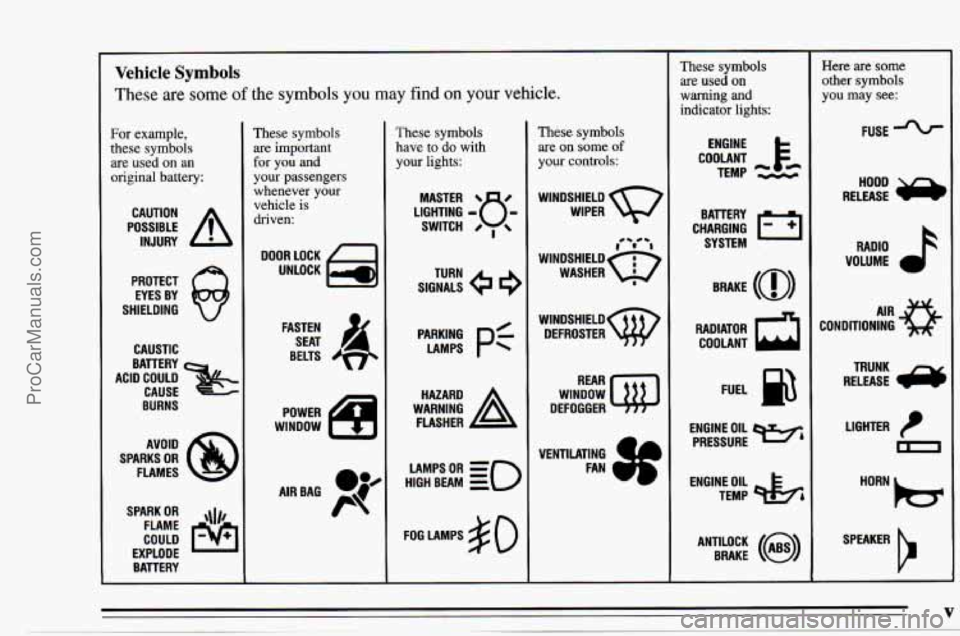
~~ Vehicle Symbols
These are some of the symbols you may find on your vehicle.
For example,
these symbols
are used on an
original battery:
POSSIBLE A
CAUTION
INJURY
PROTECT EYES BY
SHIELDING
CAUSTIC
ACID COULD BATTERY
CAUSE
BURNS
SPARK
OR ,\(I,
COULD FLAME
EXPLODE BAVERY
These symbols are important
for
you and
your passengers
whenever your
vehicle
is
driven:
DOOR LOCK
UNLOCK
FASTEN SEAT
&,
BELTS
POWER
WINDOW
LR
AIRBAG P@K
These symbols
have to
do with
your
lights:
SIGNALS e
TURN
PyN;
pf
WARNING A
HAZARD
FLASHER
HIGH
LAMPSoR BEAM = =o
FOG LAMPS $0
These symbols
are on some of
your controls:
WINDSHIELD
WIPER
,-/ 'I
WINDSHIELDQ
WASHER 8
wlNDSHIELDw DEFROSTER
WINDOW
DEFOGGER
These symbols are used on
warning and
indicator lights:
COOLANT F-
TEMP --
ENGINE
CHARGING
I-1
BATTERY SYSTEM
BRAKE
(a)
RADIATOR a
COOLANT
FUEL
ENGINE OIL
e,
PRESSURE
TEMP
OIL pk;
ANTIU)CK BRAKE (i)
~
Here are some
other symbols
you may see:
FUSE -%-
RADIO h
VOLUME a
CONDITIONING AIR 43
LIGHTER
m
SPEAKER
b
V
. ~ ProCarManuals.com
Page 9 of 354
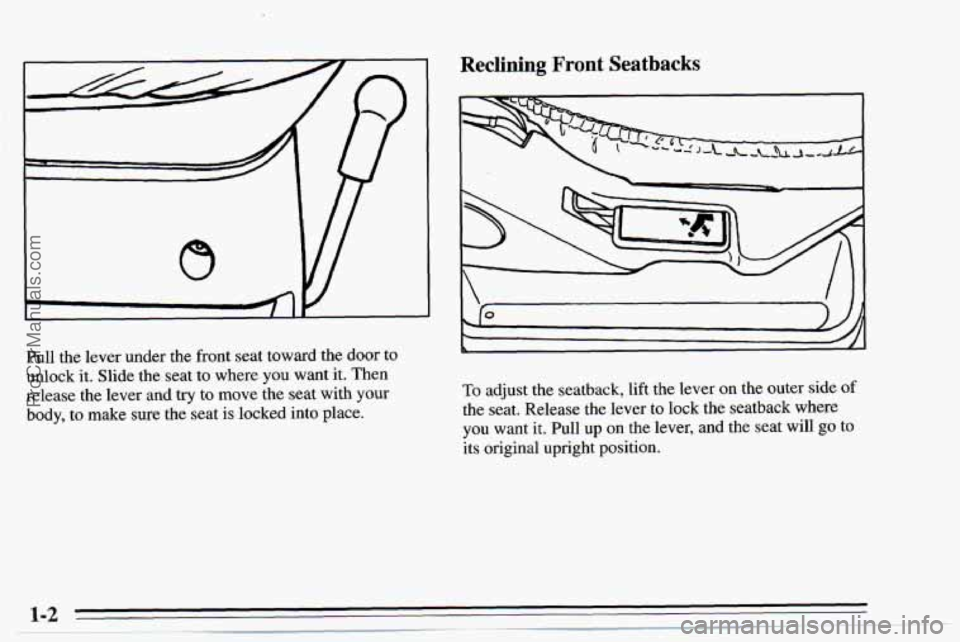
Pull the lever under the front seat toward the door to
unlock it. Slide the seat to where
you want it. Then
release the lever and try to move the seat with
your
body, to make sure the seat is locked into place.
Reclining Front Seatbacks
To adjust the seatback, lift the lever on the outer side of
the seat. Release the lever to lock the seatback where
you want
it. Pull up on the lever, and the seat will go to
its original upright position.
ProCarManuals.com
Page 21 of 354
Driver Position
This part describes the driver’s restraint system.
Lap-Shoulder Belt
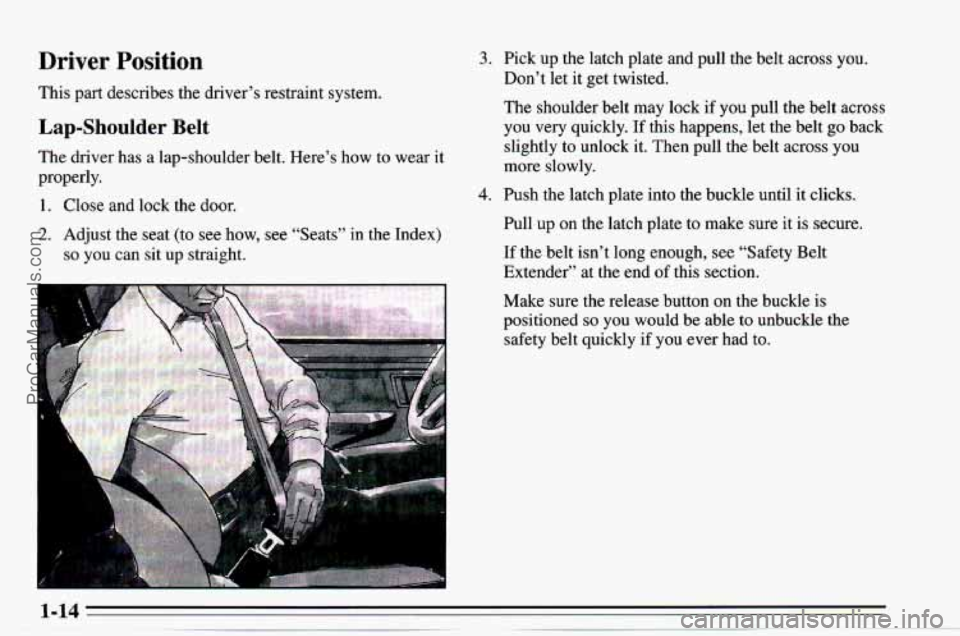
The driver has a lap-shoulder belt. Here’s how to wear it
properly.
1. Close and lock the door.
2. Adjust the seat (to see how, see “Seats” in the Index)
so you can sit up straight.
-
3. Pick up the latch plate and pull the belt across you.
Don’t let it get twisted.
The shoulder belt may lock if you pull the belt across
you very quickly.
If this happens, let the belt go back
slightly to unlock it. Then pull the belt across you
more slowly.
4. Push the latch plate into the buckle until it clicks.
Pull up on the latch plate to make sure it is secure.
If the belt isn’t long enough, see “Safety Belt
Extender” at the end
of this section.
Make sure the release button on the buckle
is
positioned so you would be able to unbuckle the
safety belt quickly if you
ever had to.
1-14
ProCarManuals.com
Page 45 of 354
~ One
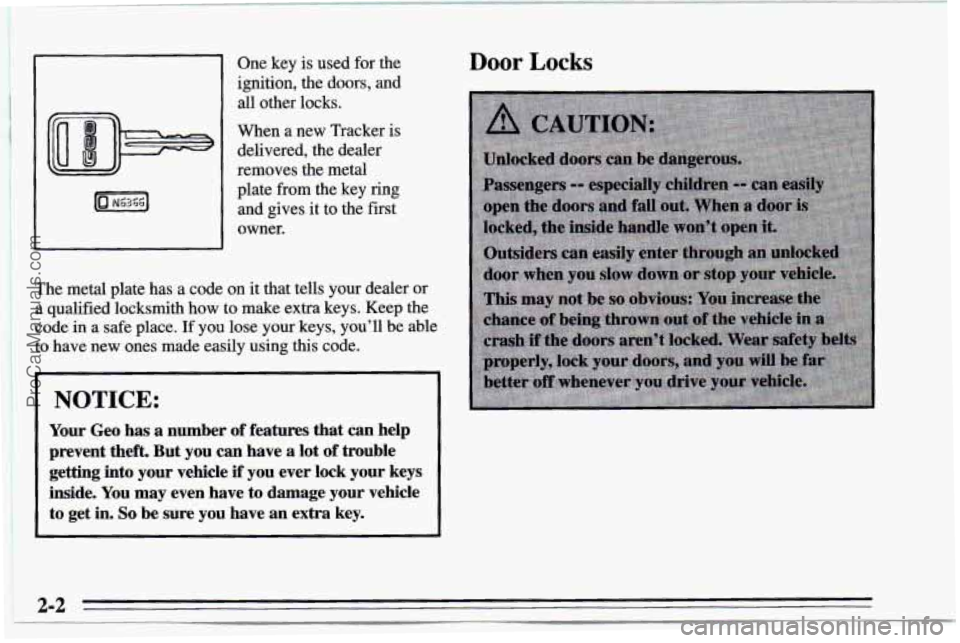
key is used for the
ignition, the doors, and
all other locks.
When a new Tracker is
delivered, the dealer
removes the metal
plate from the key ring
and gives it to the first
owner.
The
metal plate has a code on it that tells your dealer or
a qualified locksmith how to make extra keys. Keep the
code in a safe place.
If you lose your keys, you’ll be able
to
have new ones made easily using this code.
NOTICE:
Your Geo has a number of features that can help
prevent theft. But you
can have a lot of trouble
getting into your vehicle
if you ever lock your keys
inside. You may even have to damage your vehicle
to get in.
So be sure you have an extra key.
Door Locks
2-2
ProCarManuals.com
Page 46 of 354
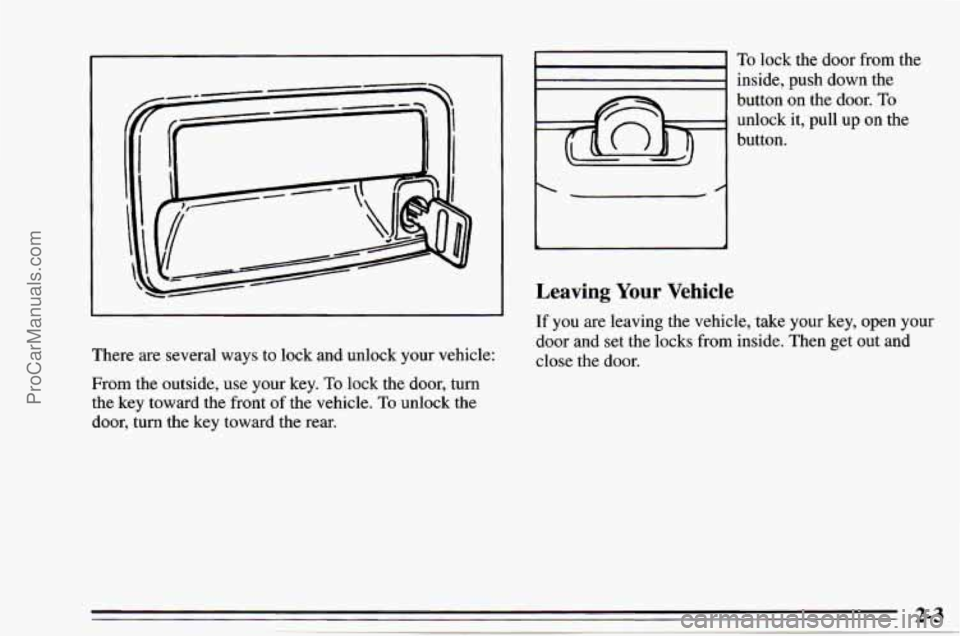
There are several ways to lock and unlock your vehicle:
From the outside, use your key. To lock the door, turn
the key toward the front of the vehicle.
To unlock the
door, turn the key toward the rear.
I
I"
To lock the door from the
inside, push down the
button
on the door. To
unlock it, pull up on the
button.
Leaving Your Vehicle
If you are leaving the vehicle, take your key, open your
door and set the locks from inside. Then get out and
close the door.
2-3
ProCarManuals.com
Page 48 of 354
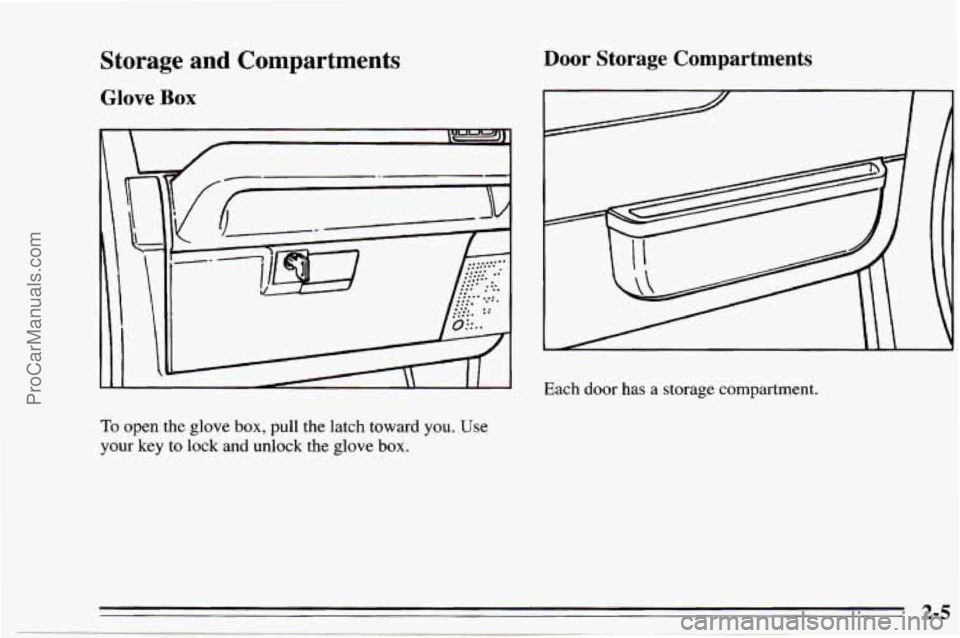
Storage and Compartments
Glove Box
I
5
To open the glove box, pull the latch toward you. Use
your key to lock and unlock the glove box.
Door Storage Compartments
Each door has a storage compartment.
2-5
ProCarManuals.com
Page 50 of 354

Theft New Vehicle LLBreak-In”
Vehicle theft is big business, especially in some cities.
Although your Geo has
a number of theft deterrent
features, we know that nothing we put on it can make it
impossible to steal. However, there are ways
you can
help.
Key in the Ignition
If you walk away from your vehicle with the keys
inside, it’s an easy target for joy riders or professional
thieves
-- so don’t do it.
When you park your
Geo and open the driver’s door,
you’ll hear
a chime reminding you to remove your key
from the ignition and take it with you. Always do this.
Your steering wheel will be locked, and
so will your
ignition. If you have an automatic transmission, taking
your key out also
locks your transmission. And
remember
to lock the doors.
Parking at Night
Park in a lighted spot, close all windows and lock your
vehicle. Remember to keep your valuables out
of sight.
Put them in
a storage area, or take them with you.
NOTICE:
Your modern Geo doesn’t need an elaborate
“break-in.” But it will perform better in the long
run
if you follow these guidelines:
0
0
0
0
Keep your speed at 55 mph (88 km/h) or
less for the
first 500 miles (804 km).
Don’t drive at any one speed
-- fast or
slow
-- for the first 500 miles (804 km).
Don’t make full-throttle starts.
Avoid making hard stops for the first
200 miles (322 km) or so. During this time
your new brake linings aren’t yet broken
in. Hard stops with new linings can mean
premature wear and earlier replacement.
Follow this “breaking-in” guideline every
time you get new brake linings.
Don’t tow a trailer during “break-in.” See
“Towing a Trailer” in the Index for more
information.
ProCarManuals.com
Page 51 of 354
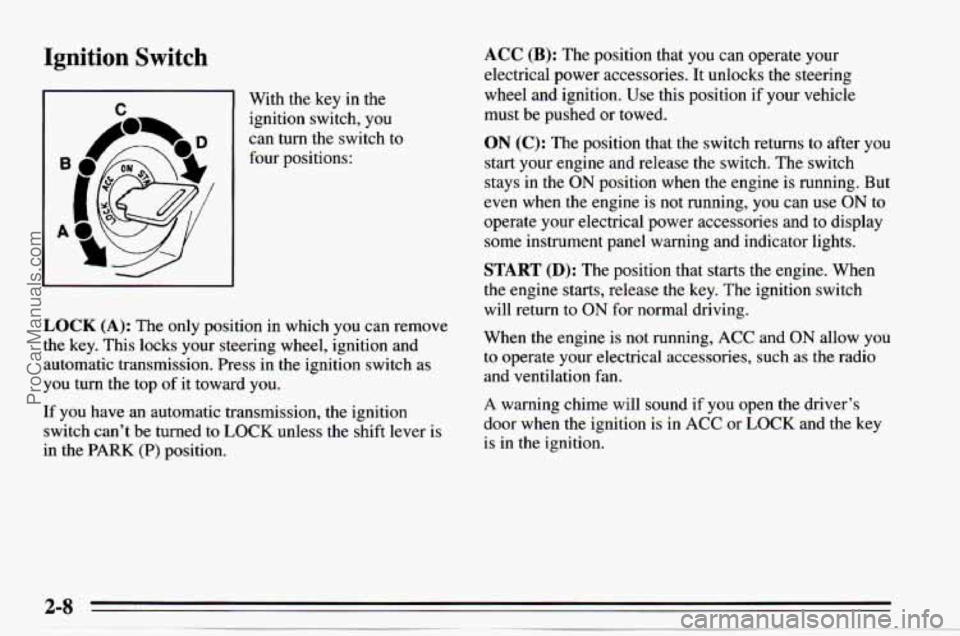
Ignition Switch
I n 1 With the key in the
ignition switch, you
can turn the switch to
four positions:
I I
LOCK (A): The only position in which you can remove
the key. This locks your steering wheel, ignition and
automatic transmission. Press in the ignition switch as
you turn the top
of it toward you.
If you have an automatic transmission, the ignition
switch can't be turned
to LOCK unless the shift lever is
in the
PARK (P) position.
ACC (B): The position that you can operate your
electrical power accessories.
It unlocks the steering
wheel and ignition. Use this position if
your vehicle
must be pushed
or towed.
ON (C): The position that the switch returns to after you
start your engine and release the switch. The switch
stays in the
ON position when the engine is running. But
even when the engine is not running, you can use
ON to
operate your electrical power accessories and to display
some instrument panel warning and indicator lights.
START (D): The position that starts the engine. When
the engine starts, release the key. The ignition switch
will return to
ON for normal driving.
When the engine is not running,
ACC and ON allow you
to operate your electrical accessories, such as the radio
and ventilation fan.
A warning chime will sound if you open the driver's
door when the ignition is in
ACC or LOCK and the key
is in the ignition.
ProCarManuals.com