Page 209 of 306
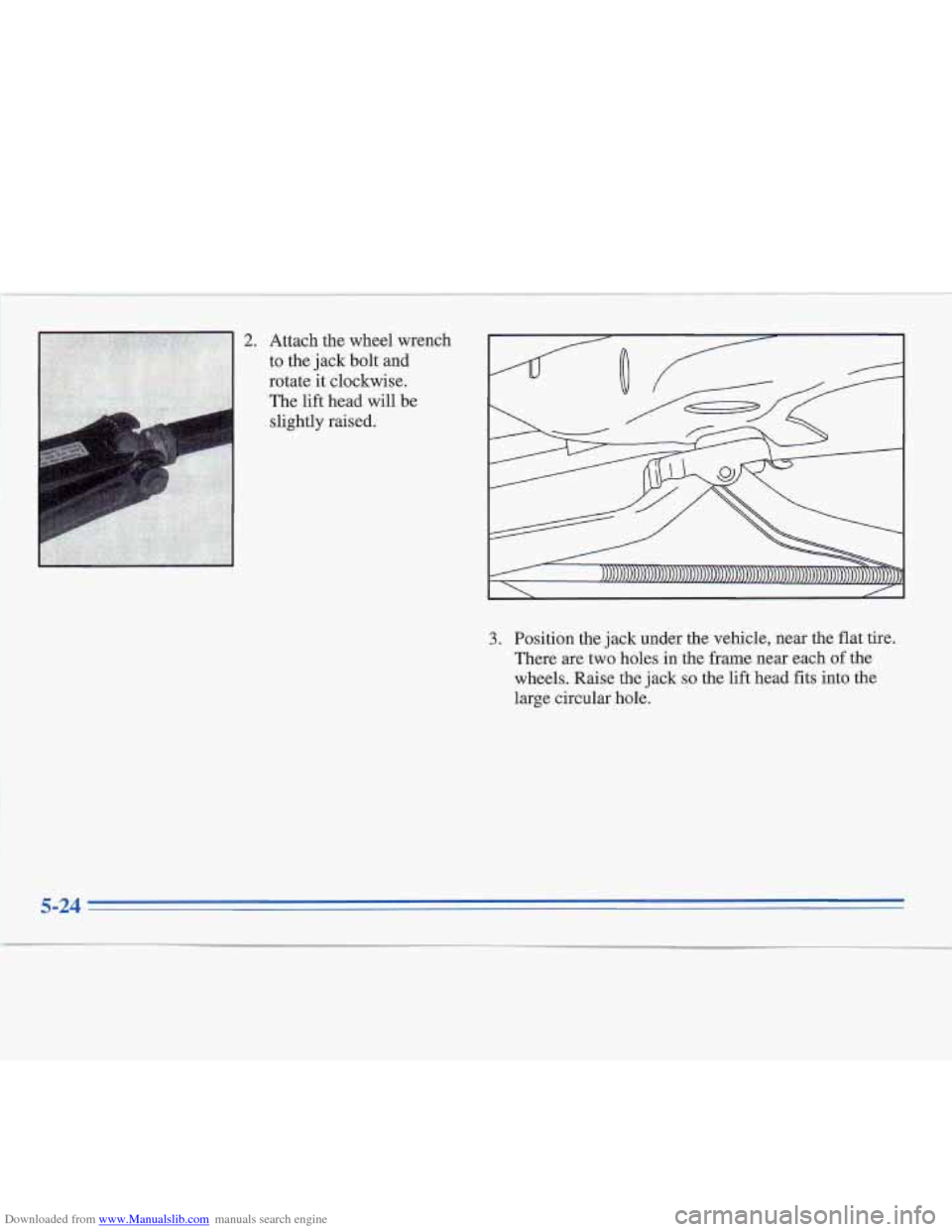
Downloaded from www.Manualslib.com manuals search engine 2. Attach the wheel wrench
to the jack bolt and
rotate it clockwise.
The lift head will be
slightly raised.
3. Position the jack under the vehicle, near the flat tire.
There
are two holes in the frame near each of the
wheels. Raise the jack
so the lift head fits into the
large circular hole.
5-24
Page 210 of 306
Downloaded from www.Manualslib.com manuals search engine Getting under a vehicle when it is jacked up is
dangerous.
If the vehicle slips off the jack, you
could be badly injured or killed. Never get under
a vehicle when it is supported only by a jack.
NOTICE:
Raising your vehicle with the jack improperly
positioned
will damage the vehicle or may allow
the vehicle to
fall off the jack. Be sure to €it the
jack lift head
into the proper location before
raising
your vehicle.
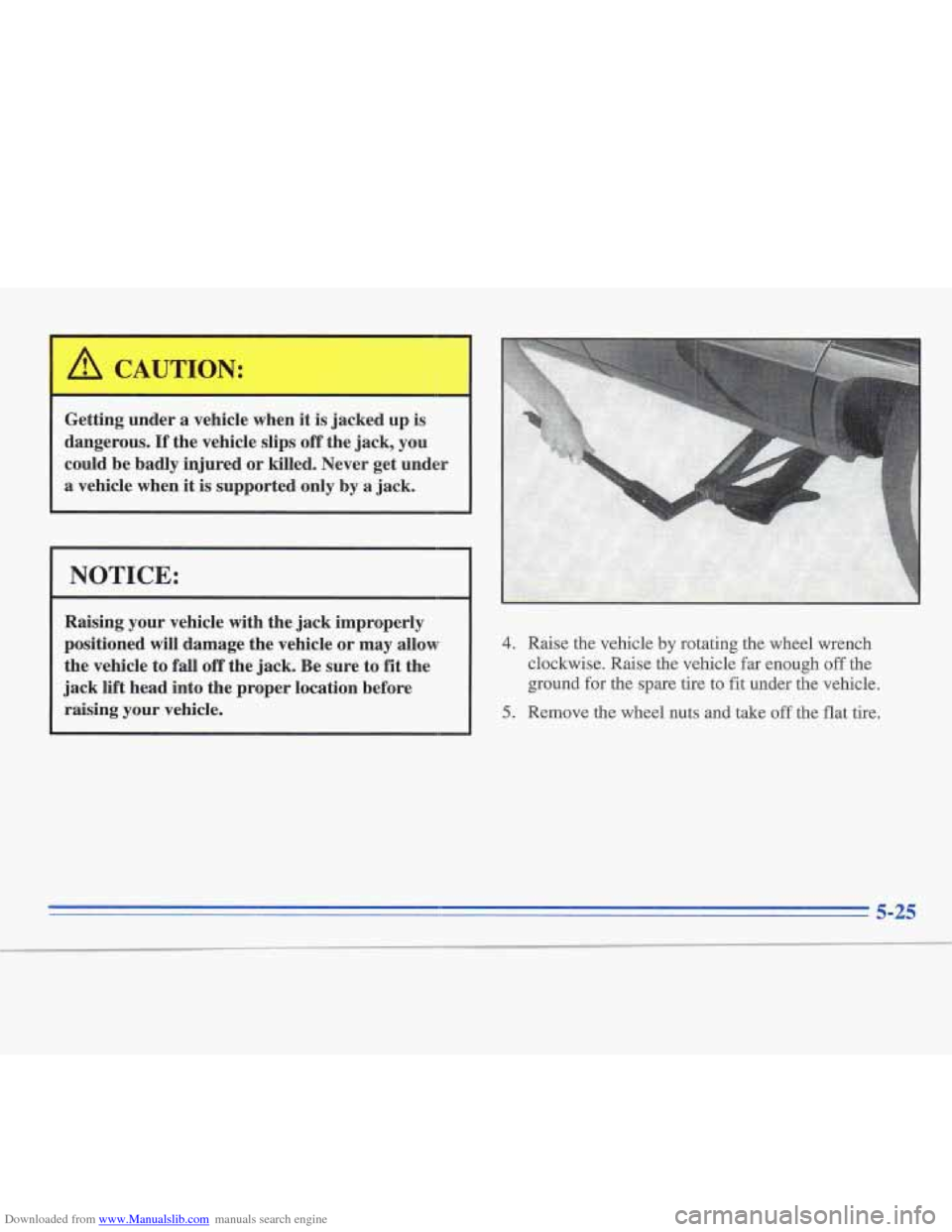
4. Raise the vehicle by-rotating the wheel wrench
clockwise. Raise the vehicle far enough
off the
ground
for the spare tire to fit under the vehicle.
5. Remove the wheel nuts and take off the flat tire.
5-25
Page 212 of 306
Downloaded from www.Manualslib.com manuals search engine 3. Lower the vehicle by rotating the wheel wrench
counterclockwise. Lower the vehicle completely.
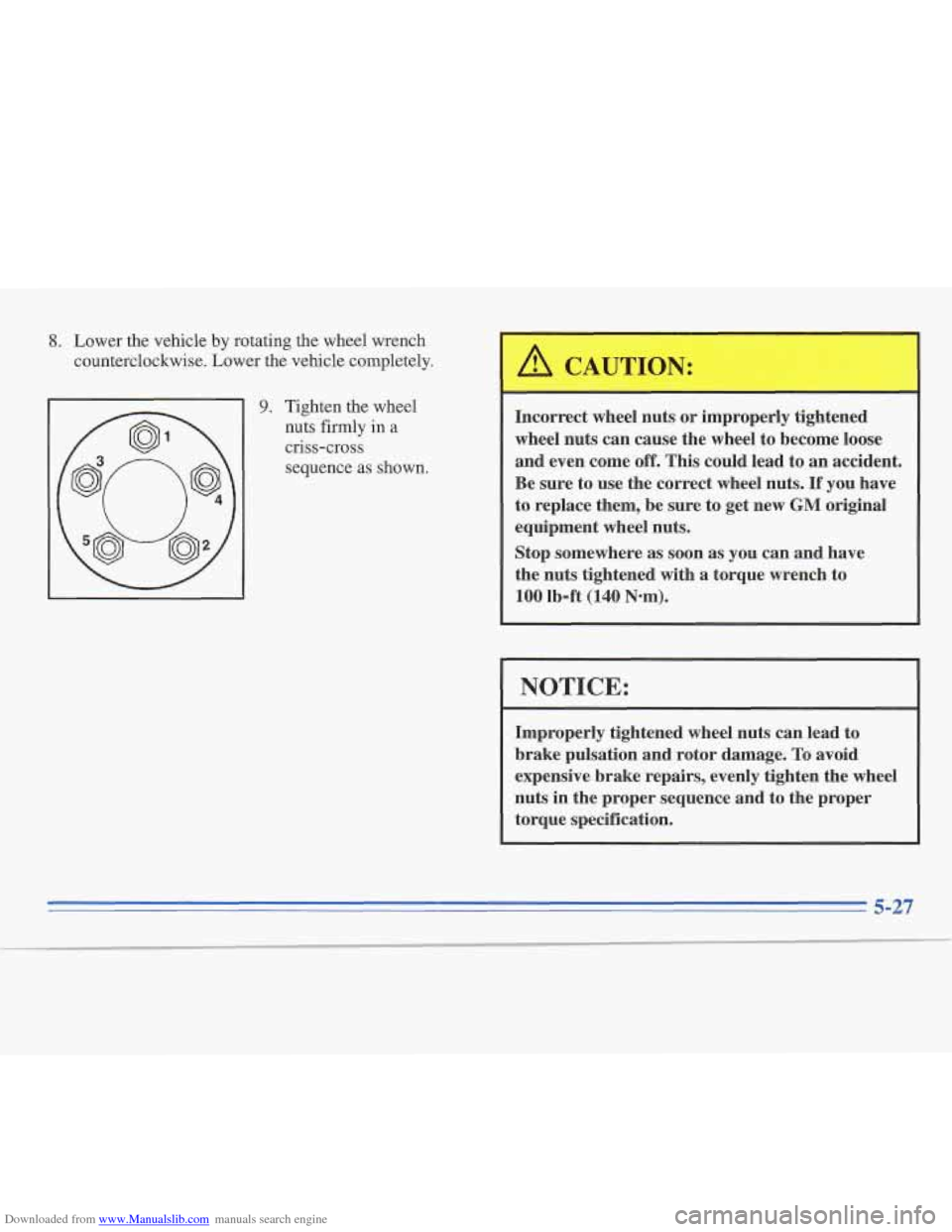
9. Tighten the wheel
nuts firmly
in a
criss-cross
sequence as shown.
A CAUTION:
Incorrect wheel nuts or improperly tightened
wheel nuts can cause the wheel
to become loose
and even come
off. This could lead to an accident.
Be sure to use the correct wheel nuts.
If you have
to replace them, be sure to get new
GM original
equipment wheel nuts.
Stop somewhere as soon as you can and have
the nuts tightened with a torque wrench to
100 lb-ft (140 Nom).
1 NOTICE:
Improperly tightened wheel nuts can lead to
brake pulsation and rotor damage.
To avoid
expensive brake repairs, evenly tighten the wheel
nuts in the proper sequence and to the proper
torque specification.
Page 222 of 306
Downloaded from www.Manualslib.com manuals search engine The filler door is locked and unlocked every time you
use the power door locks.
If pressing the power lock
control doesn’t unlock or lock the fuel filler door, you
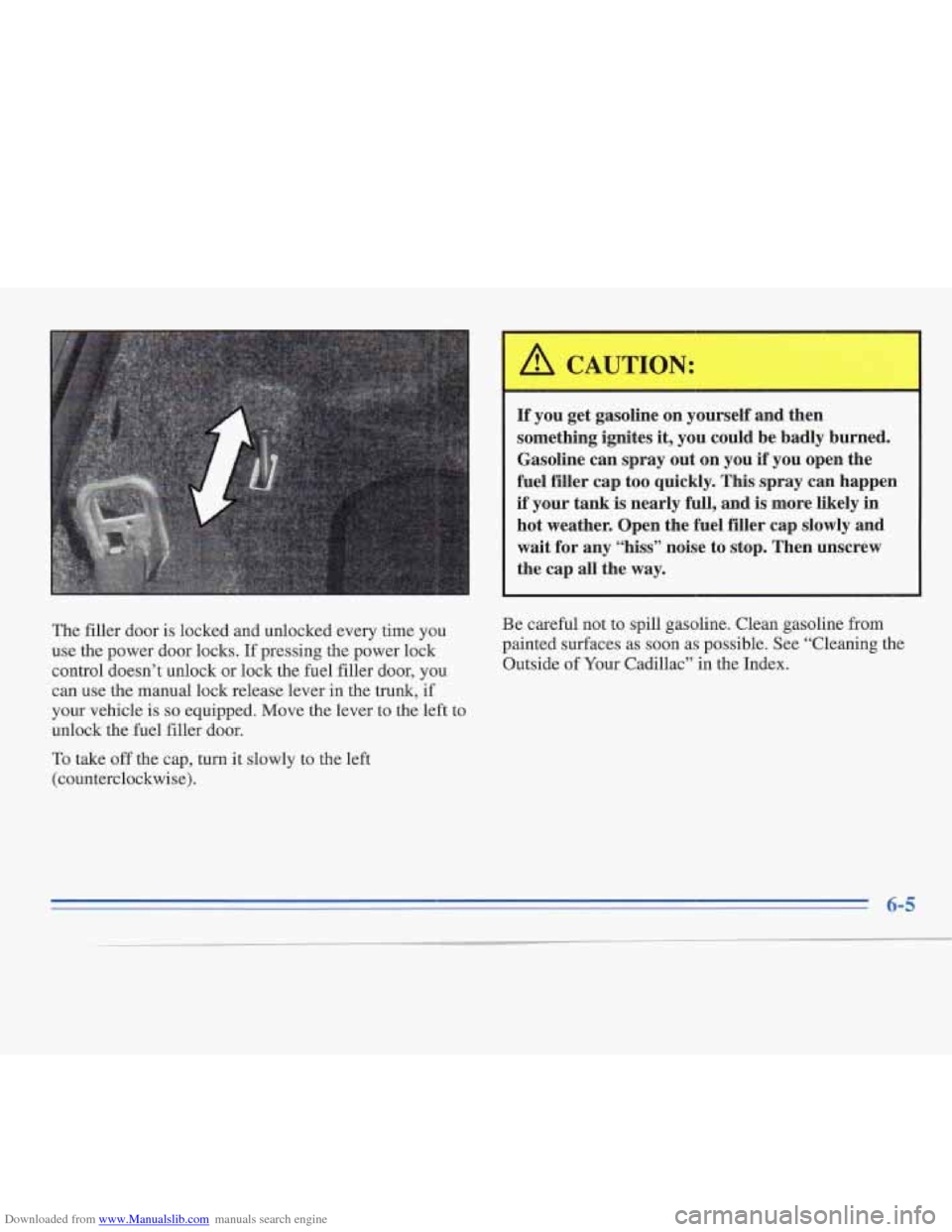
can use the manual lock release lever in
the trunk, if
your vehicle is
so equipped. Move the lever to the left to
unlock the fuel filler door.
To take
off the cap, turn it slowly to the left
(counterclockwise).
A CAUTION:
If you get gasoline on yourself and then
something ignites
it, you could be badly burned.
Gasoline can spray out on you
if you open the
fuel filler cap too quickly.
This spray can happen
if your tank is nearly full, and is more likely in
hot weather. Open the fuel filler cap slowly and
wait for any “hiss” noise to stop. Then unscrew
the cap all the way.
Be careful not to spill gasoline. Clean gasoline from
painted surfaces as soon as possible. See “Cleaning the
Outside of Your Cadillac” in the Index.
Page 249 of 306
Downloaded from www.Manualslib.com manuals search engine Headlamp
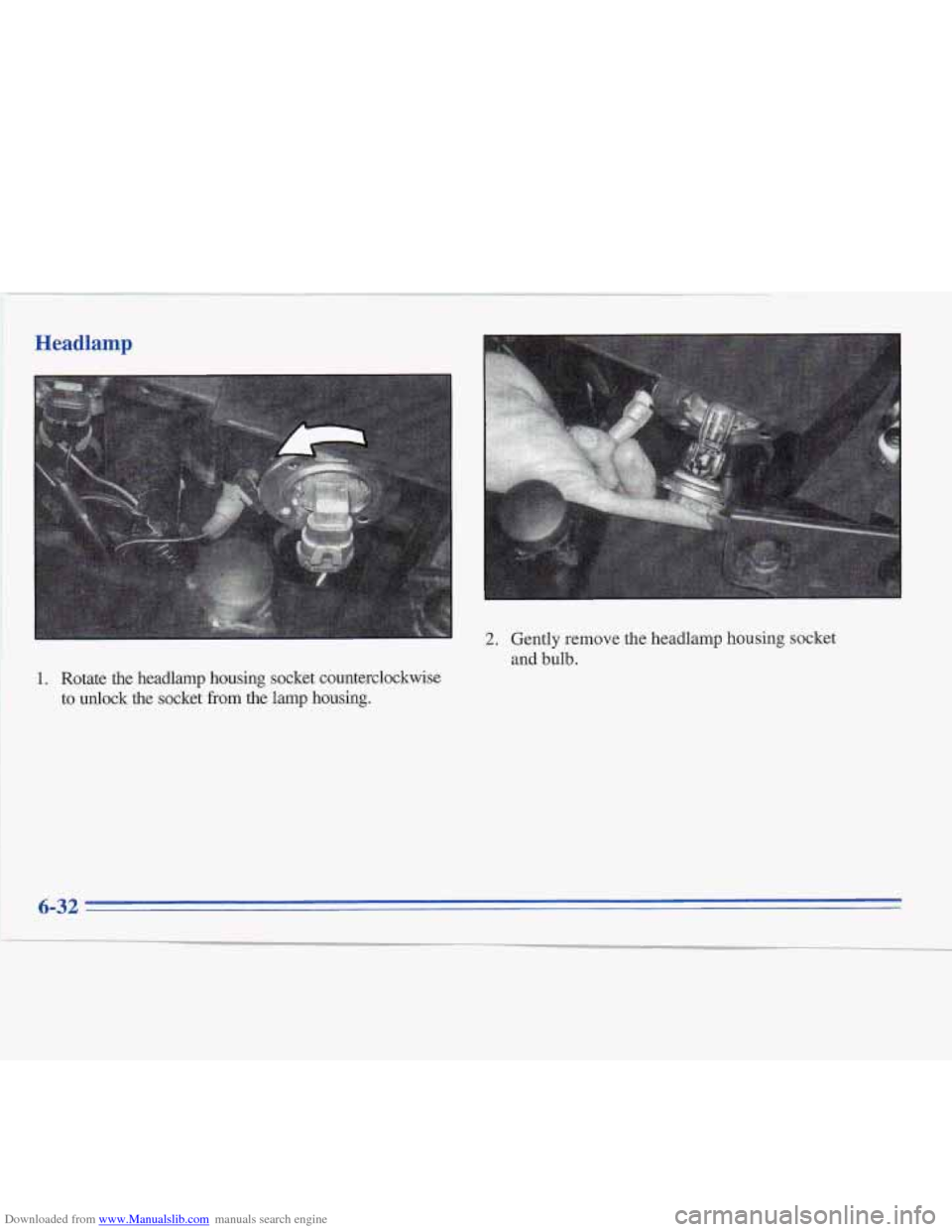
2.
1. Rotate the headlamp housing socket counterclockwise to unlock
the socket from the lamp housing. Gently remove
the headlamp housing socket
and bulb.
6-32
Page 297 of 306
Downloaded from www.Manualslib.com manuals search engine Brake Adjustment
.................................. 6-30
Fluid
....................................... 6-26
Master Cylinder
.............................. 6-26
Parking
..................................... 2-22
PedalTravel
................................. 6-30
Replacing System Parts
........................ 6-30
System Warning Light
......................... 2-56
Trailer
...................................... 4-37
Wear
....................................... 6-29
Brake
to Shift Light ............................. 2-65
Brakes, Anti-Lock
............................... 4-6
Braking
........................................ 4-5
Braking
in Emergencies .......................... 4- 10
Break-In, New Vehicle
.......................... 2-14
Bulb Replacement
.............................. 6-3 1
Capacities and Specifications
.................... 6-63
Carbon Monoxide
.................... 2.27.4.28. 4.35
Cassette Tape Player
......................... 3.5. 3.8
Cassette Tape Player Care
........................ 3-17
CD Player Theft-Deterrent Feature
................. 3- 13
Center Front Passenger Position
................... 1-24
Center High-Mounted Stop Lamp
.................. 6-37
Center Rear Passenger Position
.................... 1-29
Certification Label
.............................. 4-30
Chains. Safety
................................. 4-37
Chains. Tire
................................... 6-47
ChangeOilLight
............................... 2-64
Changing a Flat Tire
............................. 5-20
ChargeLight
.................................. 2-55 Check
Engine Light
............................. 2-60
Checking Your Restraint Systems
.................. 1-44
Chemical Paint Spotting
.......................... 6-54
Child Restraints
................................ 1-32
Securing in the Center Rear Seat Position
.......... 1-36
Securing in the Rear Outside Seat Position
......... 1-34
Securing in the Right Front Seat Position
.......... 1-38
TopStrap
................................... 1-33
Wheretoput
................................ 1-32
Cigarette Lighter
............................... 2-46
Circuit Breakers and Fuses
....................... 6-58
Cleaner, Air
................................... 6-14
Cleaning Aluminum Wheels
............................ 6-53
Fabric
...................................... 6-49
Glass
....................................... 6-51
Inside of Your Cadillac
........................ 6-48
Instrument Panel
............................. 6-51
Leather
..................................... 6-51
Outside of Your Cadillac ....................... 6-52
Stains
...................................... 6-49
Tires
....................................... 6-54
Vinyl
....................................... 6-50
Weatherstrips
................................ 6-52
Wheels
..................................... 6-53
Windshield and Wiper Blades
................... 6-52
WoodPanels
................................. 6-51
Climate Control System
........................... 3-1
Clock. Setting the ................................ 3-4
Comfort Controls
................................ 3-1
Compact Disc Care
............................. 3-17
Special Problems
............................. 6-50