1994 CHEVROLET S10 stop start
[x] Cancel search: stop startPage 106 of 340
Downloaded from www.Manualslib.com manuals search engine Anti-Lock Brake System Warning Light (Option)
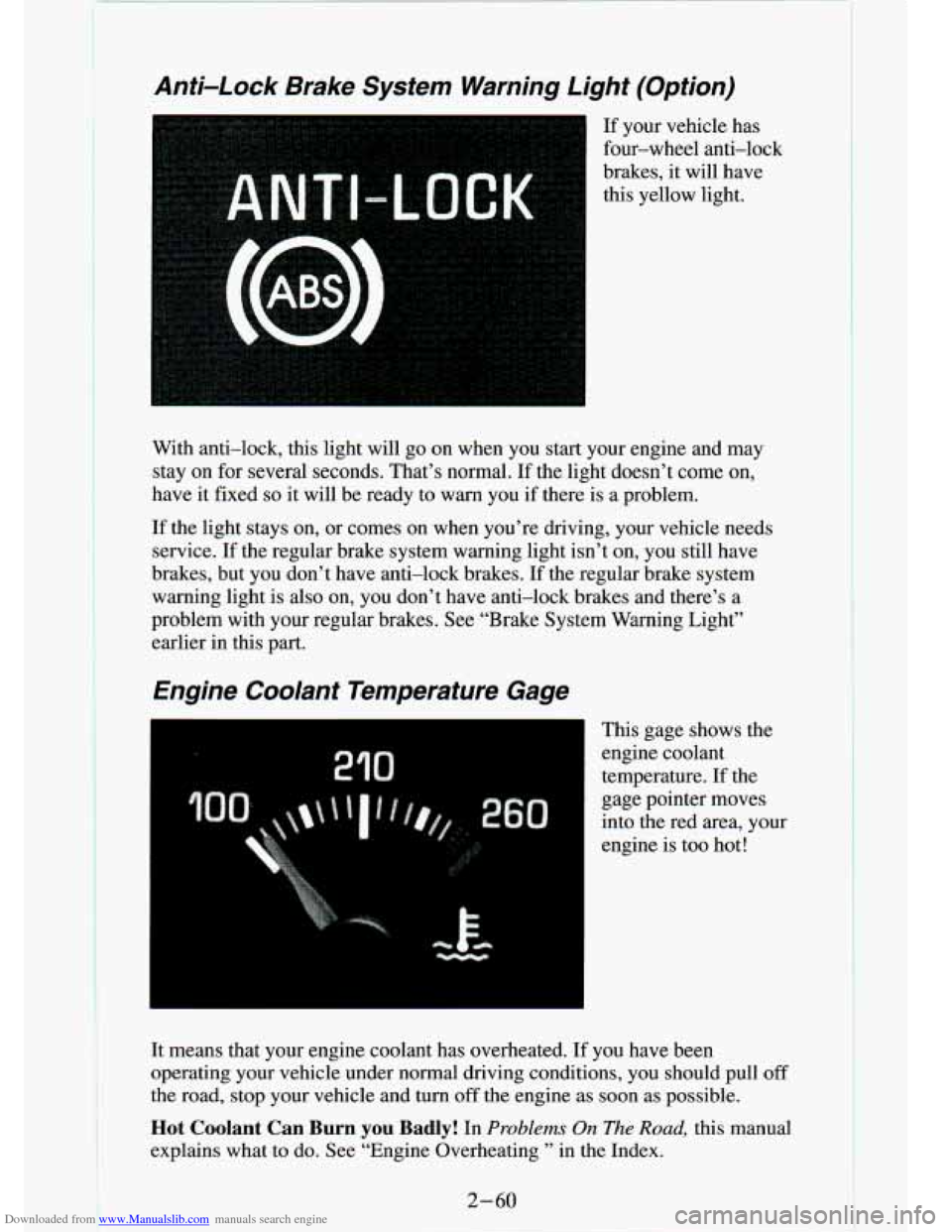
If your vehicle has
four-wheel anti-lock
brakes, it will have
this yellow light.
3
With anti-lock, this light will go on when you start your engine and may
stay on for several seconds. That’s normal. If the light doesn’t come \
on,
have it fixed
so it will be ready to warn you if there is a problem.
If the light stays on, or comes on when you’re driving, your vehic\
le needs
service.
If the regular brake system warning light isn’t on, you still \
have
brakes, but you don’t have anti-lock brakes.
If the regular brake system
warning light is also on, you don’t have anti-lock brakes and there’s a
problem with your regular brakes. See “Brake System Warning Light”
earlier in this part.
Engine Coolant Temperature Gage
I This gage shows the
engine coolant
temperature. If the
gage pointer moves
into the red area, your
engine is too hot!
It means that your engine coolant has overheated. If you have been
operating your vehicle under normal driving conditions, you shou\
ld pull
off
the road, stop your vehicle and turn off the engine as soon as possible.
Hot Coolant Can Burn you Badly! In Problems On The Road, this manual
explains what
to do. See “Engine Overheating ’’ in the Index.
2-60
Page 133 of 340
Downloaded from www.Manualslib.com manuals search engine To PIay A Compact Disc (CD)
NOTI( ::
I
Before you Degin, please note: DO NOT use mini-discs that are
called singles. They won’t eject.
USE FULL-SIZE COMPACT
DISCS.
If the disc player is very hot, or if you’re driving on a very rough
road,
a disc may come out or just not play. If you see the word
HOT on the display, the disc player is too hot to play the disc.
Press RCL to make the word HOT
go off the display. When
things get back
to normal, the disc should play again. Press
PWR to turn the system on.
Insert a disc partway into the slot, label side up. The player will pull it in.
Wait a few seconds and the disc should play.
If the disc comes back out, check whether:
The disc is upside down.
It is dirty, scratched, or wet.
0 Too much moisture is in the air. (If there is, wait about one hour and try
again.)
RCL
Press RCL to see what track is playing. Press
it again within 5 seconds to
see how long
it has been playing. The track number also appears when you
change the volume or when a new track starts to play.
COMP
Press the COMP button
to make soft and loud passages more nearly equal
in volume. COMP appears in the display while using this command.
RDM
The RDM button means random and when it is pressed, it causes the
CD
mechanism to play the tracks in a random order rather than in the sequential
1,2, 3 order.
REV
Press and hold the REV button to quickly return to a favorite passage. The
counter reading will be displayed when using this control.
FWD
Press and hold the FWD button
to advance quickly within a track. Release it
to resume playing. Watch the display to stop at a specific passage.
Page 134 of 340
Downloaded from www.Manualslib.com manuals search engine SCAN
Press SCAN to sample each track for approximately 10 seconds. Scanning
will continue until the
RDM, SCAN or any other motion button is pressed
again.
PREV
If you hold the PREV (4 SEEK) button, or press it more than once, the
disc will return to previous tracks.
NEXT
Press NEXT (SEEK b) to hear the next track now instead of waiting until
the present track is finished.
If you hold this button or press it more than
once, the disc will advance further.
Press
ST-PL (Stop-Play) to make the disc stop and the radio play. Press
ST-PL again to restart the disc at the point where it stopped.
ST-PL
Press PWR or turn the ignition key off to stop the disc player. The disc
stays in the player and will resume playing at the point where it stopped.
Press
EJCT to eject the disc and make the radio play. The disc will start at
track
1 when you reinsert it.
Anti-Theft Feature
Delco LOC 11’ is an Anti-Theft feature for the compact disc player. It can
be used or ignored. If ignored,
the. system plays normally. If it is used, your
player won’t be usable if it is ever stolen, because it won’t turn on.
The instructions below tell you how to enter a secret code into t\
he system. If
your car loses battery power for any reason, you must unlock the system
with the secret code before the radio will turn on.
To Lock The System:
1. Write down any 6 digit number and keep it in a safe place.
2. Turn the ignition to the ACC (Accessory) or RUNposition.
3. Press the PWR button to turn the radio off.
4. Press the 1 and 4 buttons together. Hold them down until “- - -” shows
on the display.
You are now ready to enter your
- ;ret code. Don’t wait more than 15
seconds between steps.
5. rress SET and 000 will appear on the display.
6. Press the SEEK b or 4 button to make the first number appear.
7. Press SCAN to make the last two numbers agree with your code.
3-20 I-
.- - ... ..
. t-
Page 142 of 340
Downloaded from www.Manualslib.com manuals search engine 1
Avoid needless heavy braking. Some people drive in spurts - heavy
acceleration followed by heavy braking
- rather than keeping pace with
traffic. This is a mistake. Your brakes may not have time to cool between
hard stops. Your brakes will wear out much faster if you do a lot of heavy
braking.
If you keep pace with the traffic and allow realistic following
distances, you will eliminate a lot of unnecessary braking. That means better
braking and longer brake life.
If your engine ever stops while you’re driving, brake normally \
but don’t
pump your brakes. If you do, the pedal may get harder to push down. If
your engine stops, you will still have some power brake assist. But you
will
use it when you brake. Once the power assist is used up, it may take longer
to stop and the brake pedal will be harder to push.
Anti-Lock Brakes (ABS)
Your vehicle has an advanced electronic braking system that can help\
you
keep it under control.
If your vehicle has an anti-lock brake system warning light on th\
e
instrument panel, it has four-wheel anti-lock brakes. Otherwise, it has
rear-wheel anti-lock brakes. When you start a vehicle that has \
four-wheel anti-lock brakes and begin to drive away, you may hear
a momentary motor
or clicking noise. This is the ABS system testing itself.
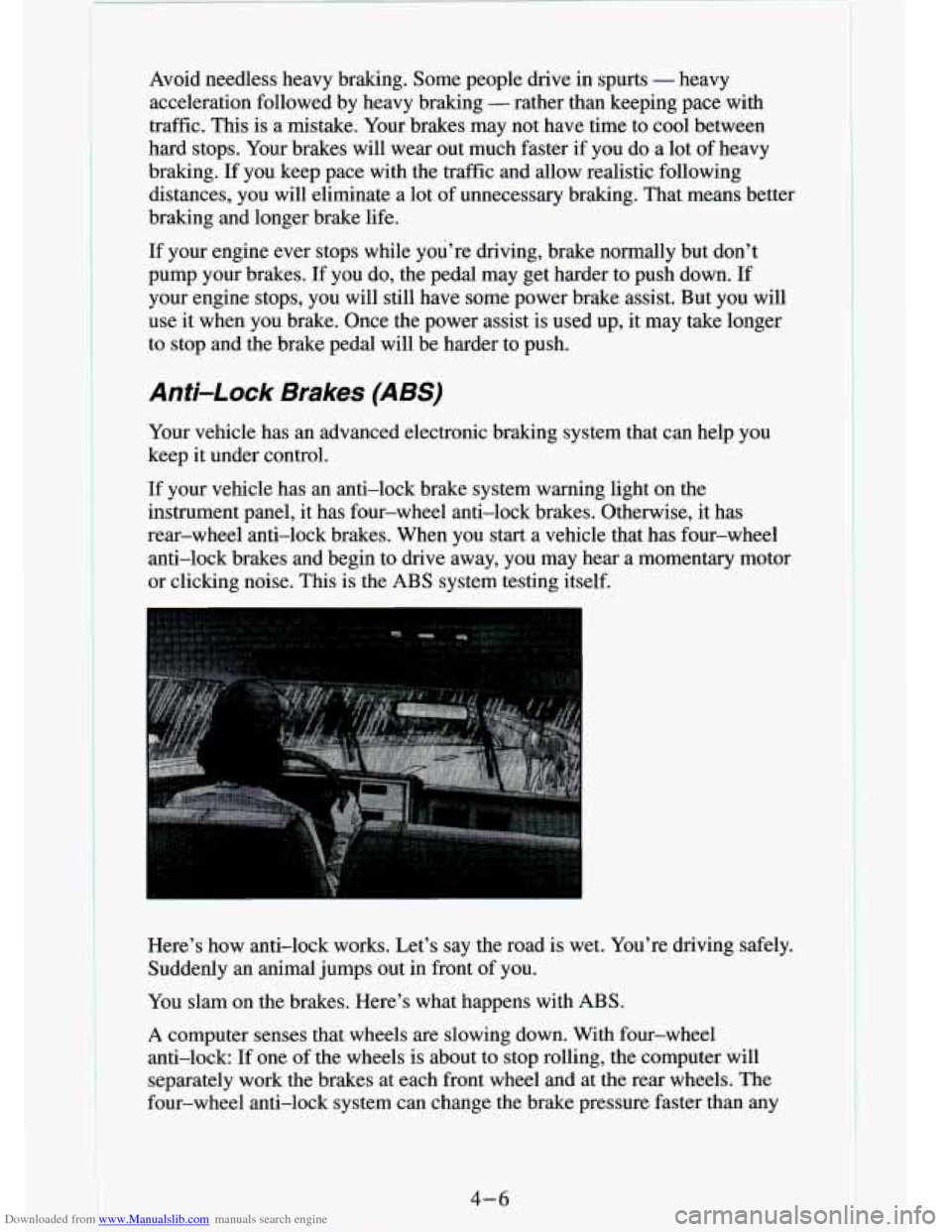
Here’s how anti-lock works. Let’s say the road is wet. Y\
ou’re driving safely. Suddenly an animal jumps out in front of you.
You slam on the brakes. Here’s what happens with ABS.
A computer senses that wheels are slowing down. With four-wheel
anti-lock:
If one of the wheels is about to stop rolling, the computer will
separately work the brakes at each front wheel
and at the rear wheels. The
four-wheel anti-lock system can change the brake pressure faster\
than any
4-6
Page 148 of 340
Downloaded from www.Manualslib.com manuals search engine Check your rnlrro , glance over your shoulder, and start your left lane
change signal before moving out of the right lane to pass. When you
are far enough ahead of the passed vehicle to see its front in your inside
mirror, activate your right lane change signal and move back i\
nto the
right lane. (Remember that your right outside mirror is convex\
. The
vehicle you just passed may seem to be farther away from you than it
really is.)
Reconsider before passing the next vehicle.
brake lights are not flashing, it may be slowing down or starting to turn.
ahead of you. Perhaps you can ease a little to the right.
0 Try not to pass more than one vehicle at a time on two-lane \
roads.
Don’t overtake a slowly moving vehicle too rapidly. Even tho\
ugh the
If you’re being passed, make it easy for the following driver to get
Loss of 0 mo/
Let’s review what driving experts say about what happens whe\
n the three
control systems (brakes, steering and acceleration) don’t ha\
ve enough
friction where the tires meet the road to do what the driver has asked.
In any emergency, don’t give up. Keep trying to steer and \
constantly seek
an
escape route or area of less danger.
Skidding
In a skid, a driver can lose control of the vehicle. Defensive drivers avoid
most skids by taking reasonable care suited to existing conditi\
ons, and by
not “overdriving” those conditions. But skids are always p\
ossible.
The three types of skids correspond to your Vehicle’s three control systems.
In the braking skid your wheels aren’t rolling.
In the steering or cornering
skid, too much speed or steering in a curve causes tires to slip and lose
comering force. And in the acceleration skid too much throttle causes t\
he
driving wheels to spin.
A cornering skid and an acceleration skid are best handled by easing your
foot off the accelerator pedal.
If your vehicle starts to slide, ease your foot off the accelerator pedal and
quickly steer the way you want
the vehicle to go. If you start steering
quickly enough, your vehicle may straighten out. Always be ready for a
second skid if it occurs.
Of course, traction is reduced when water, snow, ice, gravel, or other
material is
on the road. For safety, you’ll want to slow down and adjust \
your
driving to these conditions. It is important
to slow down on slippery
surfaces because stopping distance
will be longer and vehicle control more
limited.
. L.
4-12
F. ”
Page 152 of 340
Downloaded from www.Manualslib.com manuals search engine Surface Obstacles. Unseen or hidden obstacles can be hazardous. A rock,
log, hole, rut, or bump can startle you
if you’re not prepared for them. Often
these obstacles are hidden by grass, bushes, snow or even the rise and fall of
the terrain itself. Here are some things to consider:
Is the path ahead clear?
Will the surface texture change abruptly up ahead?
Does the travel take you uphill or downhill? (There’s more \
discussion
of these subjects later.)
Will you have to stop suddenly or change direction quickly?
When you drive over obstacles or rough terrain, keep a firm g\
rip on the steering wheel. Ruts, troughs, or other surface features can jerk the wheel
out
of your hands if you’re not prepared.
When you drive over bumps, rocks, or other obstacles, your whe\
els can leave the ground.
If this happens, even with one or two wheels, you can’t
control the vehicle as well or at all.
Because you will be
on an unpaved surface, it’s especially important to
avoid sudden acceleration, sudden turns,
or sudden braking.
In a way, off-road driving requires a different kind
of alertness from driving
on paved roads and highways. There are no road signs, posted \
speed limits
or signal lights. You have to use your own good judgment about what is safe
and what isn’t.
Drinking and driving can be very dangerous on any road. And t\
his is
certainly true for off-road driving. At the very time you need special
alertness and driving skills, your reflexes, perceptions and jud\
gment can be
affected by even a small amount of alcohol. You could have a serious
- or
even fatal
- accident if you drink and drive or ride with a driver who has
been drinking. (See “Drunken Driving” in the Index.)
1
4-16.
Page 155 of 340
Downloaded from www.Manualslib.com manuals search engine Q: What should I do if my vehicle stalls, or is about to stall, and I
A: If this happens, there are some things you should do, and there are
some things you must not do. First, here’s what you
should do:
can’t make it up the hill?
Push the brake pedal to stop the vehicle and keep it from rolling
backwards. Also, apply
the parking brake.
If your engine is still running, shift the transmission into reverse,
release the parking brake, and slowly back down the hill in r\
everse.
If your engine has stopped running, you’ll need to restart it. With the
brake pedal depressed and the parking brake still applied, shift the
transmission to
“P” (Park) (or, shift to “N” (Neutral) if your vehicle h\
as
a manual transmission) and restart the engine. Then, shift to \
reverse,
release the parking brake, and slowly back down the hill as s\
traight
as
possible in reverse.
wheel at the
12 o’clock position. This way, you’ll be able to tell if your
wheels are straight and maneuver as you back down. It’s bes\
t that you
back down the hill with your wheels straight rather than in the left or
right direction. Turning the wheel too far to the left or right will
increase the possibility
of a rollover.
Here are some things you
must not do if you stall, or are about to stall,
when going up a hill.
0 As you are backing down the hill, put your left hand on the steering
0 Never attempt to prevent a stall by shifting into “N’ (Neutral) (or
depressing the clutch, if you have a manual transmission) to “rev-up”
the engine and regain forward momentum. This won’t work. Your
vehicle will roll backwards very quickly and you could go out \
of
control.
Instead, apply the regular brake to stop the vehicle. Then app\
ly the
parking brake. Shift into reverse, release the parking brake, and slowly
back straight down.
0 Never attempt to turn around if you are about to stall when going up a
hill.
If the hill is steep enough to stall your vehicle, it’s steep enough to
cause you to roll over
if you turn around. If you can’t make it up the
hill, you must back straight down the hill.
Page 160 of 340

Downloaded from www.Manualslib.com manuals search engine Hard packed snow and ice offer the worst tire traction. On th\
ese surfaces,
it’s very easy to lase control. On wet ice, for example, the traction is
so poor
that you will have difficulty accelerating. And
if you do get moving, poor
steering and difficult braking can cause you to slide out of control.
Driving In Water
Light rain causes no special off-road driving problems. But heavy rain can\
mean flash flooding, and flood waters demand extreme caution.
Find out haw deep the water is before you
drive through it. If it’s deep
enough to cover your wheel hubs, axles, or exhaust pipe, don’\
t
try it - you
probably won’t get through. Also, water that deep can damage\
your axle and
other vehicle parts.
If the water isn’t too deep, then drive through it slowly. At \
fast speeds, water
splashes on your ignition system and your vehicle can stall. S\
talling can also
occur
if you get your tailpipe under water. And, as long as your tailpipe \
is
under water, you’ll never be able to start your engine. Whe\
n you go through water, remember
that when vour brakes get wet, it mav take you longer to
stop.
C. ..
4-24
I