1993 PONTIAC BONNEVILLE remote start
[x] Cancel search: remote startPage 46 of 322
... Part 2
Features & Controls
Here you can learn about the
many standard and optional features
on your Pontiac. and information on
starting. shifting and braking
. Also
explained are the instrument panel
and the warning systems that tell
you
if everything is working
properly-and what to do
if you have
a problem
.
Keys ............................................................ 46
Locks
........................................................... 47
Remote Keyless Entry
.............................................. 48
GloveBox
....................................................... 56
Ignitionswitch ................................................... 57
StartingYourEngine
............................................... 58
Shifting the Transaxle
............................................. -61
ParkingBrake .................................................... 67
Shifting into Park
........ ...................................... 68
Windows ........................................................ 73
Turn SignaUHeadlight Beam Lever
.................................... 73
Windshield Wipers
................................................. 75
Windshield Washer
................................................ 76
CruiseControl
.................................................... 77
Lightcontrols
.................................................... 81
Interior Lights .................................................... 84
Mirrors
......................................................... 86
Sunroof ......................................................... 89
Ashtrays and Lighter
.............................................. -91
Instrument Panel ................................................... 94
Warning Lights, Gages and Indicators
.................................. 99
Gages
.......................................................... 108
Driver Information Center .......................................... 111
Electronic Compass ............................................... 113
Head-Up Display ............................................... 116
ProCarManuals.com
Page 56 of 322
To Test the Almn:
Roll pur window down, then follow the
directions under
221 Am the System
earlier. Once tbe alarm is set, reach
through the
window and manually
unlock the door from the inside or turn
on the ignition. The alarm should
sound.
If the dam does not sound when it
should, check to see if your horn works.
The
horn fuse may be Mown. Ta replace
the
fuse, see the Index under FEares &
Circuit Breakers.
To reduce the possibility of theft, always
arm the theft-deterrent system when
leaving your vehicle.
tIEumhated Enfry Spkm ~~KNW)
When you lift the lever of either front
door, a light will glow
around the door
lock. This
will help you insert the door
key at night.
The lights inside your vehicle will also
go on. These lights will go off after
about
20 seconds, or when you start
your engine. These lights will also go on
when you press my button on the
optional Remote Keyless
Entry
transmitter.
If a door is left ajar, your interior lights
will
turn off after ten minutes to save
your battery.
H2344 I
Trunk hk
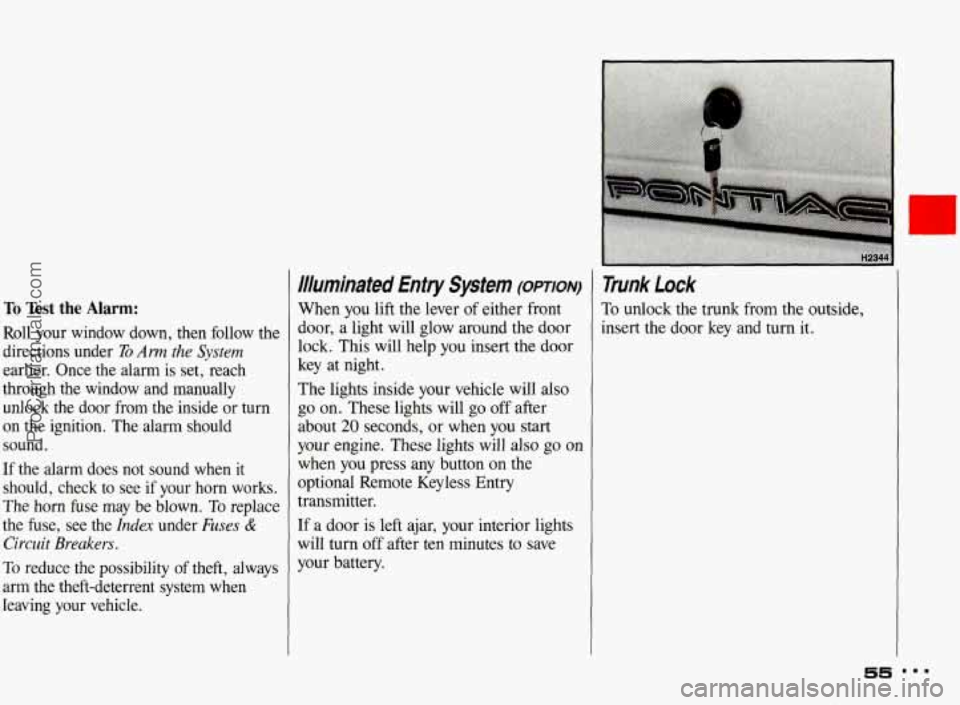
Ta unlock the trunk from the outside,
insert the door key and turn it.
55
ProCarManuals.com
Page 57 of 322
Remote Trunk Release (opTIoN)
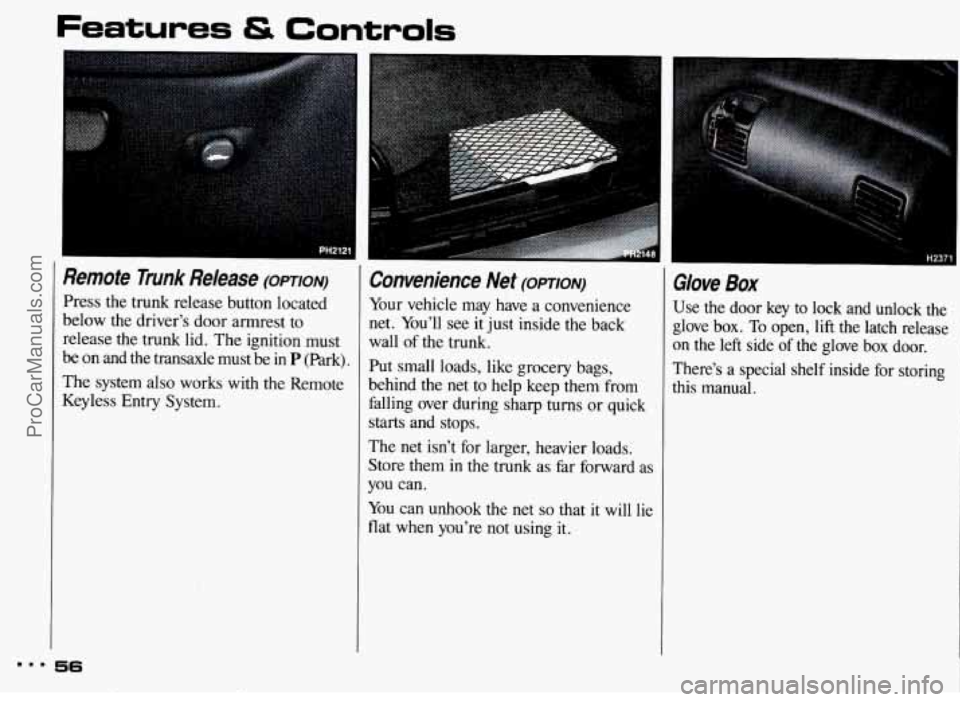
Press the trunk release button located
below the driver’s door armrest
to
release the trunk lid. The ignition must
be
on and the transaxle must be in P (Park).
The system also works with the Remote
Keyless Entry System.
Convenience Net (OPTION)
Your vehicle may have a convenience
net. You’ll see it just inside the back
wall of the trunk.
Put small loads, like grocery bags,
behind
the net to help keep them from
falling over during sharp turns or quick
starts and stops.
The net isn’t for larger, heavier loads.
Store them in the trunk as far forward as
you can.
You can unhook the
net so that it will lie
flat when
you’re not using it.
Glove Box
Use the door key to lock and unlock the
glove box.
To open, lift the latch release
on the left side of the glove box door.
There’s a special shelf inside for storing
this manual.
m.. 56
ProCarManuals.com
Page 167 of 322
Your Driving and the Road
Driving at Night (CONT.:)
Since you can’t see as well, you may
need to slow down and keep more
space between you and other vehicles.
It’s hard
to tell how fast the vehicle
ahead is going just by looking at its
taillights.
Slow down, especially on higher
speed roads, Your headlights can light
up only
so much road ahead.
In remote areas, watch for animals.
If you’re tired, pull off the road in a
safe place and rest.
Night Hsion
No one can see as well at night as in the
daytime. But as we get older these
differences increase.
A 50-year-old
driver may require at least twice as
much light
to see the same thing at night
as a 20-year-old.
What you do in the daytime can also
affect your night vision. For example, if
you spend the day in bright sunshine you
are wise to wear sunglasses. Your eyes
will have less trouble adjusting to night.
But if you’re driving, don’t wear
sunglasses at night. They may cut down
on glare from headlights, but they also
make a lot of things invisible that should
remain visible-such as parked cars,
obstacles, pedestrians, or even trains
blocking railway crossings.
You may
want to put
on your sunglasses after you
have pulled into a brightly-lighted
service or refreshment area. Eyes shielded from that glare
may adjust
more quickly to darkness back
on the
road. But be sure to remove your
sunglasses before you leave the service
area.
You can be temporarily blinded by
approaching lights. It can take a second or two, or even several seconds, for your
eyes to readjust to the dark. When you
are faced with severe glare (as from a
driver who doesn’t lower the high
beams, or a vehicle with misaimed
headlights), slow down a little. Avoid
staring directly into the approaching
lights.
If there is a line of opposing
traffic, make occasional glances over the line
of headlights to make certain that
one of the vehicles isn’t starting to move
into your lane. Once you are past the
bright lights, give your eyes time to
readjust before resuming speed.
mmm 166
ProCarManuals.com
Page 197 of 322
Problems on the Road
Jump Starting (CONI)
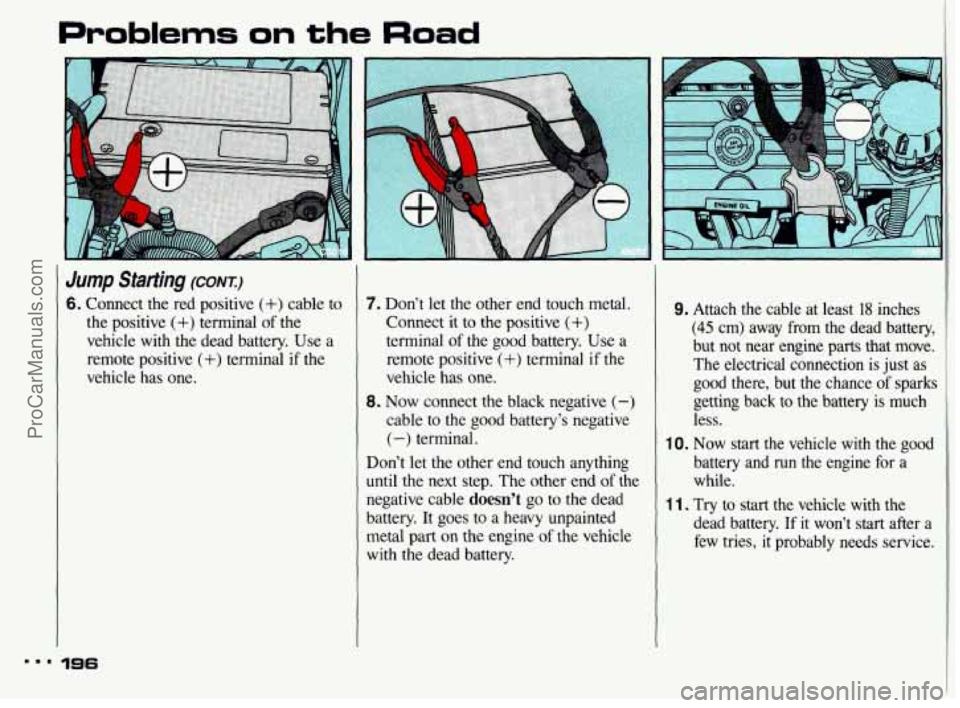
6. Connect the red positive (+) cable to
the positive
(+) terminal of the
vehicle with the dead battery. Use a
remote positive
(+) terminal if the
vehicle has one.
7. Don’t let the other end touch metal.
Connect it to
the positive (+)
terminal of the good battery. Use a
remote positive
(+) terminal if the
vehicle has one.
8. Now connect the black negative (-)
cable to the good battery’s negative
(-) terminal.
Don’t let the other end touch anything
until the next step. The other end
of the
negative cable doesn’t go to the dead
battery.
It goes to a heavy unpainted
metal part
on the engine of the vehicle
with the dead battery.
9. Attach the cable at least 18 inches
(45 cm) away from the dead battery,
but not near engine parts that move.
The electrical connection is just as
good there, but
the chance of sparks
getting back to the battery is much less.
10. Now start the vehicle with the good
battery and
run the engine for a
while.
11. Try to start the vehicle with the
dead battery.
If it won’t start after a
few tries, it probably needs service.
m.. 196
ProCarManuals.com
Page 316 of 322
Hood Release .................. 227
Safety Warning
.. .194. 195. ’ 204. 228
Warning. Overheated Engine
... .196.
204.205.206.228.240. 241
Horn
......................... 72
Hot Engine. Safety Warnings
.... .196.
204.205.206.228.240. 241
How the Anti-Lock Brake
System Works
............... -156
Hydroplaning
.................. 169
Identification Number. Vehicle
.... 264
If You’re Stuck in Sand. Mud.
Ignition Idling Your Engine
........... .70.
72
Ice. or Snow
................. 218
Key
......................... 46
Positions
..................... 57
Illuminated Entry
................ 55
Inflation. Tires
................ 250
Indicator Lights (see
Warning
Lights)
Infant Restraint (see Child Restraints)
Inside Rearview Mirror .......... 86
Instrument Panel
................ 94
Instrument Panel Clusters
......... 96
Instrument Panel Warning Lights ... 99
Intensity Control
................ 84
.................... J ack. Tire 211
Jump Starting
.................. 193
Keyless Entry. Remote
........... 49
Keys
.......................... 46
Lamp Monitor
................. 112
Lane Change Indicator
............ 72
Lap-Shoulder Safety Belt
.......... 19
Front
....................... 30
Rear
........................ 31
Use by Children
............... 33
Light Controls
.................. 81
Lighters
....................... 92
Air Bag System
............... 24
Daytime Running Lights
......... 83
Fog Lights
................... 85
Headlights
............ .81, 83, 246
“On” Reminder
............... 82
Lights Parking
...................... 81
Reading
..................... 85
Removing
& Replacing
Bulbs
............ .246. 247. 273
Replacement Bulbs
............ 273
Taillights
............... .247. 273
Turn Signal
................... 74
Underhood
.................. 228
Warning Lights
............... 100
Loading Your Vehicle
............ 248
Locks
......................... 47
Locks. Rear Door Security
........ 50
Locks. Remote Control ........... 48
Long Distance Driving
........... 174
Low Battery
................... 193
Low Fuel Warning
.............. 109
Low Oil Pressure Warning
........ 102
Low Washer Fluid Warning Light
................ 105
Lubricants & Fluids ......... 272
Maintenance Record
........... 294
Maintenance Schedule
........... 275
Maintenance Services. Scheduled
. . 278
Malfunction Indicator Lamp
...... 104
ProCarManuals.com