Page 46 of 358
Seats & Safety Belts
L is not installed properIy, the
wlld restraint may move or tip over
when your vehicle turns or stops
quickly. The child or others could be
injured. When you secure a child
restraint with a lap-shoulder belt,
always thread both the lap and
shoulder belt portions through a
locking clip.
If a hocking clip is not used or
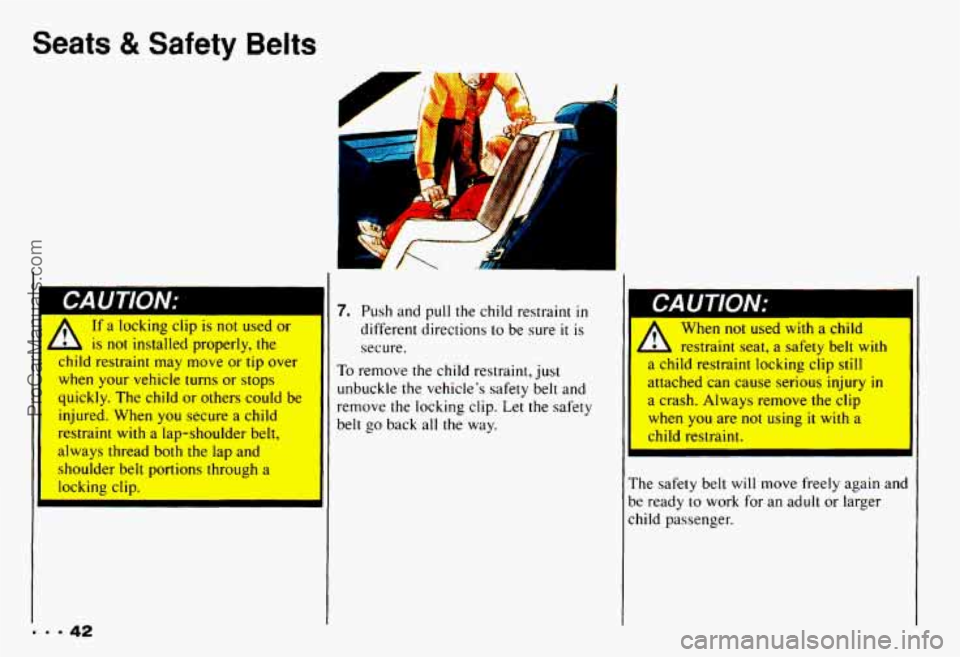
7. Push and pull the child restraint in
different directions to be sure it is
secure.
To remove the child restraint, just
unbuckle the vehicle's safety belt and
remove the locking clip. Let the safety
belt
go back all the way.
When not used with a child
L restraint seat, a safety belt with
a child restraint locking clip still
attached can cause serious injury in I a crash. AIways remove the clip
when you are not using it with a
child restraint.
The safety belt will move freely again and
be ready to work for an adult or larger
child passenger.
ProCarManuals.com
Page 57 of 358

When you park your Chevrolet and open
the driver’s door, you’ll hear a tone
reminding you to remove your key from
the ignition and take
it with you. Always
do this. Your steering wheel
will be
locked, and
so will your ignition. If you
have an automatic transmission, taking
your key out also locks your transmission.
And remember to lock the doors.
Parking at Night: Park in a lighted spot,
close all windows and lock
your vehicle.
Remember
to keep your valuables out of
sight. Put them in a storage area, or take
them with you.
Parking Lots: If you park in a lot where
someone will be watching your vehicle,
it’s best to lock it up and take your keys.
But what if you have to leave your
ignition key? What
if you have to leave
something valuable
in your vehicle?
0 Put your valuables in a storage area,
like your glove box.
0 Lock the glove box.
0 Lock all the doors except the driver’s.
Then take the door key with you.
,I
Your vehicle is equipped with the
PASS-Key II@ (Personalized Automotive
Security System) theft-deterrent system.
PASS-Key II@ is
a passive theft-deterrent
system. This means you don’t have to do
anything different to arm or disarm the
system. It works when you insert or
remove the ke from the ignition.
PASS-Key I1 uses
a resistor pellet in
the ignition key that matches a decoder
in your vehicle.
When the PASS-Key
II@ system senses
that someone is using the wrong key,
it
shuts down the vehicle‘s starter and fuel
systems.
For about three minutes, the
starter won’t work and fuel won’t
go to
d
53-
ProCarManuals.com
Page 58 of 358

Features & Controls
the engine. If someone tries to start your
vehicle again or uses another key during
this time, the vehicle
will not start. This
discourages someone from randomly
trying different keys
with different
resistor pellets
in an attempt to make a
match.
The ignition key must be clean and dry
before it’s inserted
in the ignition or the
engine may not start. If the engine does
not start and the
SECURITY light stays
on when you try to start the vehicle, the
key may be dirty or wet. Turn the
ignition off.
Zlean and dry the key. Wait about three
ninutes and try again. The
SECURITY
ight will remain on during this time. If the
starter still won’t work, and the key
appears to be clean and dry, wait about three minutes and
try the other ignition
key.
At this time, you may also want to
check the fuses (see “Fuses and Circuit
Breakers”
in the Index). If the starter
won’t work with the other key, your
vehicle needs service. If your vehicle
does start, the first ignition key may
be faulty. See your Chevrolet dealer
or a locksmith who can service the
PASS-Key
II@.
[f you accidentally use a key that has a
lamaged or missing resistor pellet, the
;tarter won’t work and the security light
will flash. But you don’t have to wait
hree minutes before trying one of the
Ither ignition keys. See your Chevrolet
dealer or a locksmith
who can service the PASS-Key II@ to
have a new key made.
If you’re ever driving and the
SECURITY light comes on and stays on,
you
will be able to restart your en ine if
you turn it off. Your PASS-Key I1 %
;ystem, however, is not working properly
md must be serviced by your Chevrolet lealer. Your vehicle
is not protected by
:he PASS-Key 11’ system.
:f you lose or damage a PASS-Key 11’
gnition key, see your Chevrolet
lealer or a locksmith who can service
’ASS-Key 11’ to have a new key made.
ProCarManuals.com
Page 93 of 358
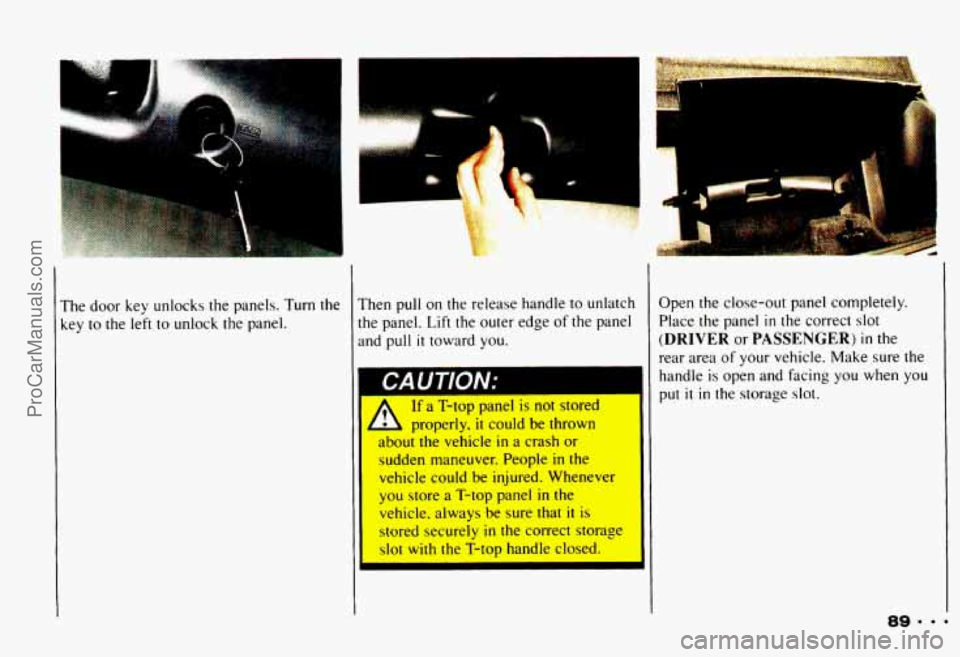
The door key unlocks the panels. Turn the
key
to the left to unlock the panel.
. .-
Then pull on the release handle to unlatch
the panel. Lift the outer edge of the panel
and pull
it toward you.
If a '1-top panel is not stored
properly,
it could be thrown
sudden maneuver. People
in the
vehicle could be injured. Whenever
you store
a T-top panel in the
vehicle. always be sure that
it is
stored securely in the correct storage
slot with the T-top handle closed. Open the
close-out panel completely.
Place the panel
in the correct slot
(DRIVER or PASSENGER) in the
rear area of
your vehicle. Make sure the
handle
is open and facing you when you
put it in the storage slot.
ProCarManuals.com
Page 94 of 358
Features & Controls
I
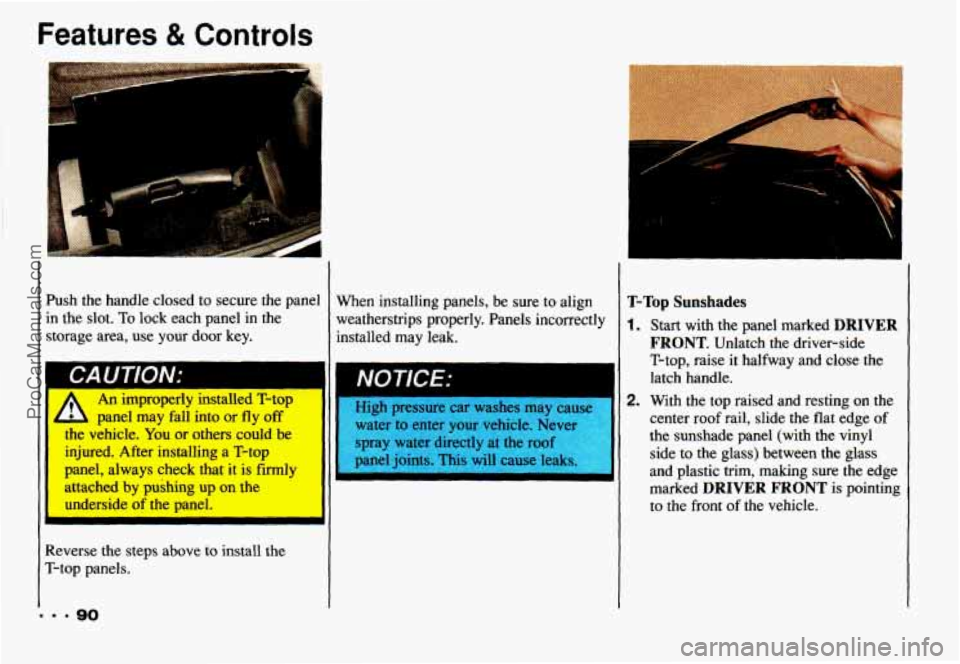
Push the handle closed to secure the panel in the slot.
To lock each panel in the
storage area, use your door key.
An improperly 111sw1ea l-rop
me vehicle. You
or others could be
injured. After installing a T-top
panel, always
check that it is firmly
attached by pushing up on the
L panel may fall into or fly off High pressure car washes may cause 1
water to enter your vehicle. Neve]
spray water directly at the roof
panel joints. This will cause leaks
underside of
the panel.
I
Reverse the steps above to install the
T-top panels.
... 90
When installing panels, be sure to align
weatherstrips properly. Panels incorrectly
installed may leak. T-Top Sunshades
1. Start with the panel marked DRIVER
FRONT. Unlatch the driver-side
T-top, raise it halfway and close the
latch handle.
2. With the top raised and resting on the
center
roof rail, slide the flat edge of
the sunshade panel (with the vinyl
side
to the glass) between the glass
and plastic trim, making sure the edge
marked
DRIVER FRONT is pointing
to the front of the vehicle.
ProCarManuals.com
Page 98 of 358
Features & Contr
I
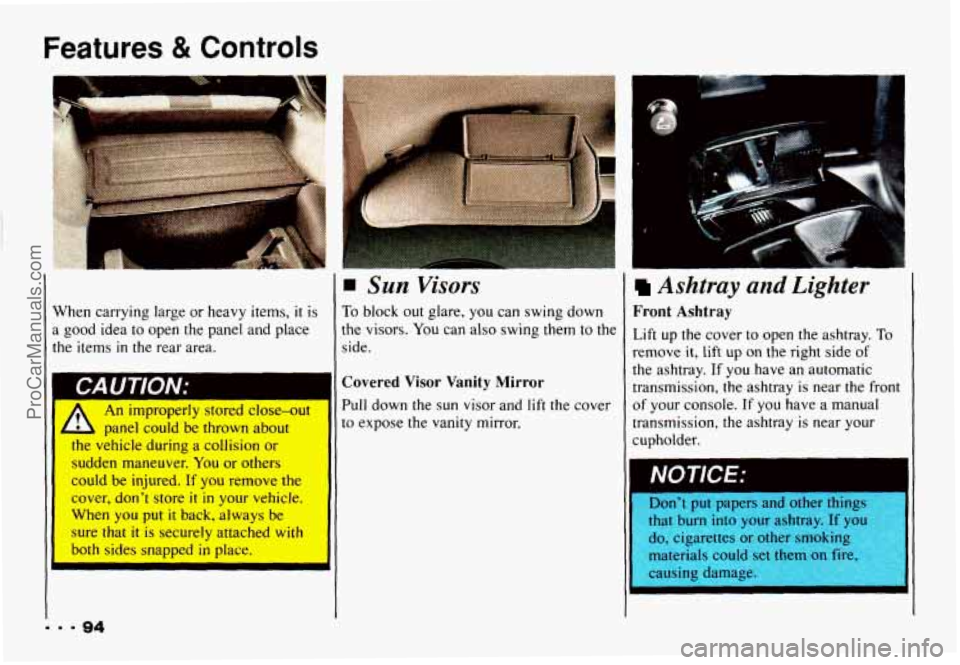
When carrying large or heavy items, it is
a good idea to open the panel and place
the items
in the rear area.
I
A An improperly stored close-out
, panel could be thrown about
I
Sun Visors
To block out glare, you can swing down
the visors. You can also swing them to the
side
.
Covered Visor Vanity Mirror
Pull down the sun visor and lift the cover
to expose the vanity mirror.
the vehicle during a collision or
sudden maneuver. You
or others
could be injured. If you remove the
cover, don’t store it in your vehicle.
When
you put it back, always be
sure
that it is securely attached with
both
sides snapped in place.
I
u
Ashtray and Lighter
Front Ashtray
Lift up the cover to open the ashtray. To
remove it, lift up on the right side of
the ashtray. If you have an automatic
transmission, the ashtray is near the front
of your console. If you have a manual
transmission, the ashtray is near your
cupholder.
Don’t put papers and 0th
t It burn into your ashtrc If you
cigarettes or other srr- --kg
naterials cot set them on
:awing dam, :.
IgS I
I
ProCarManuals.com
Page 128 of 358

Comfort Controls & Audio Systems
To Stop the Disc Player
0
0
Turn the power off or turn the ignition
key off. The disc stays in the player
and will resume playing at the point
where
it stopped.
Press
ST-PL to stop playing the disc
and switch to radio. Press ST-PL to
restart the disc at the point where
it
stopped.
Press
EJCT to eject the disc and the
radio will play. The disc
will start
playing at track
1 when you reinsert it.
Theft-Deterrent Feature
Delco-Loc I1 is a security feature for the
compact disc player. It can be used or
ignored. If ignored, the system functions
normally.
If it is used, your system won’t
be usable
if it’s ever stolen.
Setting Your Security Code
The instructions below tell you how to
enter a security
code into the system. If
your vehicle loses battery power for any
reason,
you must enter the security code
again before the system
will turn on.
1. Write down any six digit number and
2. Turn the ignition switch to the Acc
3. Turn the audio system off.
4. Press and hold 1 and 4 together until
keep it in a safe place.
or
Run position.
“---” shows on the display.
I. 9 124
ProCarManuals.com
Page 129 of 358

You are now ready to enter your security
code. Don’t wait more than 15 seconds
between steps.
5. Press SET and “000” will appear on
the display.
6. Press SCAN and hold until the first
digit
of your code appears. Release
the button.
7. Press SEEK 4 or b and hold until
the second and third digits
of your
code appear. Release the button.
8. Press the lower knob and “000’ will
appear. Now you are ready to enter
the
last three digits of your code.
9. Press SCAN and hold until the
fourth digit
of your code appears.
Release the button.
10. Press SEEK 4 or b and hold until
the fifth and sixth digits of your code
appear. Release the button.
11. Press the lower knob. “rEP’ will
appear for five seconds, and then
“000” will appear.
12. Repeat steps 6 through 11. “SEC”
will appear. This means that your
audio system is secured.
Shutting Off the Theft-Deterrent
Feature
If your audio system is secured (“SEC”
shows on display) and you wish to disable
it, enter your security code as follows,
pausing no more than
15 seconds between
steps:
1. Turn the ignition on. Make sure the
audio system is off. The time
will
show on the display.
seconds.
“SEC” will show on the
display.
display.
2. Press 1 and 4 together for five
3. Press SET. “000” will appear on the
ProCarManuals.com