1993 CHEVROLET ASTRO PASSENGER ECU
[x] Cancel search: ECUPage 51 of 345
Downloaded from www.Manualslib.com manuals search engine I
AN165022 AN1
651 45
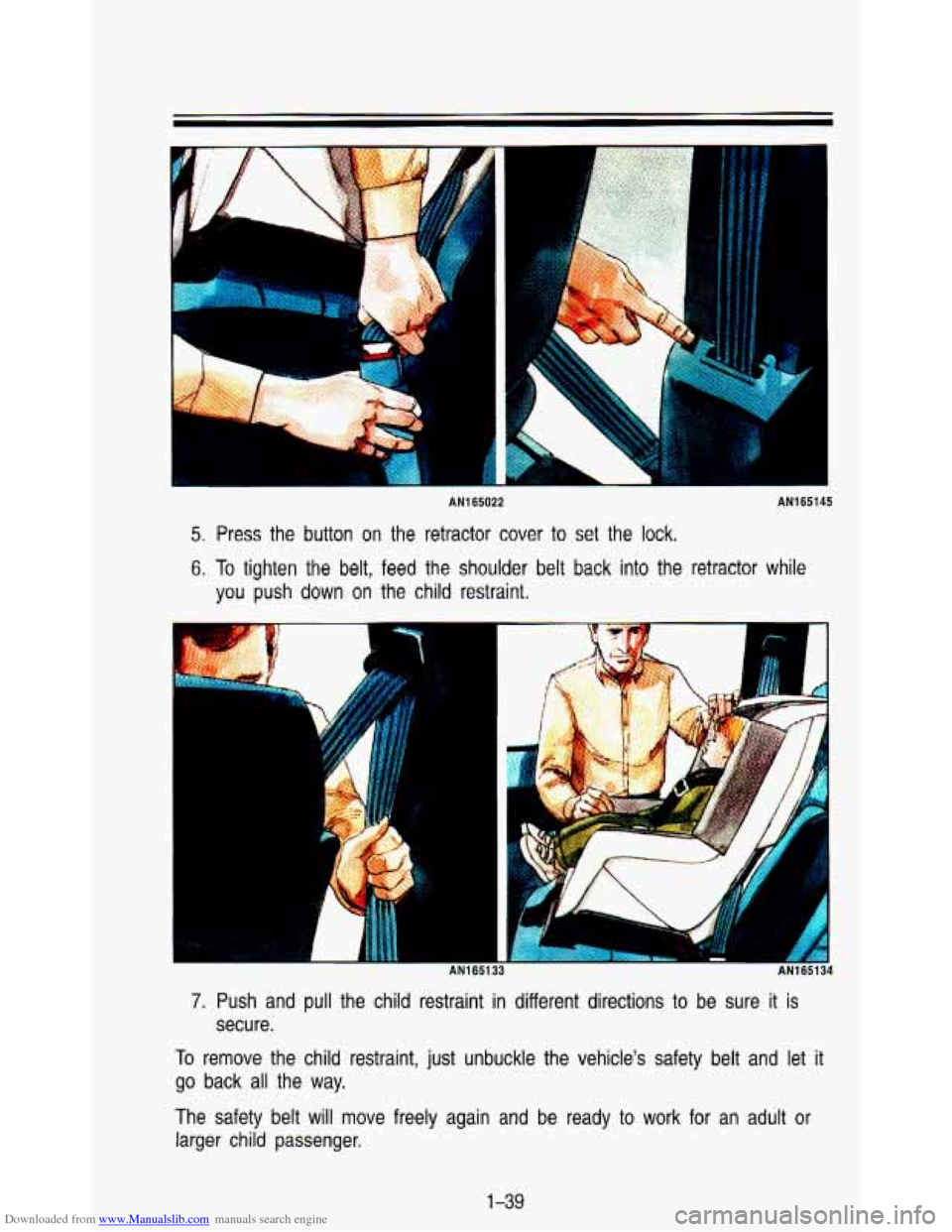
5. Press the button on the retractor cover to set the lock.
6. To tighten the belt, feed the shoulder belt back into the retractor while
you push down on the child restraint.
B
1
AN165133 AN1 651 34
7. Push and pull the child restraint in different directions to be sure it is
secure.
To remove the child restraint, just unbuckle the vehicle's safety belt and let it
go back all the way.
The safety belt will move freely again and be ready
to work for an adult or
larger child passenger.
1-39
Page 105 of 345

Downloaded from www.Manualslib.com manuals search engine PO480
If you have the optional luggage carrier, you can load things on \
top of your
vehicle. The luggage carrier has slats attached to the roof, s\
ide rails, and
tiedowns.
Loading cargo that weighs more than
200 pounds (91 kg) on the luggage
carrier may damage your vehicle. When you carry large things, never le\
t
them hang over the rear
or the sides of your vehicle. Load your cargo so
that it rests on the slats and does not scratch or damage the vehi
Put the cargo against the side rails and fasten
it securely to the 1
carrier. Put the main weight as far forward as you can.
Don’t exceed the maximum vehicle capacity when loading your \
vehicle. For
more information on vehicle capacity and loading, see “Loadin\
g Your Vehicle’’
in the Index.
To prevent damage or
loss of cargo as you’re driving, check now and then to
make sure the luggage carrier and cargo are still securely fas\
tened.
249
Page 107 of 345
Downloaded from www.Manualslib.com manuals search engine Storage Compartments
PO426
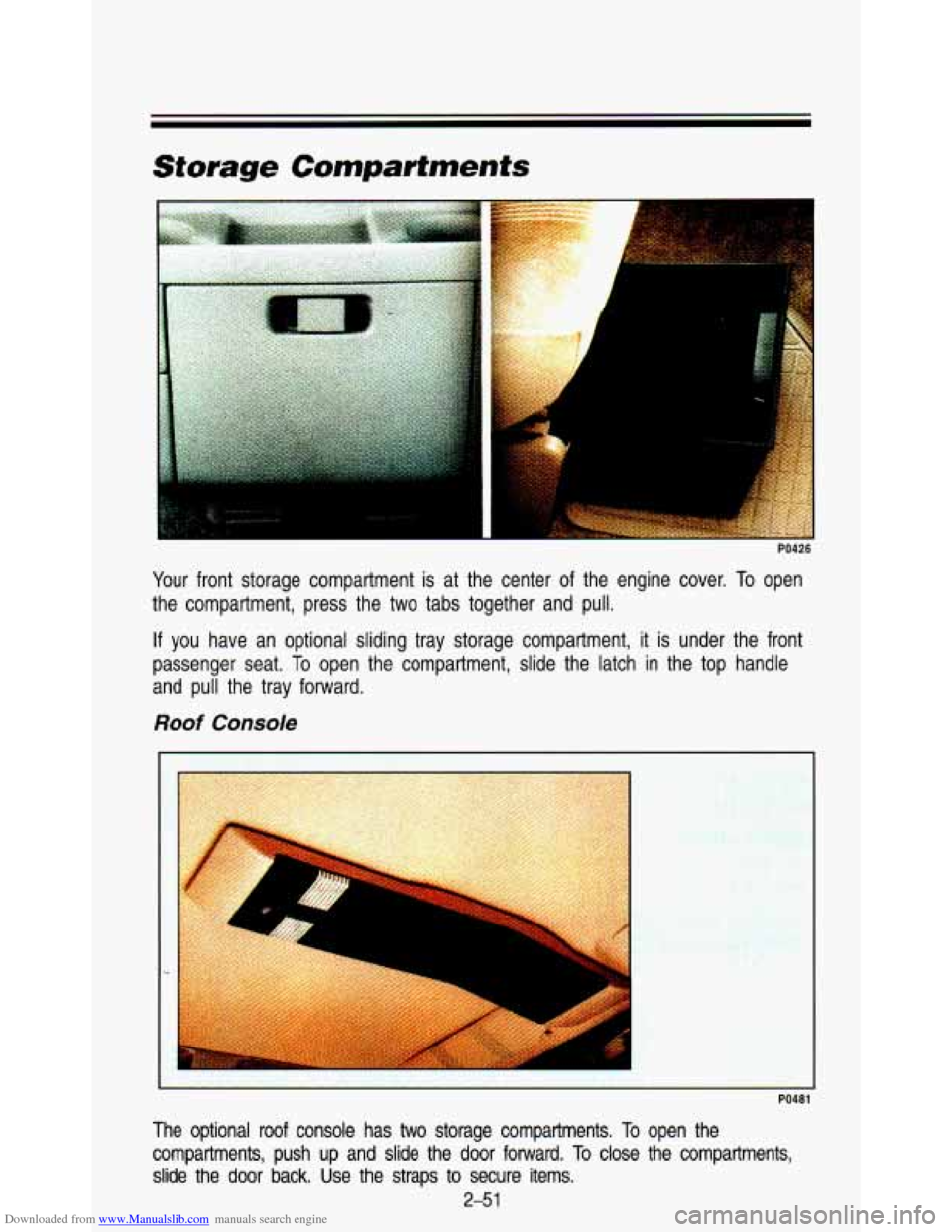
Your front storage compartment is at the center of the engine cover. To open
the compartment, press the two tabs together and pull.
If you have an optional sliding tray storage compartment, it is under the front
passenger seat. To open the compartment, slide the latch in the top handle
and pull the tray forward.
Roof Console
1
PO481
The optional roof console has two storage compartments. To open the
compartments, push up and slide the door fonvard.
To close the compartments,
slide the door back.
Use the straps to secure items.
2-5 1
Page 151 of 345
Downloaded from www.Manualslib.com manuals search engine 4. Press the 1 and 4 buttons together. Hold them down until “- - -” shows
on the display.
You are now ready
to enter your secret code. Don’t wait more than 15
seconds between steps.
5. Press SET and 000 will appear on the display.
6. Press the SEEK b button to make the first number appear.
7. Rotate the TUNE knob right or left to make the last two numbers agree
with your code.
8. Press BAND and 000 will appear again. Now you are ready to enter the
last three digits of your code.
9. Repeat steps 6 and 7 for the last three digits of your code.
10. Press BAND and rEP will appear for 5 seconds and then 000 will
11. Repeat steps 6 through IO. This time SEC will appear-indicating that
appear.
the radio is secure.
To Unlock The System After A Power Loss
When battery power is reapplied to a secured radio, the radio won’t turn on
and
LOC will appear on the display.
Enter your secret code
as follows: pause no more than 15 seconds between
steps.
1. Turn the ignition on. (Radio off.)
2. Depress the SET button. The display will show 000.
3. Enter the six digits of the code following steps 6-9 above. The display
4. Depress the BAND knob and the time appears-indicating that the
will show the numbers as entered.
disabling sequence
was successful.
If the display indicates SEC, the
numbers did not match and the unit is still secured.
Disabling The Theft System
1. Depress presets 1 and 4 for 5 seconds with ignition on and radio power
off. The display will show SEC, indicating the unit is in the secure mode.
2. Depress the SET button. The display will show 000.
3. Enter the first three digits of the code following steps 6 and 7 of the
preceding paragraphs. The display will show the numbers as entered.
3-27
Page 152 of 345
Downloaded from www.Manualslib.com manuals search engine Comfort Contmls & Audio Systems
~~ ~ ~ ~~~
4. Depress the BAND knob. The radio will display 000.
5. Enter the second three digits of the code. The display will show the
6. Depress the BAND knob. If the display shows “1 1 1’’ I the disabling
numbers
as entered.
sequence was successful. The numbers matched the user-selected c\
ode
or the factory back-up code and the unit is in the UNSECURED mode. If
the display shows SEC, the disabling sequence was unsuccessful and
the numbers did not match either
of the codes and the unit will remain
in the
SECURED mode.
Care of Your Compact Discs
KO557
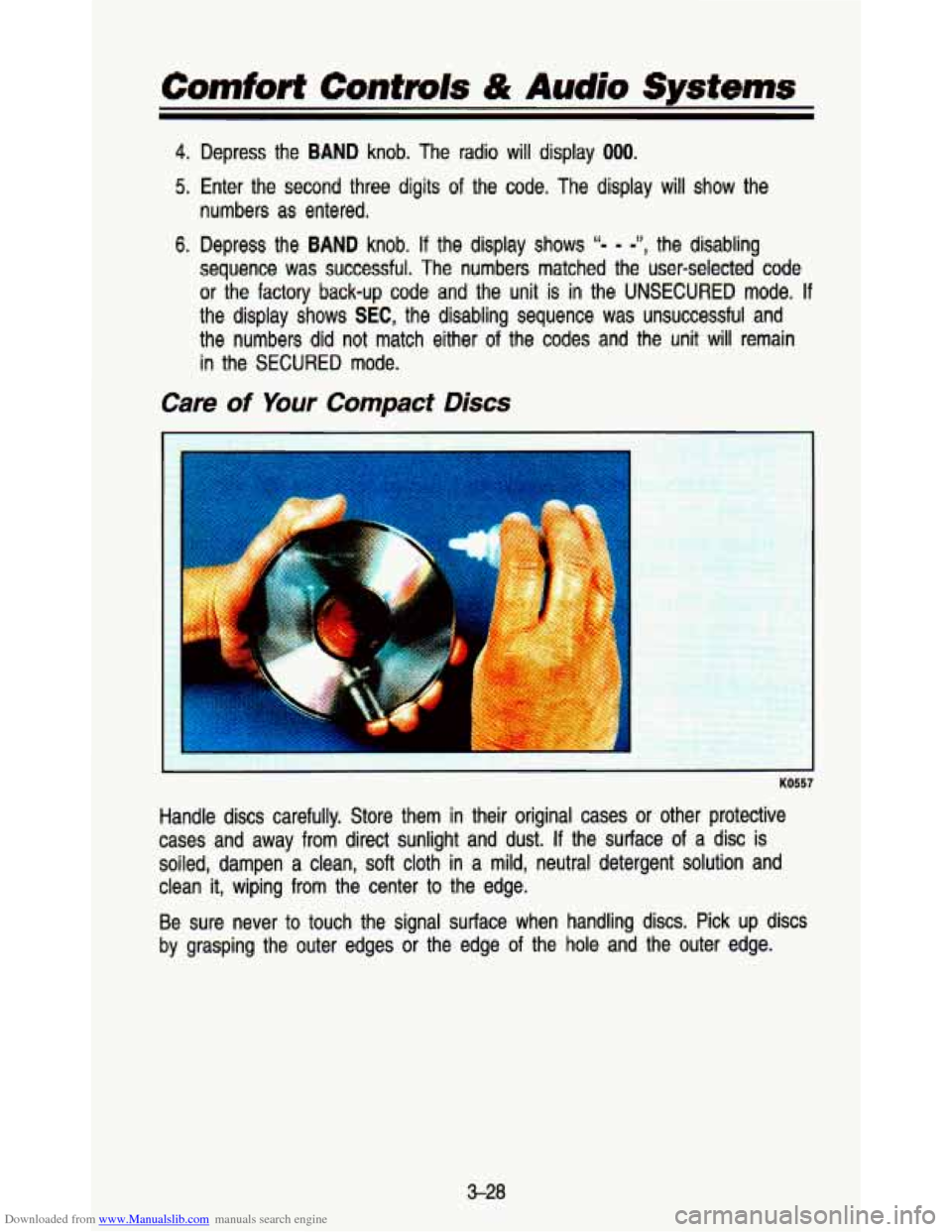
Handle discs carefully. Store them in their original cases or other protective
cases and away
from direct sunlight and dust. If the surface of a disc is
soiled, dampen a clean,
soft cloth in a mild, neutral detergent solution and
clean
it, wiping from the center to the edge.
Be sure never to touch the signal surface when handling discs. Pick up discs
by grasping the outer edges
or the edge of the hole and the outer edge.
3-28
Page 194 of 345
Downloaded from www.Manualslib.com manuals search engine Your Driving and the Road
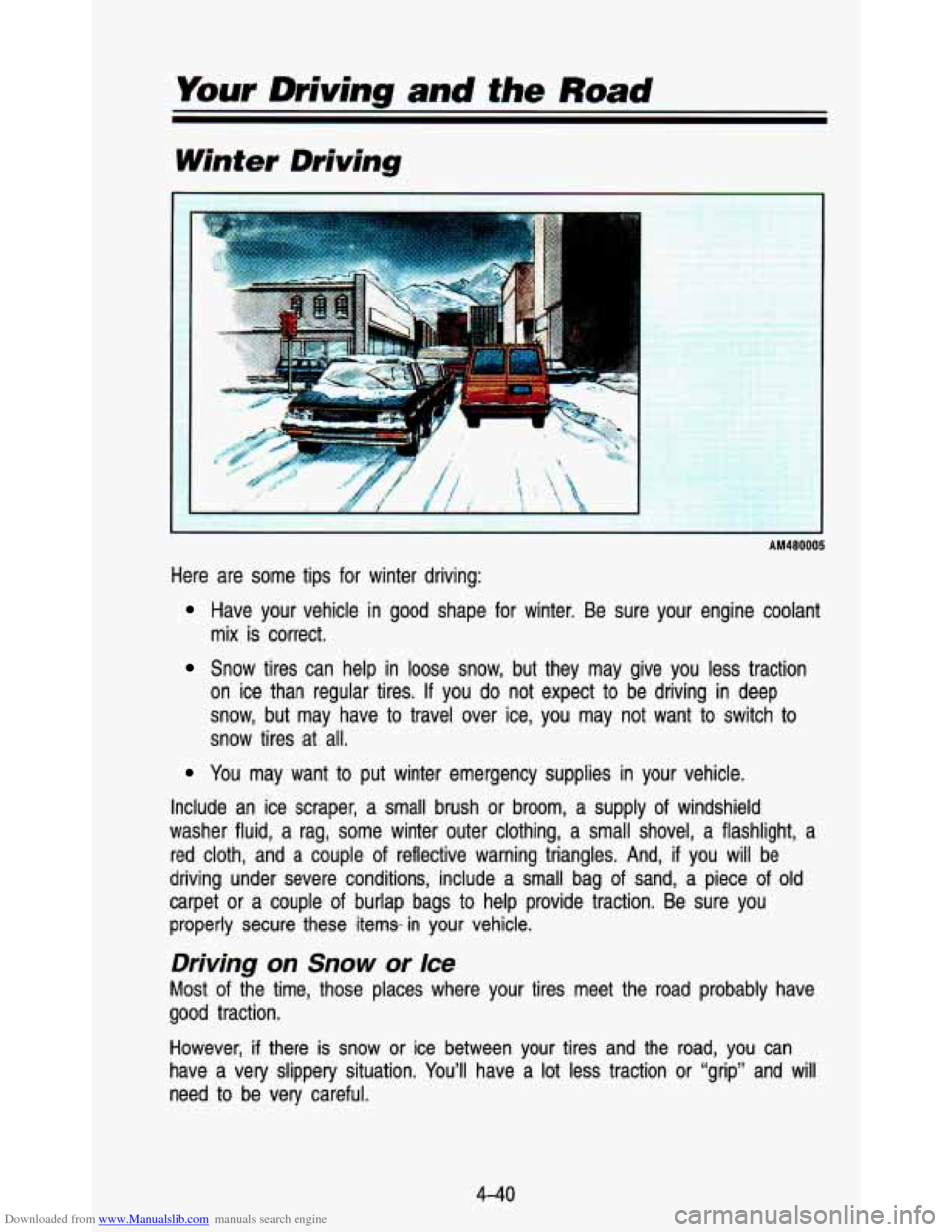
Winter Driving
AM480005
Here are some tips for winter driving:
Have your vehicle in good shape for winter. Be sure your engine coolant
mix is correct.
Snow tires can help in loose snow, but they may give you les\
s traction
on ice than regular tires.
If you do not expect to be driving in deep
snow, but may have
to travel over ice, you may not want to switch to
snow tires at all.
You may want to put winter emergency supplies in your vehicle.
Include an ice scraper, a small brush
or broom, a supply of windshield
washer fluid, a rag, some winter outer clothing, a small shove\
l, a flashlight, a
red cloth, and a couple
of reflective warning triangles. And, if you will be
driving under severe conditions, include a small bag
of sand, a piece of old
carpet
or a couple of burlap bags to help provide traction. Be sure you
properly secure these ,itemsin your vehicle.
Driving on Snow or Ice
Most of the time, those places where your tires meet the road probably\
have
good traction.
However,
if there is snow or ice between your tires and the road, you can
have a very slippery situation. You’ll have a
lot less traction or “grip” and will
need
to be very careful.
4-40
Page 201 of 345
Downloaded from www.Manualslib.com manuals search engine Will the trailer brake parts take 3,000 psi (20 650 kPa) of pressure? If
not, the trailer brake system must not be used with your vehi\
cle.
if everything checks out this far, then make the brake fluid tap at the
port on the master cylinder that sends fluid to the rear brak\
es. But don’t use copper tubing for this.
If you do, it will bend and finally break off.
Use steel brake tubing.
Driving with a Trailer
Towing a trailer requires a certain amount of experience. Before setting out
for the open road, you’ll want to get to know your rig. Acquaint yourself with
the feel of handling and braking with the added weight of the trailer. And
always keep in mind that the vehicle you are driving is now a good deal
longer and not nearly
so responsive as your vehicle is by itself.
Before you start, check the trailer hitch and platform, safety \
chains, electrical
connector, lights, tires and mirror adjustment.
If the trailer has electric brakes,
start your vehicle and trailer moving and then apply the trail\
er brake controller
by hand to be sure the brakes are working. This lets you check your
electrical connection at the same time.
If you have a rear-most window open and you pull a trailer with your
vehicle, carbon monoxide (CO) could come into your vehicle. You
can’t see or smell CO. It can cause unconsciousness or death (see
“Engine Exhaust” in the Index).
To maximize your safety when towing
a trailer:
Have your exhaust system inspected for leaks and make
Keep the rear-most windows closed.
If exhaust does come into your vehicle through a window in the
rear, or another opening, drive with your front, main heating \
or
cooling system
on and with the fan on any speed. This will
bring fresh, outside air into your vehicle.
Do not use MAX NC
because it only recirculates the air inside your vehicle. See
“Comfort Controls” in the Index.
necessary repairs before starting
on your trip.
During your trip, check occasionally to be sure that the load is secure, and
that the lights and any trailer brakes are still working.
4-47
Page 211 of 345
Downloaded from www.Manualslib.com manuals search engine Towing Your Vehicle
Try to have a GM dealer or a professional towing service tow your vehicle.
They can provide the right equipment and know how to tow it without
damage.
If your vehicle has been changed or modified since it was factory-new by
adding aftermarket items like fog lamps, aero skirting, or special tires and
wheels, these things could be damaged during towing.
Before you do anything, turn on the hazard warning flashers.
When you call, tell the towing service:
That, if your vehicle has all-wheel drive or rear-wheel drive with fog
lamps, it cannot be towed from the front with sling-type equipment.
That your vehicle has rear-wheel drive, or that it has the all-wheel-drive
option.
The make, model, and year of your vehicle.
Whether you can still move the shift lever.
If there was an accident, what was damaged.
* To help avoid injury to you or others:
I
Never let passengers ride in a vehicle that is being towed.
Never tow faster than safe or posted speeds.
Never tow with damaged parts not fully secured.
Never get under your vehicle after it has been lifted by the tow
Always use separate safety chains on each side when towing a
truck.
I vehicle.
When your vehicle is being towed, have the ignition key
off. The steering
wheel should be clamped in a straight-ahead position, with a clamping device
designed
for towing service. Do not use the vehicle’s steering column lock for
this. The transmission should be in
N (Neutral) and the parking brake
released.
If your vehicle has the all-wheel drive option, it can only be towed with
all four wheels
off the ground. A dolly must be used under the un-raised
wheels when towing or the vehicle must be transported
on a flat bed
carrier.
5-7