1993 BUICK SKYLARK ignition
[x] Cancel search: ignitionPage 116 of 306

This gage tells you if there could be a problem with your
engine oil pressure.
If the gage reads in the red band, and stays there, it
means oil isn’t going through your engine properly. You
could be low on oil or you might have some other oil
problem.
Don’t keep driving if the oil pressure is low. If
you do, your engine can become so hot that it
catches fire. You or others could be burned.
Check your oil as soon as possible and hp-
I your vehicle serviced.
“Check Oil” Light
e
The “Check Oil” light is lit
for three seconds as a bulb
check each time the
ignition key
is turned to the
RUN position. If the light
doesn’t come on, have your vehicle serviced.
If ‘the engine oil is more than one quart low, the light
will come on briefly, then
go off for 15 - 25 seconds,
and then come back on for
20 - 40 seconds.
However, under the following conditions, the system
will not register a low engine oil condition.
0 If the vehicle is tilted more than 20°. I problems can be costly and is not covered by
If it has not been more than 8 minutes since the
engine was last shut off.
115
Page 125 of 306

To Play This Radio
The Upper Knob
The upper knob does these things:
It turns the radio on.
It controls the volume.
It tells you the time (When the ignition is off, push
the recall knob to display the time.)
Bal
The control behind the upper knob allows you LO
balance the sound between the right and left speakers..
The Lower .Knob
Turn the lower knob to tune radio stations. Push it to get
AM or FM.
Fade
The control behind the lower knob moves the sound
between your front and rear speakers.
Seek
Pressing the seek button will cause the receiver to seek
the next higher station and stop.
Scan
When you press scan, the radio will go to the next
station and pause and keep scanning until you press scan
again. Scan appears in the display.
124
Page 127 of 306

Bal
The control behind the upper knob allows you IO
balance the sound between the right and left speakers.
The Lower Knob
Turn the lower knob to tune radio stations. Push it to get
AM or FM.
Fade
The control behind the lower knob moves the sound
between
your front and rear speakers.
Seek
I
6
B
To Play This Radio
The Upper Knob
The upper knob does these things:
0 It turns the radio on.
It controls the volume.
It tells you the time (When the ignition is off, push
the
RCL knob to display the time.)
It allows you to hear the other side of a tape. (Press
PROG-RCL knob while a cassette is playing.) Pressing the seek button will cause the receiver to seek
the next higher station and stop.
Scan
When you press scan, the radio will go to the next station, pause, and keep scanning until you press scan
again.
Pushbuttons
The pushbuttons let you return to favorite stations. You can set the pushbuttons for up to fourteen stations
(7 AM and 7 FM).
126 I _____
Page 130 of 306

Fade
The control behind the lower knob moves the sound
between your front and rear speakers.
Recall
It tells you the time. When the ignition is off, push RCL
to display the time.
Seek 4 or
Pressing the Seek 4 or b button will cause the receiver
to seek the next lower or higher station and stop.
Scan
When you press SCAN, the radio will go to the next
station, pause and keep doing that until you press
SCAN
again.
Pushbuttons
The pushbuttons let you return to favorite stations. You
can set the pushbuttons for up to ten stations
(5 AM and
5 FM).
Tune in the desired station.
Press the SET pushbutton. (SET appears in the
display.)
0 Within 5 seconds, push one of the five pushbuttons.
Whenever you press that button, the preset station
will return.
Clock
To set the clock; :
0 Press the SET pushbutton.
Within 5 seconds, press and hold SCAN until the
correct
hour appears on the display.
Press and hold SEEK 4 or b until the correct
minute appears on the display.
Adjust The Tone
Use the levers next to the display to set the bass,
midrange, and treble until you get the sound you want.
The
60 and 250 levers adjust the bass, 1K is midrange,
3.5K and 1OK control the treble.
We suggest you start with the center lever (1K) in the
midpoint position, then move the others up until you get
the amount
of bass and treble you like.
129
Page 132 of 306

Prev
Press PREV to hear the previous track. If you hold the
PREV button or press it more than once, the disc will
return to previous tracks.
Next
Press NEXT to hear the next track now (instead of
waiting until the present track is finished.)
If you hold
this button, or press it more than once, the disc will
advance further.
STPL
Press ST/PL (Stop/Play) and the disc will stop and the
radio will play. Press ST/PL again to restart the disc at
the point where it stopped.
Press the
PWR button or turn the ignition key off to stop
the disc player. The disc stays in the player and will
resume playing at the point where it stopped.
EJECT
Press EJECT and the disc will eject and the radio will
play. The disc will start at track
1 when you reinsert it.
-,
Anti-Theft Feature
Delco LOC I1 is an anti-theft feature for the compact disc
player. It can be used or ignored. If ignored the system
plays normally. If it is used, your player won’t be
useable if it
is ever stolen, because it won’t turn on.
The instructions below tell you how to enter
a secret
code into the system. If your car loses battery power for
any reason, or if the Smart battery activates, you must
unlock the system with the secret code before the system
will turn on.
Step
1. Write down any &digit number and keep it in a
safe place.
Step
2. Turn the ignition to the “Accessory” or the
“Run” position.
Step
3. Press PWR to turn the radio OIT.
Step 4. Press the 1 and 4 pushbuttons together. Hold
them down until
“ - - - ” shows on the display.
You are now ready to enter your secret code.
Don’t wait
more than
15 seconds between steps.
Step 5. Press SET and “000” will appear on the display.
Step
6. Press SEEK 4 or button to make the first
number appear.
131
Page 133 of 306

Step 7. Rotate the TUNE knob right or left to make the
next two numbers agree with your code.
Step
8. Press the BAND AM-FM Knob and “000” will
appear. Now you are ready to enter the second
three
digits of your code.
Step
9. Repeat steps 6 and 7 to enter digits.
Step
10. Press the AM-FM knob and “REP” will appear
for
5 seconds and then “000” will appear.
Step
11. Repeat steps 6 through 10. This time“SEC”
should appear indicating that the radio is secure.
If the
display shows
“ - - - ” , the verification steps .were not
successful and the entire sequence must be started again.
To Unlock The System After a Power Loss
When battery power is reapplied to a secured radio, the
radio won’t turn on and
“LOC” will appear in the
display.
Enter your secret code as follows; pause no more than
15 seconds between steps.
Step
1. Turn the ignition ON. (Radio off.)
Step
2. Press the SET button. The display will show
“000”.
Step 3. Enter the six digits of the code following steps 6
thru 9 as previously indicated. The display will show the
number as entered.
Step
4. Press the AM/FM button and the time appears -
indicating that the disabling sequence was successful. If
the display indicates “SEC ”, the number did not match
and the unit is still secured.
Disabling The Theft System
Step 1. Press preset buttons 1 and 4 for 5 seconds with
the ignition
ON and radio power OFF. The display will
show,“SEC”
, indicating the unit is in the secure mode.
Step
2. Press the SET button. The display will show
“000”.
Step 3. Enter the first three digits of the code following
steps
6 and 7 of the preceding directions. The display
will show the numbers as entered.
Step
4. Press the AM-FM button. The radio will display
“000”.
atep 5. Enter the second three digits of the code. The
display will show the numbers as entered.
Step
6. Press the AM-FM button. If the display shows
- - - ” , the disabling sequence was successful. (The
numbers matched the user-selected code or the factory 66
Page 135 of 306

Fixed Mast Antenna
The fixed mast antenna can withstand most car washes
without being damaged,
If the mast should ever become
slightly bent, you can straighten it out by hand.
If the
mast
is badly bent, as it might be by vandals, you should
replace it.
Check every once in a while to be sure the mast
is still
tightened to the fender.
Power Antenna Mast Care
Your power antenna will look its best and work well if
it's cleaned from time to time.
To Clean the Antenna Mast:
1. Turn on the ignition and radio to raise the antenna to
2. Dampen a clean cloth with mineral spirits or
full
mast extension.
equivalent solvent.
3. Wipe cloth over the
mast sections,
removing
. any dirt.
'I
4. Wipe dry with clean cloth before retracting.
5. Make the antenna go up and down by turning the
radio or ignition on and
off.
6. Then repeat if necessary.
Page 172 of 306
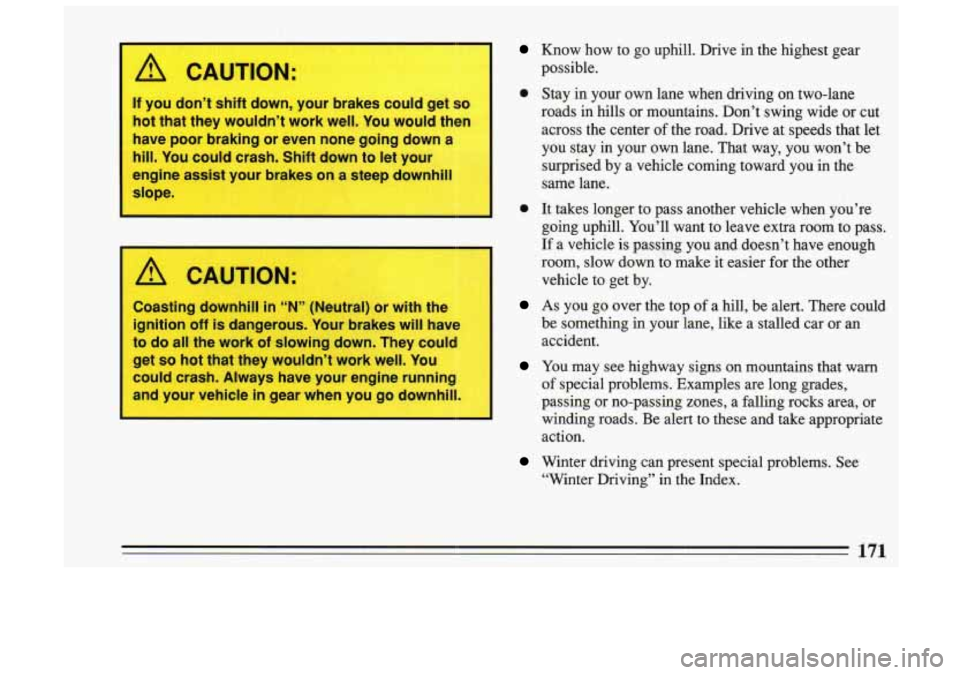
1 CAUTION:
If you don’t shift down, your brakes COL., get so
hot that they wouldn’t work well. You would then
have poor braking or even none going down a
3‘
hill. You could crash. Shift down to let your
engine assist your brakes on a steep downhi
Know.how to go uphill. Drive in the highest gear
possible.
slope.
I.
A CAUTION:
Coasting downhill in “N” (Neutr; or with the
ignition off is dangerous. Your brakes will have
to do all the work of slowing down. They cou
get
so hot that they wouldn’t work well. You
could crash. Always have your engine running
and your vehicle
in gear when you go downh
Stay in your own lane when driving on two-lane
roads in hills or mountains. Don’t swing wide or cut
across the center
of the road. Drive at speeds that let
you stay in your own lane. That way, you won’t be surprised by a vehicle coming toward you in the
same lane.
It takes longer to pass another vehicle when you’re
going uphill. You’ll want to leave extra room to pass.
If a vehicle is passing you and doesn’t have enough
room, slow down to make it easier €or the other
vehicle to get by.
..
1
I As you go over the top of a hill, be alert. There could
be something in your lane, like a stalled car or an
accident.
of special problems. Examples are long grades,
I
passing or no-passing zones, a falling rocks area, or 1
winding roads. Be alert to these and take appropriate
action.
I You may see highway signs on mountains that warn
Winter driving can present special problems. See
“Winter Driving” in the Index.
171