1993 BUICK PARK AVENUE change time
[x] Cancel search: change timePage 127 of 340
“Change Oil Soon” Light (Option)
CHANGE
OIL SOON
This light is activated by
the Engine Oil Life
Monitor System. It
indicates that the engine oil
has degraded enough to
require changing. (See
“Engine Oil” in the Index).
This is determined by electronically monitoring engine
speed, coolant temperature and vehicle speed. Since the
change interval is dependent upon driving habits and
conditions, the “Change Oil Soon” light may come on as
early as
2,000 miles or less for harsh conditions.
The “Change Oil Soon” light
is lit for three seconds as a
bulb check each time the ignition key is turned to the
RUN position. If an oil change is required, it will stay
on for
60 seconds each time the engine is started. If the
“Change Oil Soon” light is on continuously, there is a
problem with the Oil Life Monitor System and service is
required. After
changing; the engine oil, the system should be
- reset. This
will cause the “Change Oil Soon” light once
again,
to be lit for just the bulb check period of three
seconds.
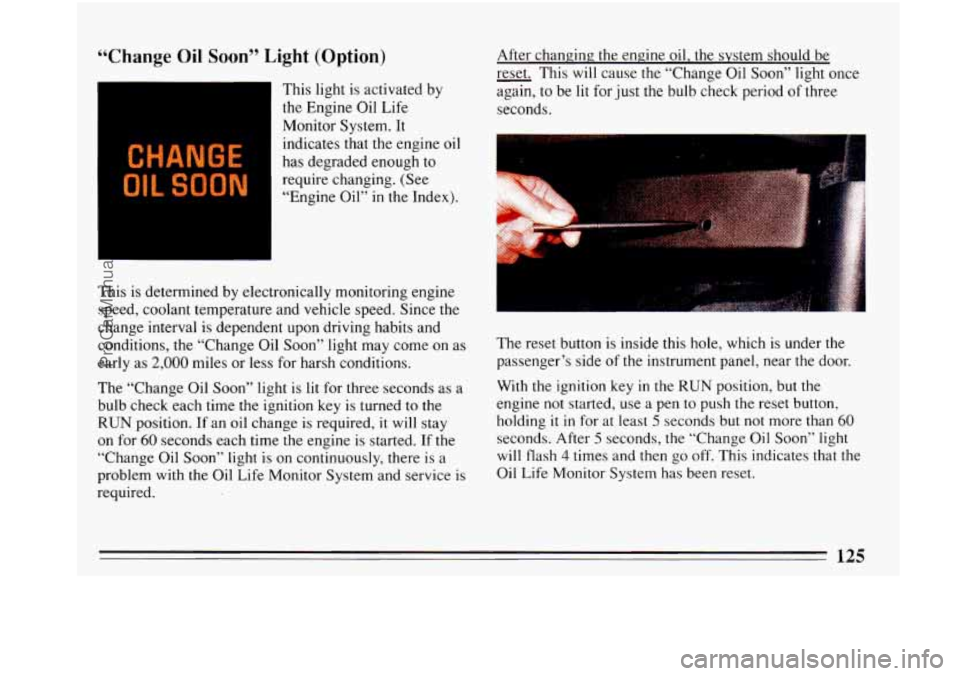
The reset button is.inside this hole, which is under the
passenger’s side of the instrument panel, near the door.
With the ignition key in the
RUN position, but the
engine not started, use a pen to push the reset button,
holding
it in for at least 5 seconds but not more than 60
seconds. After 5 seconds, the “Change Oil Soon” light
will flash 4 times and then go off. This indicates that the
Oil Life Monitor System has been reset.
ProCarManuals.com
Page 154 of 340
Insert a disc partway into the slot, label side up. The
player will pull it in. Wait a few seconds and the disc
should play.
If the disc comes back out, check whether:
The disc is upside down.
It is dirty, scratched, or wet.
There’s too much moisture in the air. (If there is,
wait about one hour and try again.)
RCL
Press RCL to see what track is playing. Press it again
within 5 seconds to see how long the CD has been
playing that track. The display will automatically return
to the time of day.
The track number also appears when you change the
volume, or when a new track starts to play.
COMP
Pressing the COMP button makes soft and loud passages
more equal in volume.
COMP will appear in the display.
RDM
The RDM button means random and when it is pressed,
your
CD player will play the tracks in random order
rather than sequential
1,2,3 ... order. Pressing RDM
again will play the disc in sequential order.
REV
Press and hold REV to return rapidly to a favorite
passage in a track. Note the seconds counter reading in
the display. Release it to play the passage.
FWD
Press and hold FWD to advance quickly within a track.
Release it to resume playing. Watch the display to ston
at
a specific passage.
PREV
Press PREV to hear the previous track. If you hold this
button or press it more than once,
the disc will retreat to
previous tracks.
NEXT
Press NEXT to hear the next track now (instead of
waiting until the present track is finished.) If you hold
this button, or press it more than once, the disc will
advance further.
STlPL
Press ST/PL (Stop/Play) and the disc will stop and the
radio will play. Press ST/PL again
to restart the disc at
the point where it stopped.
ProCarManuals.com
Page 168 of 340
time. A green arrow means you may drive in that lane.
Look for the signs posted to warn drivers what hours
and days these systems are in effect.
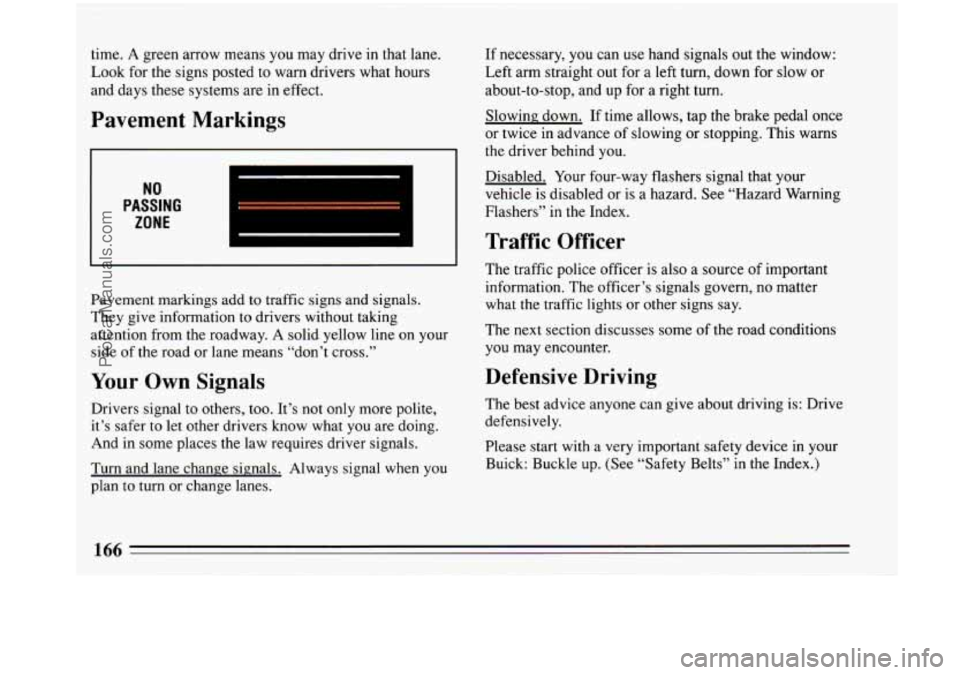
Pavement Markings
NO
PASSING
ZONE
Pavement markings add to traffic signs and signals.
They give information to drivers without taking
attention from the roadway. A solid yellow line
on your
side of the road
or lane means “don’t cross.”
Your Own Signals
Drivers signal to others, too. It’s not only more polite,
it’s safer to let other drivers know what you are doing.
And in some places the law requires driver signals.
Turn and lane change signals. Always signal when you
plan to turn or change lanes.
If necessary, you can use hand signals out the window:
Left arm straight
out for a left turn, down for slow or
about-to-stop, and up for a right turn.
Slowing down. If time allows, tap the brake pedal once
or twice in advance of slowing or stopping. This warns
the driver behind you.
Disabled. Your four-way flashers signal that your
vehicle
is disabled or is a hazard. See “Hazard Warning
Flashers” in the Index.
Traffic Officer
The traffic police officer is also a source of important
information. The officer’s signals govern, no matter
what the traffic lights or other signs say.
The next section discusses some of the road conditions
you may encounter.
Defensive Driving
The best advice anyone can give about driving is: Drive
defensively.
Please start with a very important safety device in your
Buick: Buckle up. (See “Safety Belts” in the Index.)
ProCarManuals.com
Page 176 of 340
I CAUTION:
Anti-lock doesn’t change the time you need to
get your foot
up to the brake pedal. If you get too
close to the vehicle in front of you, you won’t
have time to
apply your brakes ifethat vehicle
suddenly
stows or stops. Always leave enough
room up ahead to stop, even though you have
antblock brakes.
To Use Anti-Lock:
Don’t pump the brakes. Just hold the brake pedal down
and let anti-lock work for
you.
When you start your vehicle and begin to drive away,
you may hear a momentary motor or clicking noise. And
you may even notice that your brake pedal moves a little
while this is going on. This is the ABS system testing
itself. You may also hear this during a hard stop.
Traction Control System (Option)
Your vehicle may have a traction control system that
limits wheel spin. This is especially useful
in slippery
road conditions. The traction control system works at
low speeds only, such as when you accelerate from a stop. It
applies brake pressure
to an individual wheel
that the system senses is about to spin.
You may feel the system working, or you may notice
some noise, but this is normal.
TRACTION
OFF
The “TRACTION OFF” warning light lets you know if
your traction control system is not working. See
“Traction Control System Warning Light” in the Index.
Disc Brake Wear Indicators
Your Buick has front disc brakes and rear drum brakes.
Disc brake pads have built-in wear indicators that make
a high-pitched warning sound when the brake pads are
worn and new pads are needed. The sound may come
174
ProCarManuals.com
Page 178 of 340
Braking in Emergencies
Use your anti-lock braking system when you need to.
With anti-lock, you ‘can steer and brake at the same time.
In many emergencies, steering can help you more than
even the very best braking.
Steering
Power Steering
If you lose power steering assist because the engine
stops
or the system fails to function, you can steer but it
.will take much more effort.
Steering Tips
Driving on Curves
It’s important to take curves at a reasonable speed.
A lot of the “driver lost control” accidents mentioned on
the news happen on curves. Here’s
why:
Experienced driver or beginner, each.of us is subject to
the same laws of physics when driving on curves. The
traction of the tires against the road surface makes it
possible for the vehicle to changejts path when you
turn
the front wheels. If there’s no traction, inertia will keep
the vehicle going in the same direction. If you’ve ever
tried to steer a vehicle on wet ice, you’ll understand this. The
traction you can get in a curve depends on the
condition of your tires and the road surface, the angle
at
which the curve is banked, and your speed. While
you’re in a curve, speed is the one factor you can
control.
Suppose you’re steering through a sharp curve. Then
you suddenly accelerate.
Those two control systems
-- steering .and acceleration --
can overwhelm those places where the tires meet the
road and make you lose control.
What should you do
if this ever happens? Let up on the
.accelerator pedal, steer the vehicle the way you want it
to go, and slow down.
Speed limit signs near curves
warn that you should
adjust your speed. Of course,
the posted speeds are
based on good weather and road conditions. Under less
favorable conditions you’ll want to go slower.
If you need to reduce your speed as you approach a
curve, do it before you enter the curve, while your front
wheels are straight ahead.
Try to adjust
your speed so you can “drive” through the
curve. Maintain a reasonable, steady speed. Wait to
accelerate until you are out of the curve, and then
accelerate gently into the straightaway.
176 I
ProCarManuals.com
Page 181 of 340
So here are some tips for passing:
“Drive ahead.” Look down the road, to the sides, and
to crossroads for situations that might affect your
passing patterns.
If you have any doubt whatsoever
about making a successful pass, wait for a better
time.
Watch for traffic signs, pavement markings, and
lines. If you can see a sign up ahead that might
indicate a turn or an intersection, delay your pass. A
broken center line usually indicates it’s all right to
pass (providing the road ahead is clear). Never cross
a solid line
on your side of the lane or a double solid
line, even if the road seems empty of approaching
traffic.
If you suspect that the driver of the vehicle you want
to pass isn’t aware of your presence, tap the
horn a
couple of times before passing.
Do not get too close to the vehicle you want to pass
while you’re awaiting an opportunity. For one thing,
following
too closely reduces your area of vision,
especially if you’re following
a larger vehicle. Also,
you won’t have adequate space if the vehicle ahead
suddenly slows or stops. Keep back a reasonable
distance.
When it looks like a chance to pass is coming up,
start to accelerate but stay in the right lane and don’t
get too close. Time your move
so you will be
increasing speed as
the time comes to move into the
other lane. If the way is clear to pass, you will have a
“running start’’ that more than makes up for the
distance you would lose by dropping back. And if
something happens to cause you to cancel your pass,
you need only slow down and drop back again and
wait for another opportunity.
If other cars are lined up to pass a slow vehicle, wait
your turn.
But take care that someone isn’t trying to
pass you as you pull out to pass the slow vehicle.
Remember to glance over your shoulder and check
the blind spot.
Check your mirrors, glance over your shoulder, and
start your
left lane change signal before moving out
of the right lane to pass. When you are far enough
ahead of the passed vehicle
to see its front in your
inside mirror, activate your right lane change signal
and move back into the right lane. (Remember that
your right outside mirror
is convex. The vehicle you
just passed may seem to be farther away from you
than it really
is.)
ProCarManuals.com
Page 182 of 340
0
0
0
Try not to pass more than one vehicle at a time on
two-lane roads. Reconsider before passing the next
vehicle.
Don’t overtake a slowly moving vehicle too rapidly.
Even though the brake lights are not flashing, it may
be slowing down or starting to turn.
If you’re being passed, make it easy for
the
following driver to get ahead of you. Perhaps you
can ease a little to the right.
Loss of Control
Let’s review what driving experts say about what
happens when the three control systems (brakes, steering
and acceleration) don’t have enough friction where the
tires meet the road to do what the driver has asked.
In any emergency, don’t give up. Keep trying to steer
and constantly seek an escape route or area of less
danger.
Skidding
In a skid, a driver can lose control of the vehicle.
Defensive drivers avoid most skids by taking reasonable
care suited to existing conditions, and by not
“overdriving” those conditions. But skids are always
possible. The three
types of skids correspond to your Buick’s
three control systems. In the braking skid your wheels
aren’t rolling. In
the steering or cornering skid, too
much speed or steering in a curve causes tires to slip and
lose cornering force. And in the acceleration skid too
much throttle causes the driving wheels to spin.
A cornering skid and an acceleration skid are best
handled by easing your foot
off the accelerator pedal.
If your vehicle starts to slide (as when
you turn a corner
on a wet, snow- or ice-covered road), ease your foot off
the accelerator pedal as soon as you feel the vehicle start
to slide. Quickly steer the way you want the vehicle to
go. If
you start steering quickly enough, your vehicle
will straighten
out. As it does, straighten the front
wheels.
Of course, traction is reduced when water, snow, ice,
gravel, or other material is on the road. For safety, you’ll
want to slow down and adjust your driving to these
conditions. It is important
to slow down on slippery
surfaces because stopping distance will be longer and
vehicle control more limited.
While driving on a surface with reduced traction, try
your best to avoid.sudden steering, acceleration, or
braking (including engine braking by shifting to a lower
gear). Any sudden changes could cause the tires to slide.
You may not realize the surface is slippery until your
ProCarManuals.com
Page 193 of 340
long-distance driving? Are the tires all inflated to the
recommended pressure?
Weather Forecasts: What’s the weather outlook
along your route? Should you delay your trip a short
time to avoid a major storm system?
Maps: Do you have up-to-date maps?
On the Road
Unless you are the only driver, it is good to share the
driving task with others. Limit turns behind the wheel to
about
100 miles (160 km) or two hours at a sitting.
Then, either change drivers or stop for some refreshment
like coffee, tea or soft drinks and some limbering up.
But do stop and move around. Eat lightly along the way.
Heavier meals tend to make some people sleepy.
On two-lane highways or undivided multilane highways
that do not have controlled access, you’ll want
to watch
for some situations
not usually found on freeways.
Examples are: stop signs and signals, shopping centers
with direct access to
the highway, no passing zones and
school zones, vehicles turning left and right off the road,
pedestrians, cyclists, parked vehicles, and even animals.
Highway Hypnosis
Is there actually such a condition as “highway
hypnosis”? Or is
it just plain falling asleep at the wheel?
Call
it highway hypnosis, lack of awareness, or
whatever.
There is something about an easy stretch of road with
the same scenery, along with
the hum of the tires on the
road, the drone of the engine, and the rush of the wind
against the vehicle that can make you sleepy. Don’t let it
happen to you! If it does, your vehicle can leave the
road
in less than a second, and you could crash and be
injured.
What can you do about highway hypnosis? First, be
aware that it can happen.
191
ProCarManuals.com