1993 BUICK LESABRE lock
[x] Cancel search: lockPage 141 of 324
FWD
Press and hold FWD to advance quickly within a track.
Release it to resume playing. Watch
the graphic display
to stop at a specific passage.
PREV
Press PREV to hear the previous track. Press it again to
move back one more track.
NEXT
Press NEXT to hear the next track instead of waiting
until the present track is finished. If you hold this
button, or press
it more than once, the disc will advance
further.
STFL
Press ST/PL (Stop/Play) and the disc will stop hd the
radio will play. Press
STPL again to restart the disc at
the point where it stopped.
Press the PWR button or
turn the ignition key off to stop
the disc player. The disc stays
in the player and will
resahe playing at the point where it stopped.
EJECT
Press EJCT, the disc will eject and the radio will play.
The disc will start at track
1 when you reinsert it.
As a feature to protect the disc, if you turn off the
ignition with the disc partway out of the slot (after
eject), it will be drawn back into the player
in about 30
seconds.
The disc will play at track
1 when the radio system is
turned on again.
Anti-Theft Feature
Delco-Loc I1 is a security feature for the compact disc
player. It can be used or ignored. If ignored, the system
plays normally. If it is used, your player won’t be usable
if it’s ever stolen, because it won’t turn on.
The instructions below
tell you how to enter your
personal secret code into the system.
If your car loses
battery power for any reason, you must unlock the
system with the secret code again before the system will
turn on.
Be sure to read through the entire procedure and become
familiar with the appropriate buttons and knobs before
itarting.
k.
139
Page 142 of 324
Step 1. Write down any 6-digit number and keep it in a
safe place.
Step
2. Turn the ignition to the ACC or RUN position.
Step
3. Press PWR to turn the radio off.
Step 4. Press presets 1 and 4 buttons together. Hold
them until
“- - -” shows on the display (at least 5
seconds).
You are now ready to enter your secret code. If you
pause more than
15 seconds between steps you may
have to start over.
Step
5. Press SET and “000” will appear on the display.
Step
6. Press SEEK or 4 and hold it until the first
digit of your code appears.
Step
7. Rotate the tune knob right or left to make the
next two numbers agree with your code.
Step
8. Press AM-FM knob and “000” will appear. Now
you are ready to enter the second three digits of the code
according to Step
6 and 7.
Step 9. Press the AM-FM knob. The display will show
“rEF’”
, and then “000” will appear indicating that some
steps are to be repeated for verification. Step
10. Repeat steps 6, 7, and 8.
Step 11. Press the AM-FM knob. If the display shows
“SEC” , the verification process was successful and the
system is SECURE. If the display shows
“- - -”, the
verification steps were not successful and the entire sequence must be started again.
To Unlock The System After a Power Loss
When battery power is reapplied to a secured radio, the
radio won’t turn
on and “LOC” will appear in the
display.
Enter your secret code as follows; pause
no more than
15 seconds between steps.
1.
2.
3.
4.
Turn the ignition on (Radio off.)
Press the SET button. The display will show
“000”.
Enter the six digits of the code following steps 6 thru
9 above. The display will show the number as
entered.
Press the
AM/FM button and the time appears -
indicating that the disabling sequence was
successful. If the display indicates “SEC”, the
number did not match and the unit is still secured.
140
Page 162 of 324

0 If your engine ever stops while you’re driving, brake
normally but don’t pump your brakes.
If you do, the
pedal may get harder to push down.
If your engine
stops, you will still have some power brake assist.
But
you will use it when you brake. Once the power assist
is used up, it may take longer to stop and the brake
pedal will be harder to push.
Anti-Lock Brakes (ABS)
Your Buick has an advanced electronic braking system
that will help prevent skidding.
This light
on the instrument panel will go on when you
start your vehicle.
See “Anti-lock Brake System Warning Light”
in the
Index.
@
ANTI
LOCK
‘1 ”. j ’ ;I
- -’ y- ..-
a,
rn
e,
Here’s how anti-lock works. Let’s say the road is wet.
You’re. driving safely. Suddenly an animal jumps
out in
front
of you.
You slam on the brakes. Here’s what happens with ABS.
A computer senses that wheels are slowing down. The
computer separately works the brakes at each front
wheel and at the rear wheels.
The anti-lock system can change the brake pressure
faster than any driver could. The computer
is
programmed to make the most of available tire and road
conditions.
160
Page 163 of 324
I
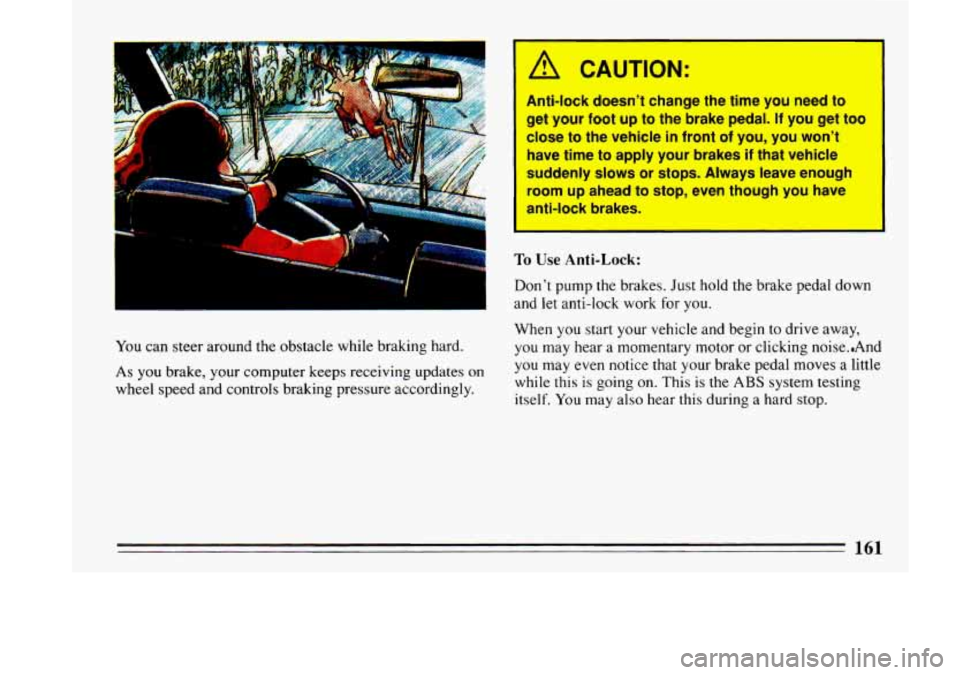
You can steer around the obstacle while braking hard.
As you brake, your computer keeps receiving updates on
wheel speed and controls braking pressure accordingly.
/A CAUTION:
1
1
Anti-lock doesn’t change the time you need to
get your foot up to the brake pedal. If you get too
close
to the vehicle in front of you, you won’t
have time to apply your brakes
if that vehicle
suddenly slows or stops. Always leave enough
room up ahead
to stop, even though you have
anti-lock brakes.
To Use Anti-Lock:
Don’t pump the brakes. Just hold the brake pedal down
and let anti-lock work for
you.
When you start your vehicle and begin to drive away,
you may hear a momentary motor or clicking noise..And
you may even notice that your brake pedal moves a little
while this
is going on. This is the ABS system testing
itself.
You may also hear this during a hard stop.
Page 165 of 324
applied. This does not mean something is wrong with
your brakes.
Rear Drum Brakes
Your rear drum brakes don’t have wear indicators, but if
you ever hear
a rear brake rubbing noise, have the rear
brake linings inspected. Also, the rear brake drums should be removed and inspected each time the tires are
removed for rotation
or changing. When you have the
front brakes replaced, have the rear brakes inspected,
too.
Brake linings should always be replaced as complete
axle sets.
Brake Pedal Travel
See your dealer if the brake pedal does not return to
normal height, or
if there is a rapid increase in pedal
travel. This
could be a sign of brake trouble.
Brake Adjustment
Every time you make a moderate brake stop, your
brakes adjust for wear.
If you rarely make a moderate or heavier stop, then your
brakes might not adjust correctly. If you drive in that
way, then
-- very carefully -- make a few moderate brake
stops about every
1000 miles (1600 km), so your
brakes will adjust propexly.
Braking in Emergencies
Use your anti-lock braking system when you need to.
With anti-lock, you can steer and brake at the same time.
In many emergencies, steering can help you more than
even the very best braking.
Steering
Power Steering
If you lose power steering assist because the engine
stops or the system fails to function, you can steer but it
will take much more effort.
Steering Tips
Driving on Curves
It’s important to take curves at a reasonable speed.
A lot of the “driver
lost control” accidents mentioned on
the news happen on curves. Here’s why:
Experienced driver or beginner, each
of us is subject to
the same laws of physics when driving
on curves. The
traction
of the tires against the road surface makes it
possible for the vehicle to change its path when you turn
163
Page 167 of 324
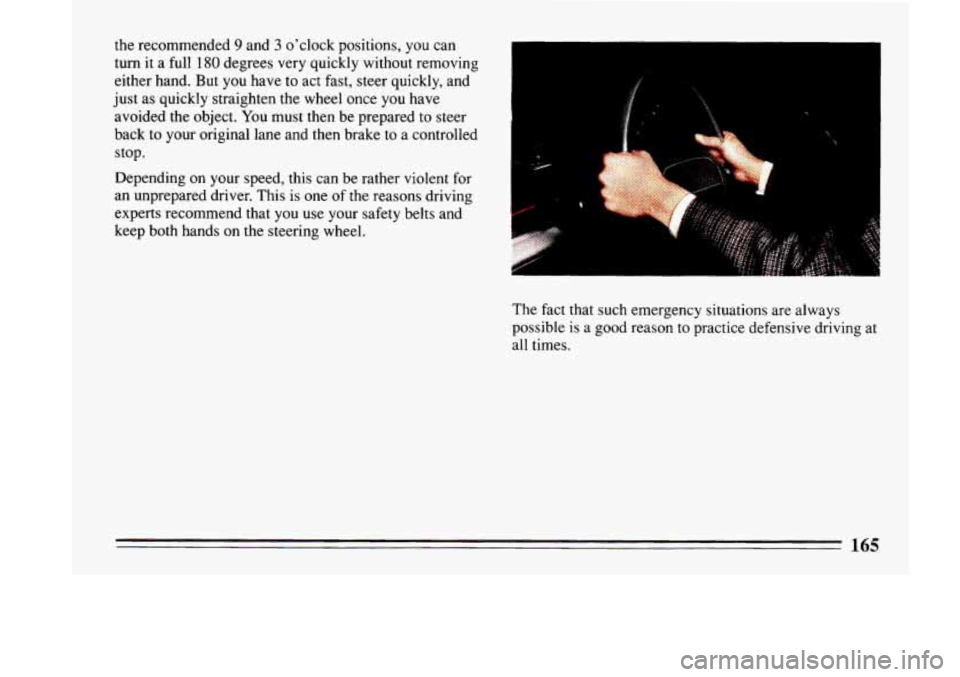
the recommended 9 and 3 o'clock positions, you can
turn
it a full 180 degrees very quickly without removing
either hand. But you have to act fast, steer quickly, and
just as quickly straighten the wheel once
you have
avoided the object. You must then be prepared to steer
back to your original lane and then brake to a controlled
stop.
Depending on your speed, this can be rather violent for
an unprepared driver. This is
one of the reasons driving
experts recommend that
you use your safety belts and
keep both hands on the steering wheel.
The fact that such emergency situations are always
possible
is a good reason to practice defensive driving at
all times.
165
Page 171 of 324
vehicle is skidding. Learn to recognize warning clues -
such as enough water, ice or packed snow on the road to
make a “mirrored surface”
- and slow down when you
have any doubt.
Remember: Any anti-lock braking system (ABS) helps
avoid only the braking skid. Steer the way
you want to go.
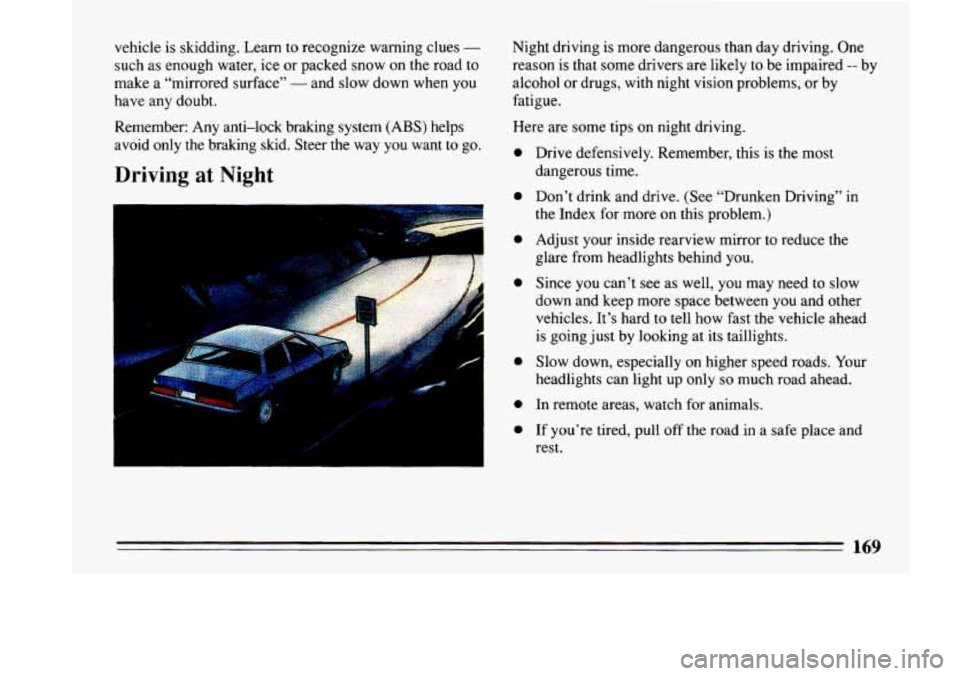
Driving at Night
Night driving is more dangerous than day driving. One
reason is that some drivers are likely
to be impaired -- by
alcohol or drugs, with night vision problems, or by
fatigue.
Here are some tips on night driving.
0
0
0
0
0
0
0
Drive defensively. Remember, this is the most
dangerous time.
Don’t drink and drive, (See “Drunken Driving’’ in
the Index for more
on this problem.)
Adjust your inside rearview mirror to reduce the
glare from headlights behind you.
Since you can’t see as well,
you may need to slow
down and keep more space between you and other
vehicles. It’s hard to tell
how fast the vehicle ahead
is going just by looking at its taillights.
Slow down, especially on higher speed roads. Your
headlights can light up only
so much road ahead.
In remote areas, watch for animals.
If you’re tired, pull off the road in a safe place and
rest.
169
Page 172 of 324
Night Vision
No one can see as well at night as in the daytime. But as
we get older these differences increase.
A SO-year-old
driver may require at least twice as much light to see the
same thing at night as a 20-year-old.
What you do in the daytime can also affect your night
vision. For example, if you spend the day
in bright
sunshine you are wise to wear sunglasses. Your eyes will
have less trouble adjusting to night.
But if you’re driving, don’t wear sunglasses at night.
They may cut down on glare from headlights, but
they
also make a lot of things invisible that should remain
visible
- such as parked cars, obstacles, pedestrians, or
even trains blocking railway crossings. You may want to
put on your sunglasses after you have pulled into
a
brightly-lighted service or refreshment area. Eyes shielded from that glare may adjust more quickly to
darkness back on the road. But be sure to remove your sunglasses before you leave the service area.
You can be temporarily blinded by approaching lights. It
can take a second
or two, or even several seconds, for
your eyes to readjust to the dark. When you are faced
with severe glare (as from
a driver who doesn’t lower
the high beams, or a vehicle with misaimed headlights), slow down
a little. Avoid staring directly into the
approaching lights. If there is a line of opposing traffic,
make occasional glances over the line of headlights to
make certain that one of the vehicles isn’t starting to
move into your lane. Once you are past the bright lights,
give your eyes time to readjust before resuming speed.
High Beams
If the vehicle approaching you has its high beams on,
signal by flicking yours to high and then back
to low
beam. This is the usual signal to lower the headlight
beams. If the other driver still doesn’t lower the beams,
resist the temptation to put your high beams on. This only makes two half-blinded drivers.
On a freeway, use your high beams only in remote areas
where you won’t impair approaching drivers. In some
places, like cities, using high beams is illegal.
When you follow another vehicle on a freeway or
highway, use low beams. True, most vehicles now have day-night mirrors that enable the driver to reduce glare. But outside mirrors are not of this type and high beams
from behind can bother the driver ahead.
170
-